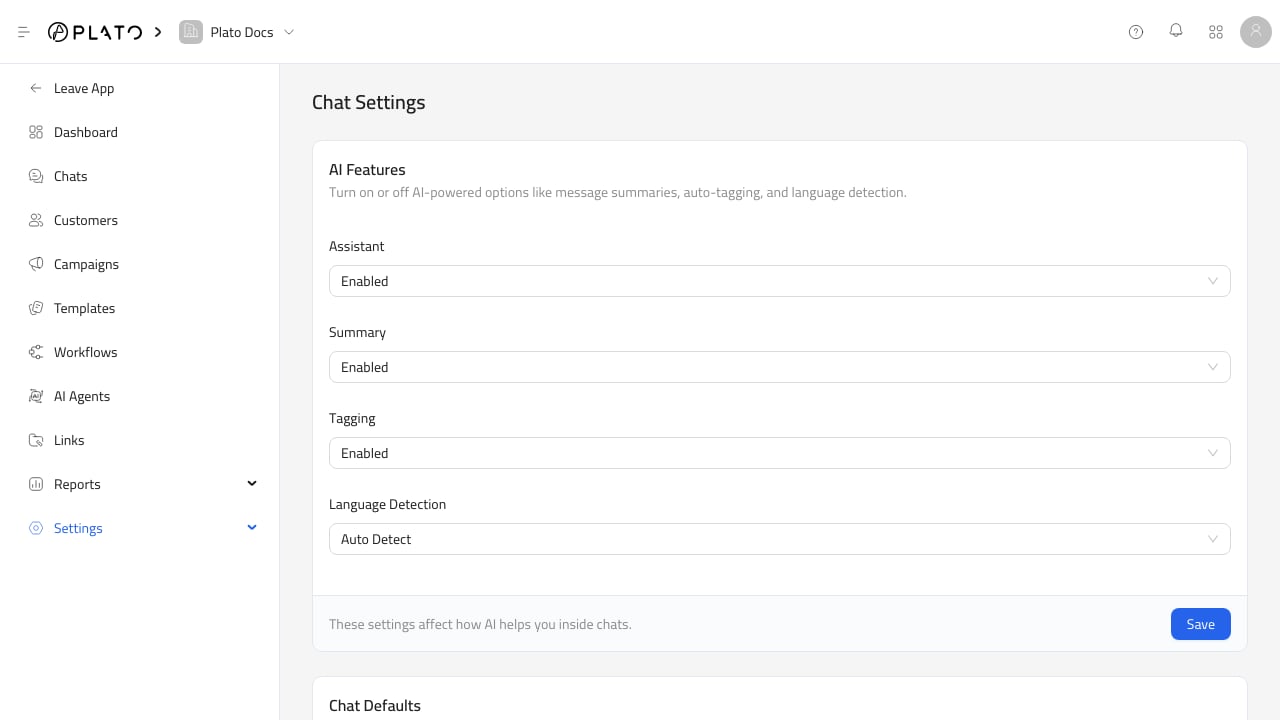
Chat Settings controls how Connect360 behaves in new and existing conversations. Use it before enabling automation widely across the workspace. Connect360 chat settings For the expanded setup guide, see AI And Chat Defaults.

AI Features

AI feature settings control whether Connect360 can use:
  • Assistant features.
  • Message summaries.
  • Auto-tagging.
  • Language detection.
These settings affect AI support inside chats.

Chat Defaults

Chat defaults apply to new conversations. You can choose whether new chats should automatically enable:
  • AI auto-reply.
  • Translation.
  • Workflows.
  • Merge by customer.
Use these defaults to match how your team wants new customer conversations to start.

AI Auto Reply

AI Auto Reply lets you choose a default agent and routing rules. Rules can route by:
  • Phone number.
  • Channel.
  • Tag.
Each rule has a condition, an assigned agent, and an enabled state. Create agents from AI Agents before setting up auto-reply routing.

Bulk Actions

Bulk actions update all existing conversations at once. You can enable or disable:
  • AI auto-reply.
  • Workflows.
  • AI auto-translate.
Use bulk actions carefully. They change existing conversation metadata, while chat defaults only affect new conversations.