

Add Social Icons
Social icons can appear near the top or bottom of the public Bio Link page.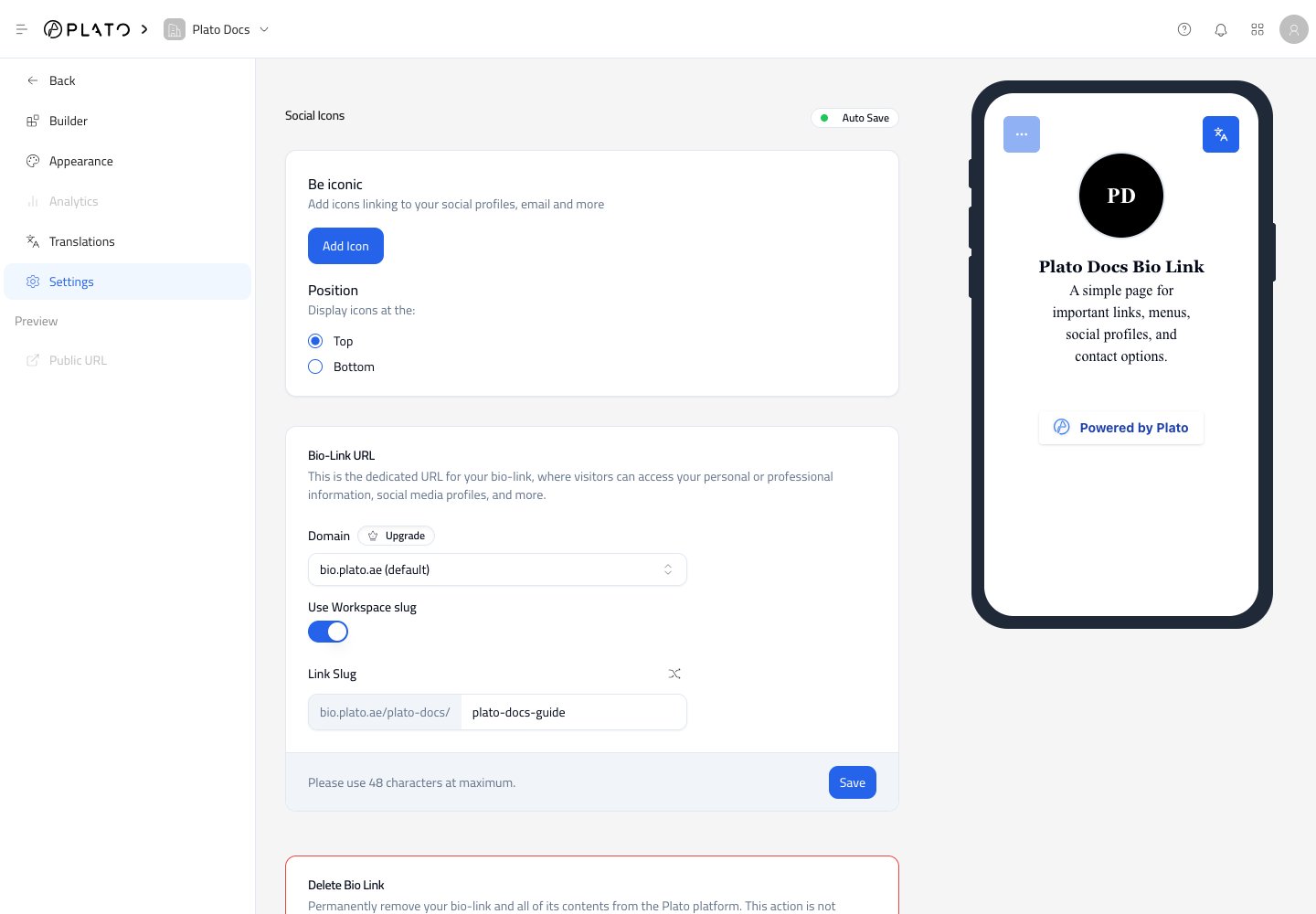
Add Icon to add a new icon.
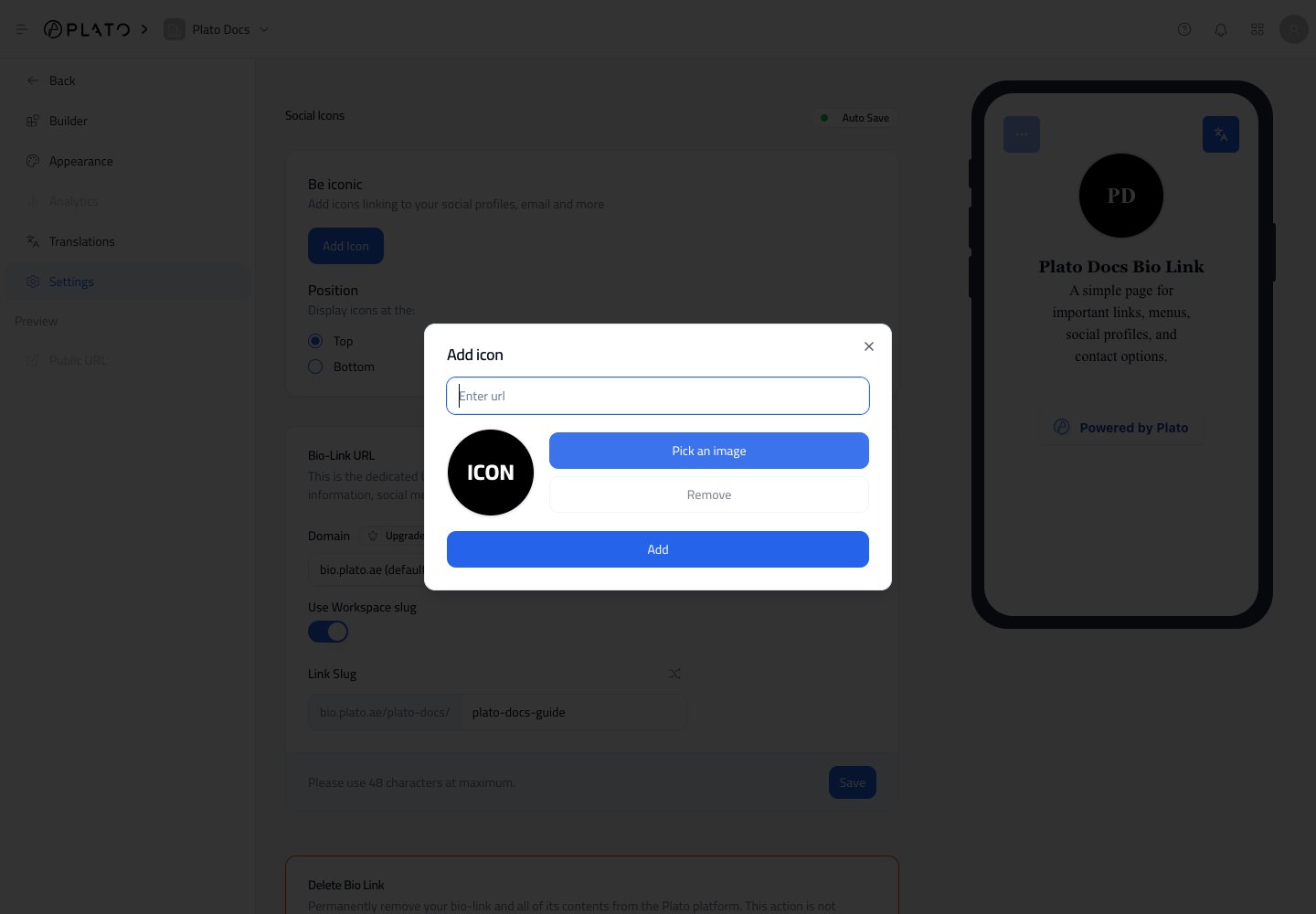
Choose Icon Position
Use theTop or Bottom position choice to decide where icons appear on the public page.
Top is usually best for social profiles visitors should notice immediately. Bottom is better when the main page content should come first.
Update The Public URL
The Bio-Link URL section controls the page address visitors open.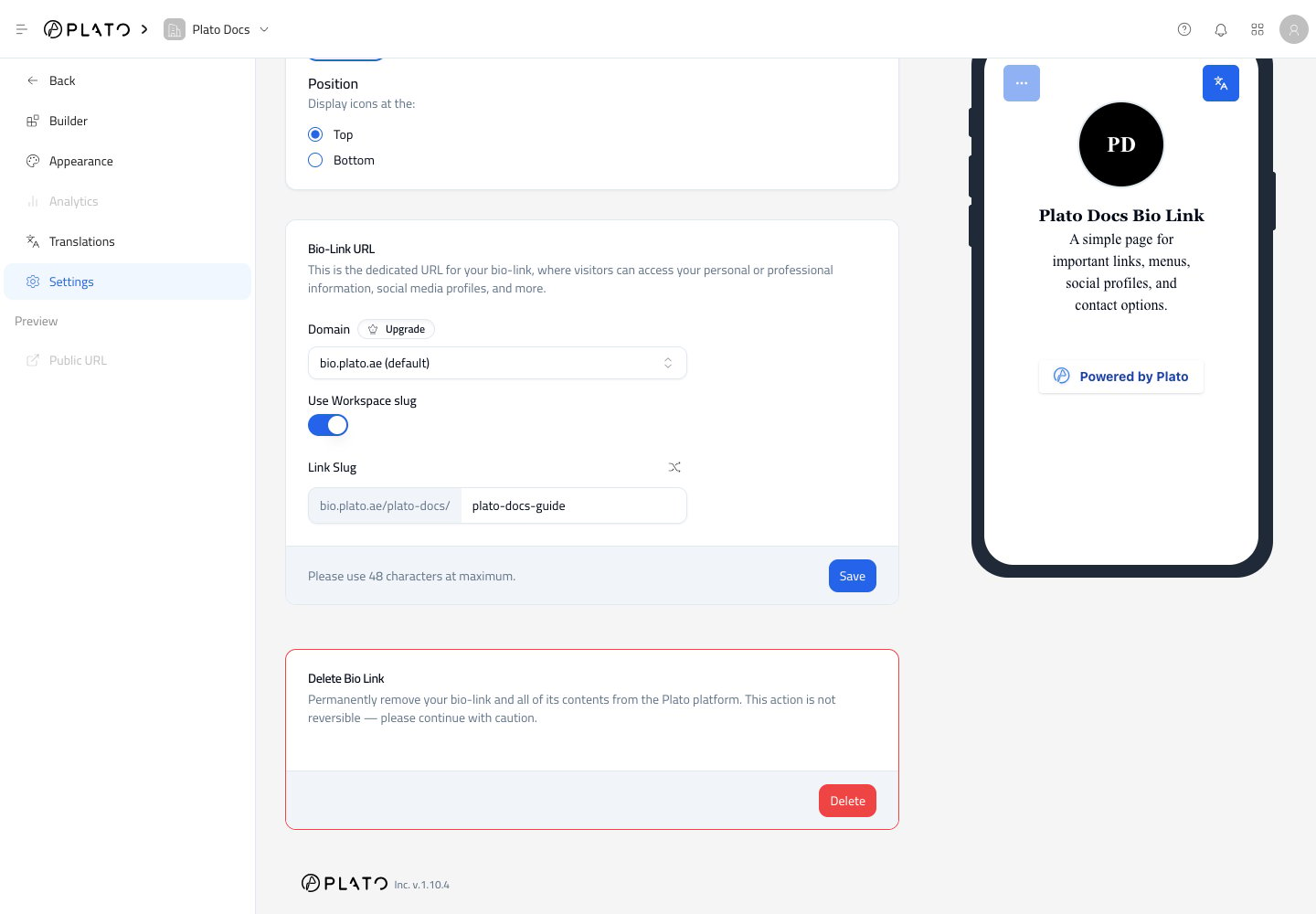
- Domain.
- Whether the workspace slug appears in the URL.
- Link slug.
Save after changing URL settings.