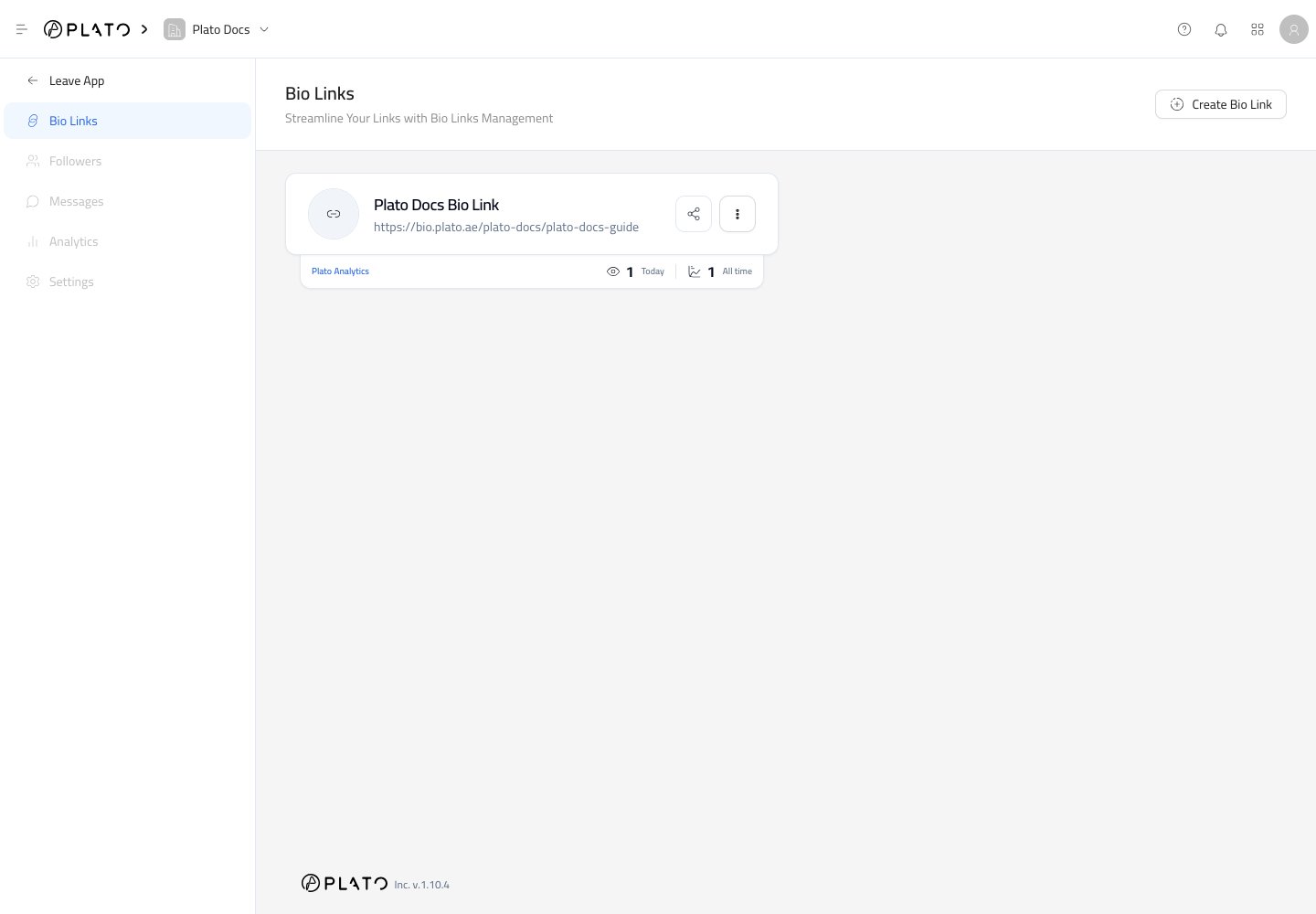
The Bio Links page is where you create and manage the public link pages for your workspace. Bio Links list page
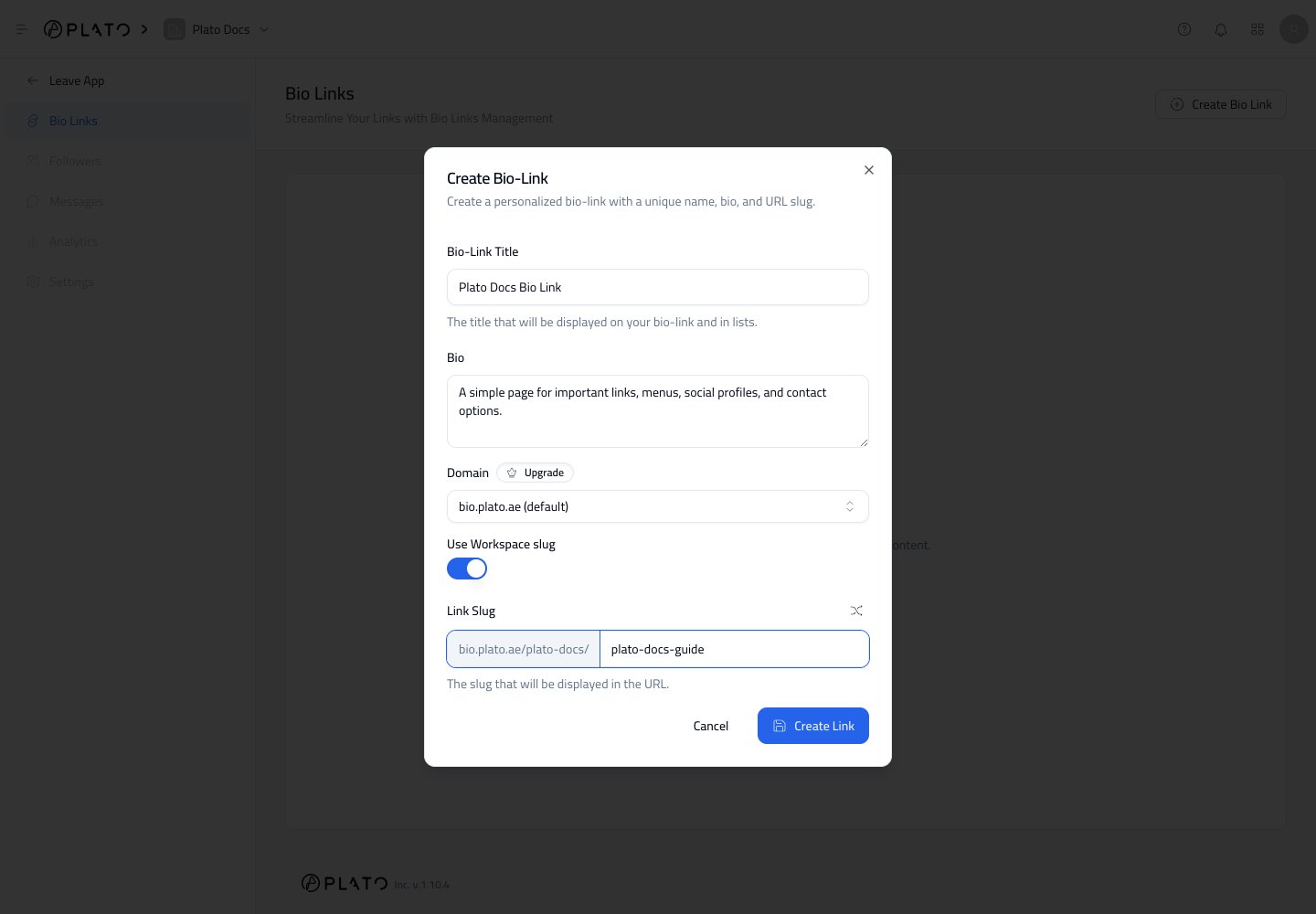
  1. Open Bio Link from the Plato Console.
  2. Click Create Bio Link.
  3. Add a clear title.
  4. Add a short bio that explains what visitors will find on the page.
  5. Keep the default domain, or choose a custom domain if one is available.
  6. Choose whether to include the workspace slug in the URL.
  7. Add a simple link slug.
  8. Click Create Link.
Create Bio Link dialog Use a short slug that is easy to read, print, and say out loud. For example, summer-menu, downtown, or catering. After a Bio Link exists, click its card to open the editor. Each card shows the public URL and quick actions for sharing or managing the link.

View Basic Performance

The small analytics strip below each card shows recent views and all-time views. Use this as a quick health check after sharing a link, launching a QR code, or publishing a campaign. Open the three-dot menu on a Bio Link card when you need more actions. From there, you can edit the link, open translations, or mark the link as primary. Use a primary Bio Link for the main page your workspace wants to promote most often.