

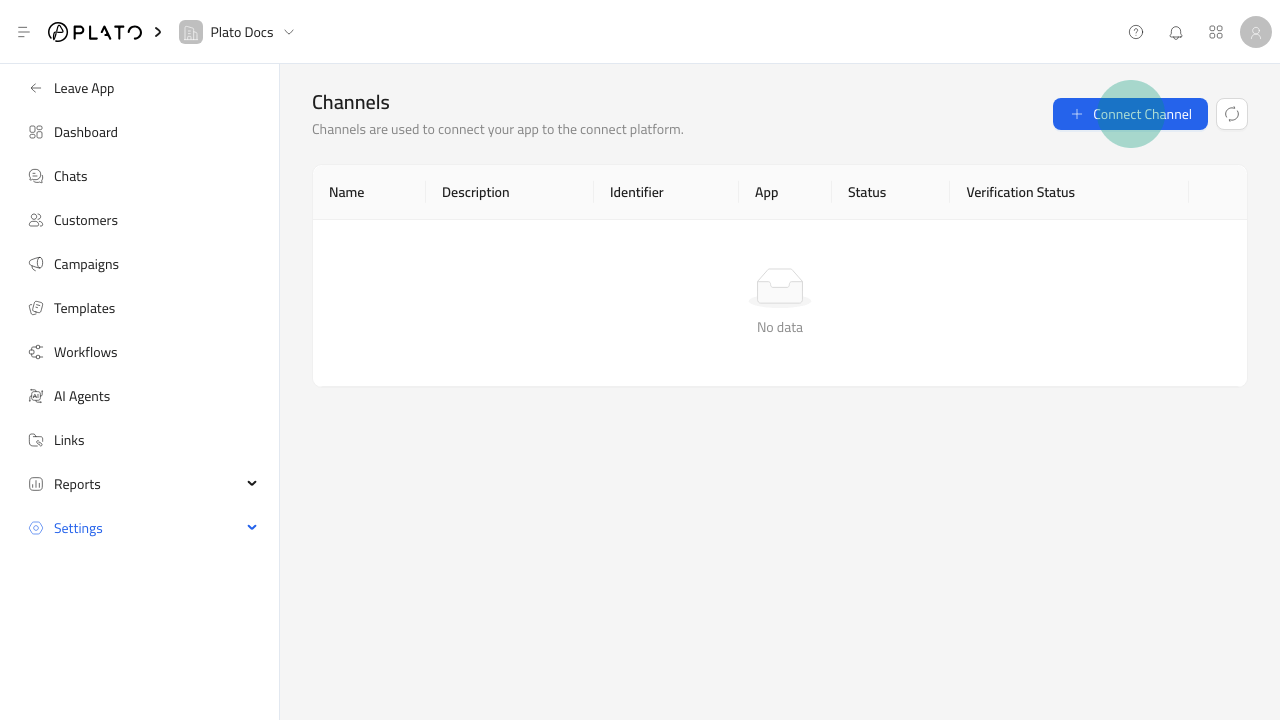
Open The Channel Form
- Open
Connect360. - Go to
Settings>Channels. - Click
Connect Channel.
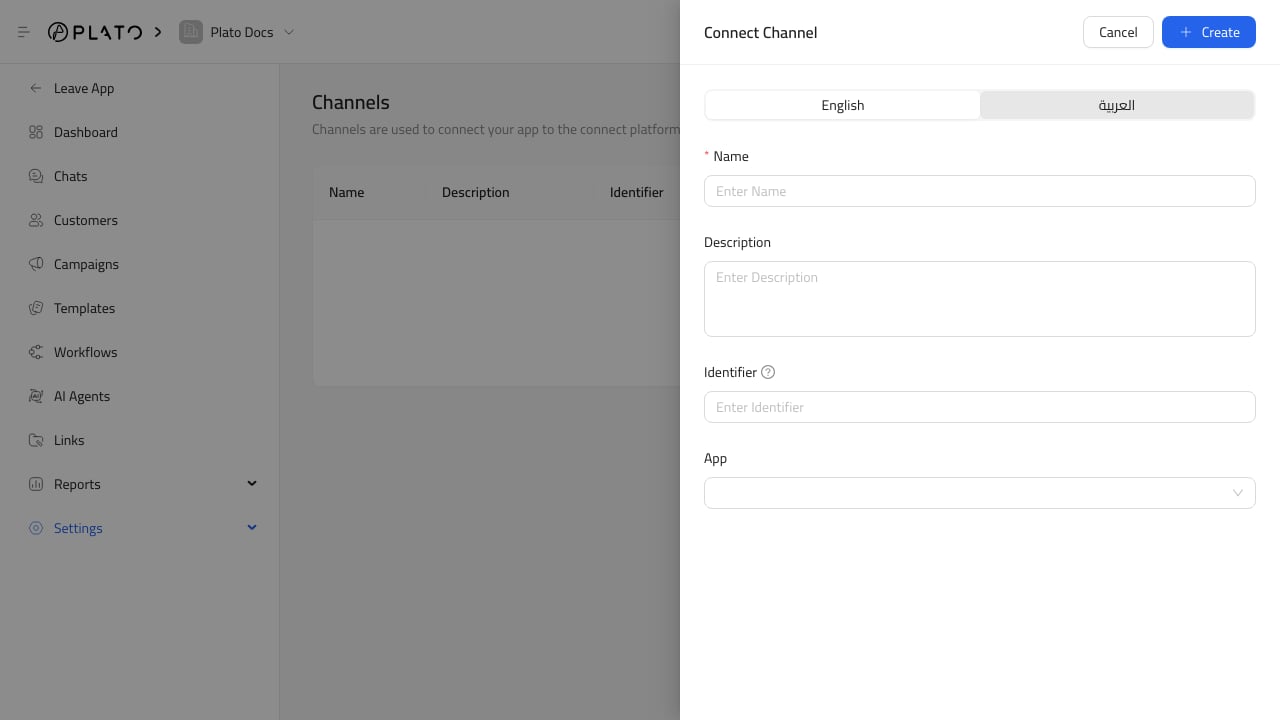
Fill Channel Details
Add a clear name, description, identifier, and messaging app. The identifier is usually the provider-specific sender value, such as a WhatsApp number or SMS sender.Before Using The Channel
Confirm:- The channel is active.
- Verification status is ready.
- The app/provider is correct.
- Webhooks and provider credentials are configured when required.
- A messaging wallet exists when the channel has paid sends.