

What To Check
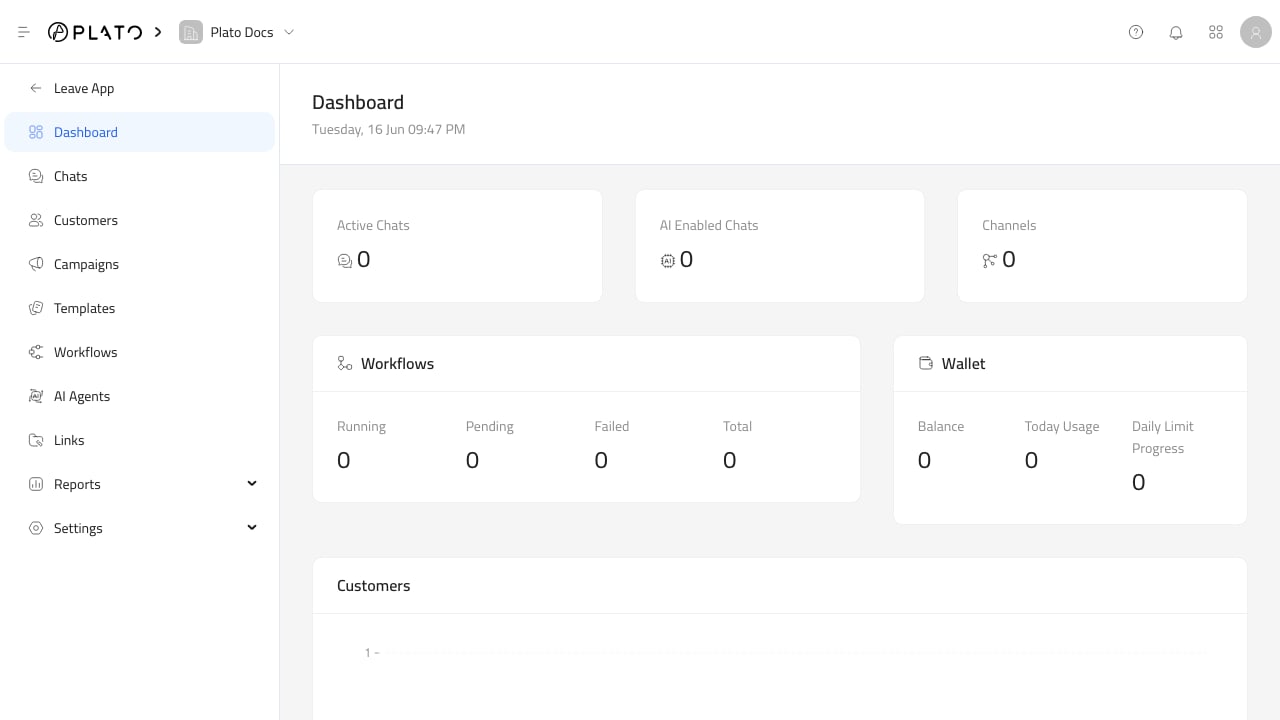
The dashboard currently highlights:- Active chats.
- AI-enabled chats.
- Connected channels.
- Workflow counts by running, pending, failed, and total.
- Messaging wallet balance, today’s usage, and daily limit progress.
- New customers over the last seven days.
How To Use The Cards
Use the dashboard as a signpost, not as the final report. If active chats are high, open Chat Inbox. If failed workflows appear, open Workflows and thenExecutions.
If wallet usage or balance looks wrong, open Wallets.
If new customers spike, open Customers and review tags, source, and recent conversations.
Before Sending A Campaign
Before a large campaign, check:- The channel count is expected.
- The wallet has enough balance.
- Templates are approved or ready for the channel you will use.
- Any workflow used by the campaign is active.
- Customer records and tags are current.