

Connect360 from the Plato Console when you want to manage customer conversations, campaigns, templates, automation, links, or messaging setup.
The app uses its own sidebar. The back button returns you to the main Console.
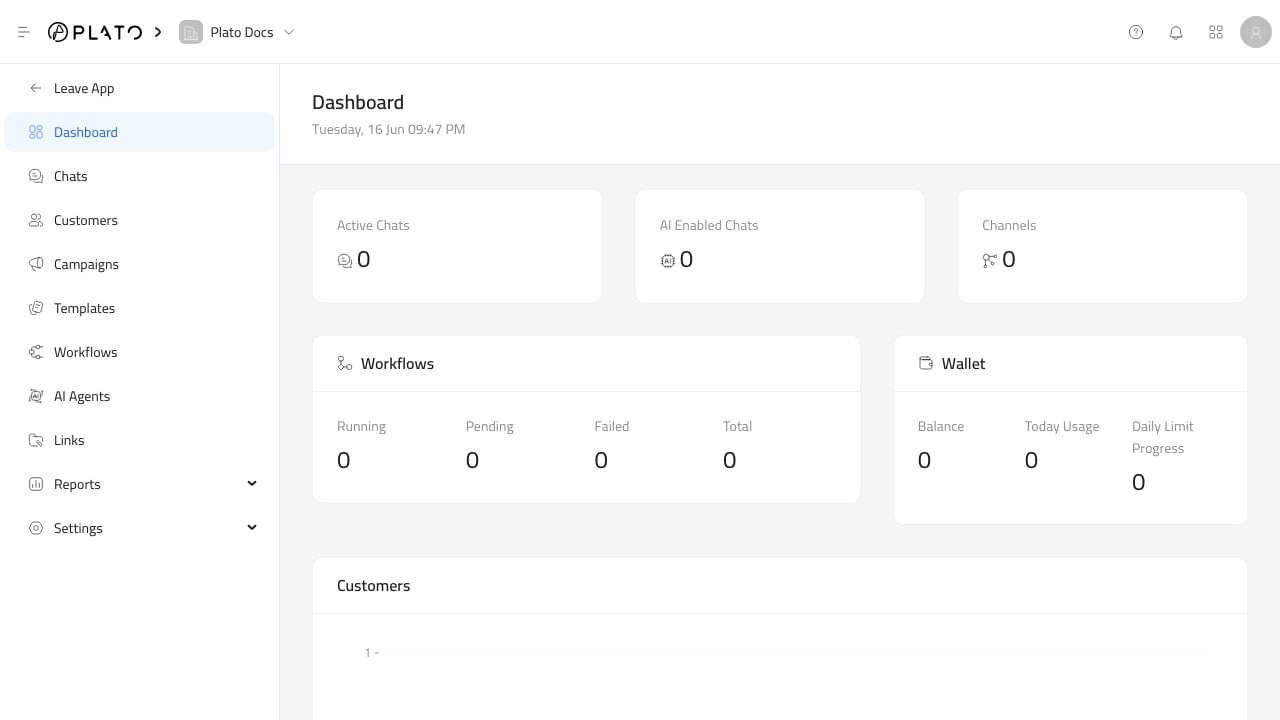
Main Areas
The Connect360 sidebar is organized around customer engagement work:Dashboardgives a quick view of chats, channels, workflows, wallet usage, and new customers.Chatsis the shared inbox for customer and team conversations.Customersopens the shared customer list.Campaignssends a template, workflow, or both to selected customers.Templatesstores reusable message content.Workflowsopens automation rules and execution history.AI Agentsmanages the agents used by auto-reply routing.Linkscreates and tracks short links for campaigns.Reportscontains chat analytics, customer distribution, campaign insights, template insights, link analytics, and link events.Settingscontains chat defaults, tags, channels, and wallets.
Recommended First Setup
Before using Connect360 with customers, check these in order:- Confirm the workspace has Connect360 access in Console roles.
- Connect at least one messaging channel.
- Confirm a messaging wallet exists and has enough balance.
- Create the first template.
- Create or import customer records.
- Send a test conversation or campaign to a safe customer profile.