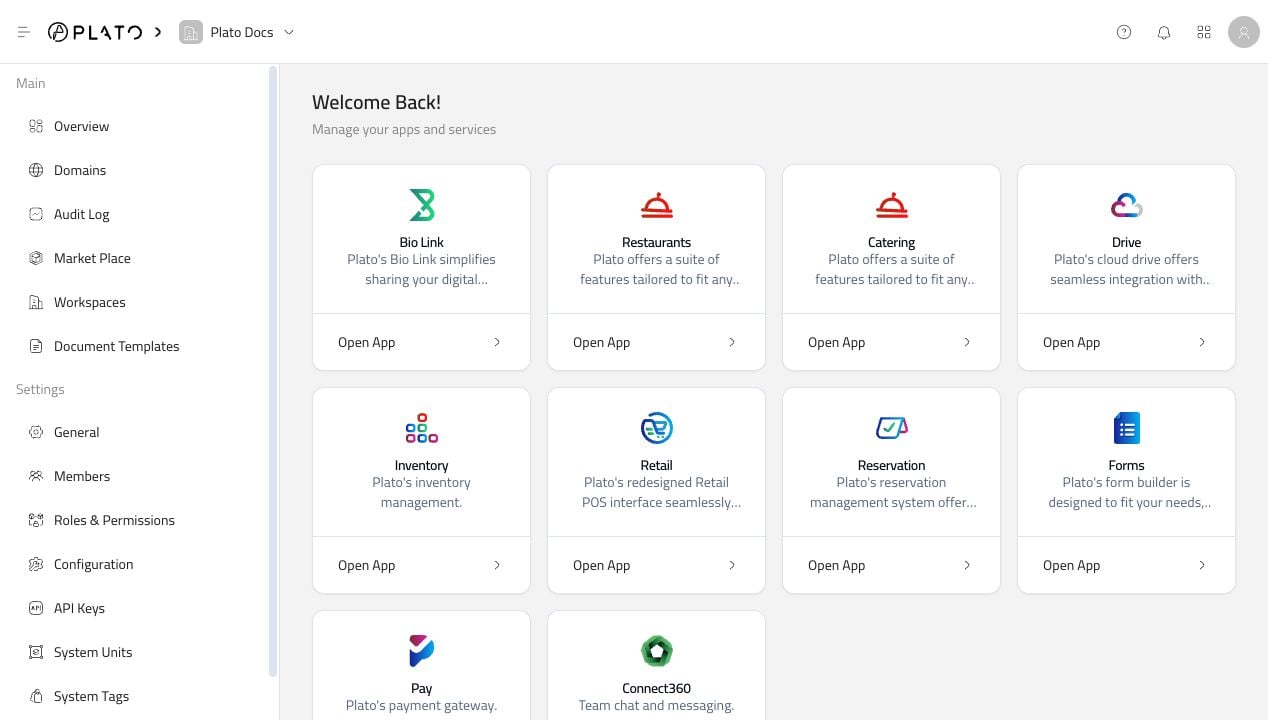
The Plato Console is the control room for your workspace. It is where you open Plato apps, invite your team, decide who can access what, update workspace settings, connect domains, and keep an eye on recent activity. Start in Console when the change affects the workspace as a whole. Once you open an app, the sidebar changes to that app’s own tools and workflows. Console overview

Start With The Main Things

Most Console work falls into one of these paths:

Open An App

Jump from the Console dashboard into Restaurant, Bio Link, Connect360, CMS, Drive, or another active app.

Manage The Team

Add members, review access, set staff PINs, and keep invitations under control.

Control Access

Create roles and decide which pages, actions, and apps each team can use.

Update Workspace Settings

Review address, language, currency, tax, order defaults, and workspace details.

Connect Domains

Add branded domains for customer-facing pages and public experiences.

Create API Keys

Give trusted integrations access with the right role and permissions.
Use the Console docs when the change affects the workspace. Use the app docs when the work happens inside a product, like Bio Link buttons or Restaurant menus.

Fast Paths

Need to open Bio Link, Restaurant, or another app? Start with Apps. Need to review existing access? Start with Members. Need to set a teammate PIN? Start with Member PINs. Need to decide what a teammate can access? Start with Roles. Need to update business details, VAT, language, or order defaults? Start with Configuration. Need history, notifications, account settings, units, tags, or troubleshooting? Each has its own page in the Console sidebar.