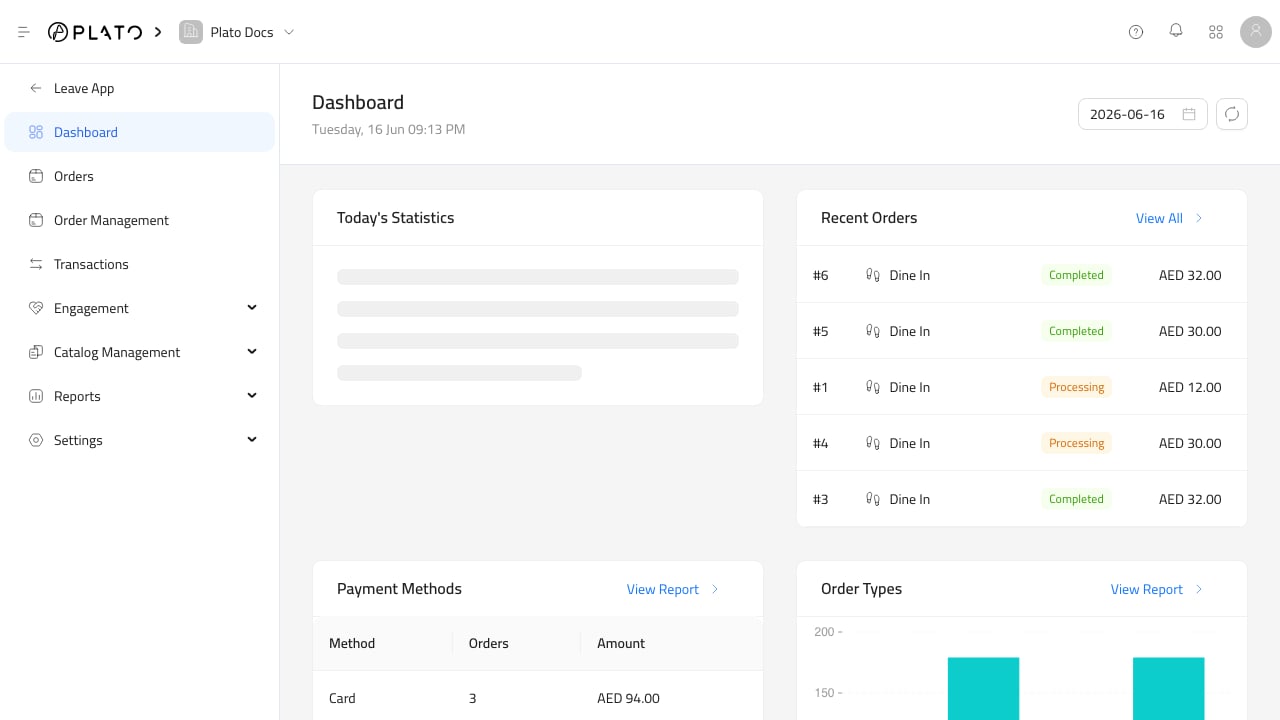
The Retail dashboard is the first place to check how the store is doing today. Use the date picker at the top to change the day, and use refresh when you need the latest orders, payments, or report cards. Retail dashboard

What The Dashboard Shows

The dashboard collects the main daily signals in one place:
  • Today stats for sales and order activity.
  • Recent orders for quick review.
  • Payment methods and order source breakdowns.
  • Best-selling items.
  • Sales by staff.
  • Discounts, voids, and audit activity.
  • Device session and kitchen-related cards when those features are enabled for the workspace.

When To Use It

Use the dashboard at opening, during the day, and before closing. At opening, confirm the selected date and check whether any unexpected orders or transactions exist. During service, use recent orders and payment cards to spot anything that needs attention. At closing, compare dashboard totals with the detailed reports before exporting or sharing numbers.