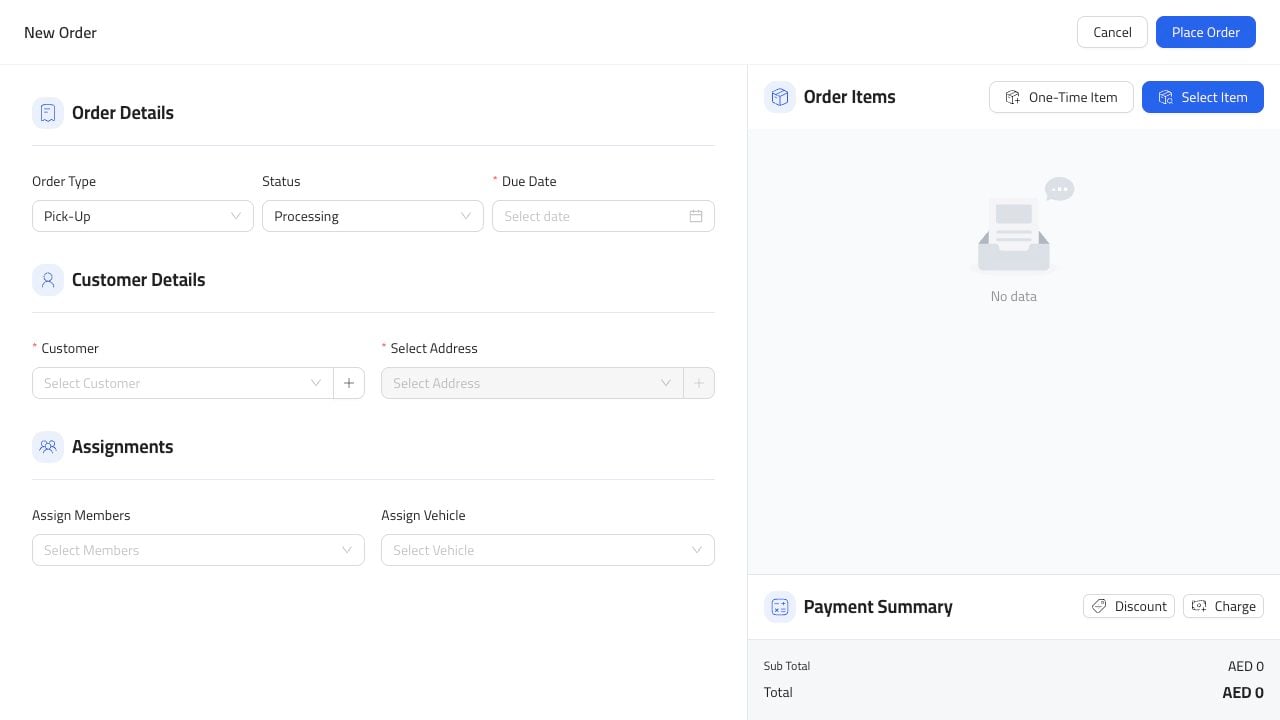
Manual orders are helpful when an order did not start from the POS or online menu. Use them for phone orders, special requests, catering notes, or cleanup work after service. New order dialog

Open The Form

From Orders, click New Order. Choose the order type first so the rest of the form matches the workflow.

Add The Order Details

Fill the details staff need to prepare and hand off the order:
  1. Order type.
  2. Order status.
  3. Due date and time.
  4. Customer.
  5. Address, when the order is for delivery.
  6. Assigned member or vehicle, when needed.
  7. Order items.
Keep notes short and useful. Write what the service team needs to know.

Before Saving

Check the customer, items, total, and due time before saving. For delivery, also confirm the address is clear enough for the driver.