

Before You Start
Decide what this menu is for. Good examples:- Main restaurant menu.
- Breakfast menu.
- Ramadan menu.
- Branch-specific menu.
- Event menu.
Fill The Menu Form
- Open
Restaurant. - Go to
Menu Management. - Click
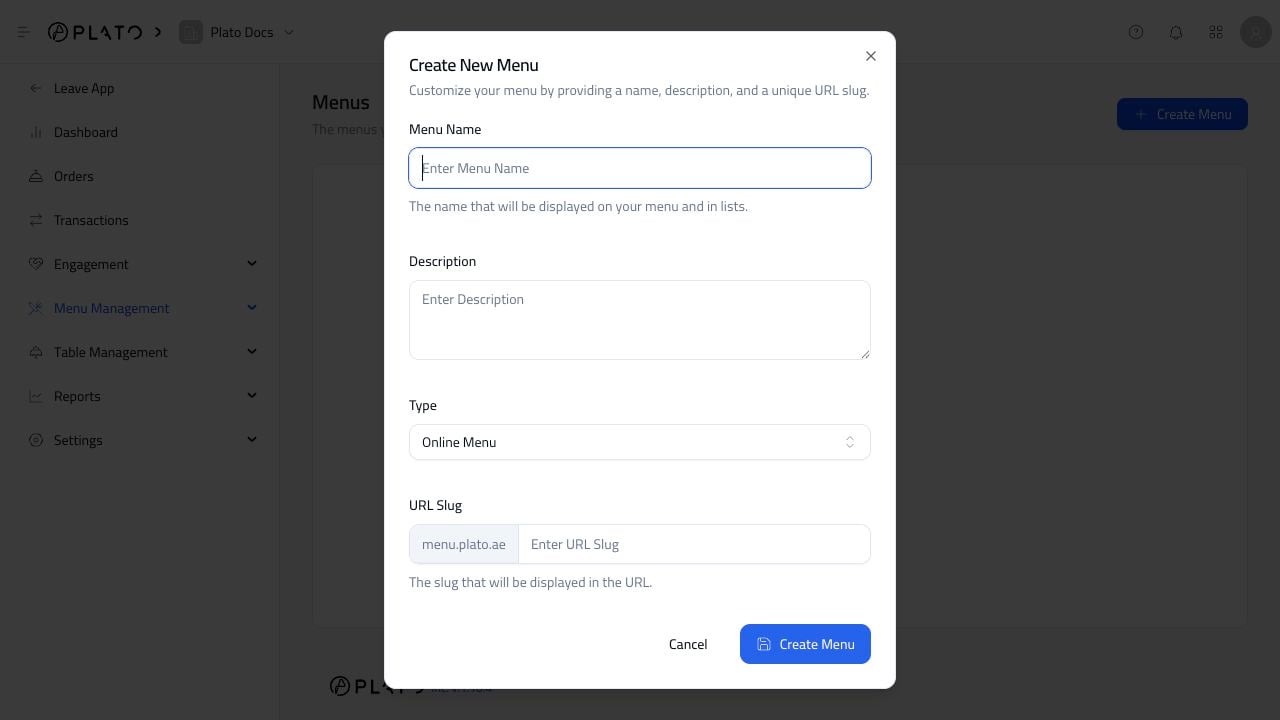
Create Menu. - Enter the menu name.
- Add a short description.
- Choose the menu type.
- Choose the domain.
- Add the URL slug.
- Click
Create Menu.
Choose A Good Slug
The slug is part of the public URL. Use something short and readable, likemain-menu, breakfast, or downtown.
Avoid long names, symbols, and words that are hard to type from a printed QR code.