

Restaurant from the Plato Console when you want to manage restaurant operations, menus, reports, tables, or POS devices.
Main Areas
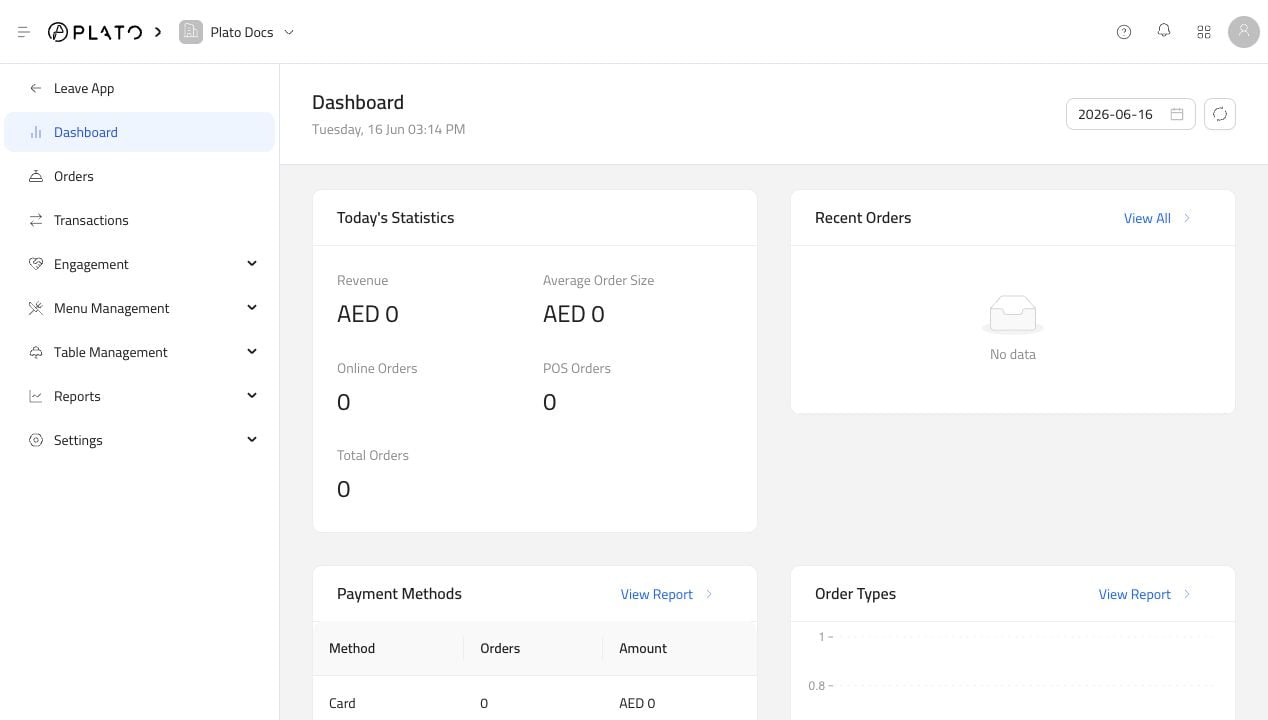
The Restaurant sidebar is grouped around daily work:Dashboardgives a quick view of today’s activity.Ordersis where staff review and create restaurant orders.Transactionsshows restaurant payments, refunds, tips, and manual transactions.Engagementcontains customers, promotions, and promo codes.Menu Managementcontains menus, categories, products, and modifiers.Table Managementcontains tables and table sessions.Reportscontains sales, payments, item performance, kitchen, employee, session, void, discount, and expense reports.Settingscontains devices, discounts, charges, payment methods, reasons, delivery zones, and branch access.
Menu App Editor
When you open a specific online menu, the sidebar changes. That editor has its own pages:Buildercontrols what appears on the public menu.Generalcontrols menu name, type, price visibility, URL, and deletion.Languagecontrols default and additional menu languages.Orderingcontrols dine-in, delivery, pick-up, customer fields, and operating hours.Themecontrols colors, fonts, radius, placeholders, logo visibility, and welcome page.Integrationsconnects reservations, Bio Link, and Stripe settings.Feedback Formcontrols customer feedback collection.Public URLopens the customer-facing menu.