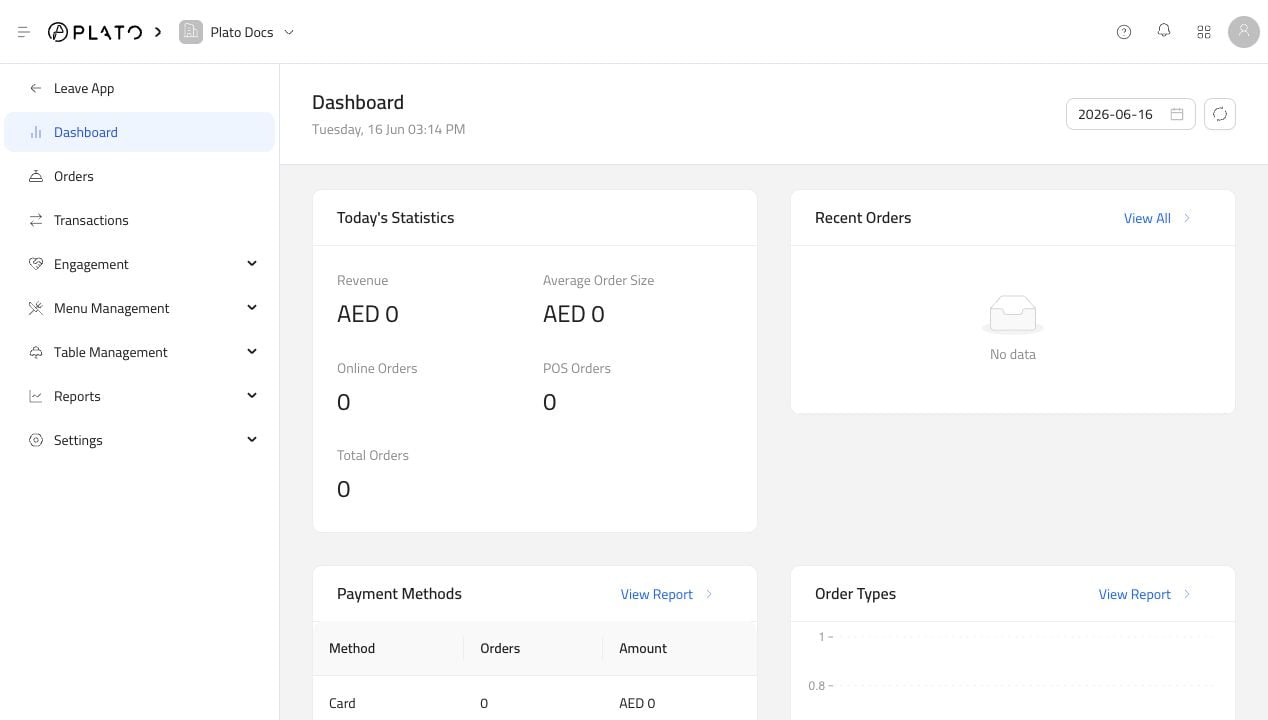
The Restaurant dashboard is the first screen after opening the app. It gives staff a quick view of the selected day and shortcuts into reports. Restaurant dashboard

What To Check

Use the dashboard for a fast daily read:
  • Today’s statistics.
  • Recent orders.
  • Payment method activity.
  • Order type activity.
  • Best-selling items.
  • Sales by users.
  • Discounts.
  • Kitchen performance.
  • Recent voids.
  • Recent audit logs.
Most dashboard blocks link to a deeper report. If something looks unusual, open the matching report to filter by date, source, category, or staff member.

Date Selection

Use the date picker near the top of the dashboard to review another day. This affects the daily widgets on the page.

Empty Dashboard

If the dashboard shows empty lists, it usually means no restaurant orders were created for the selected day. That is normal for a new workspace or a test workspace.