

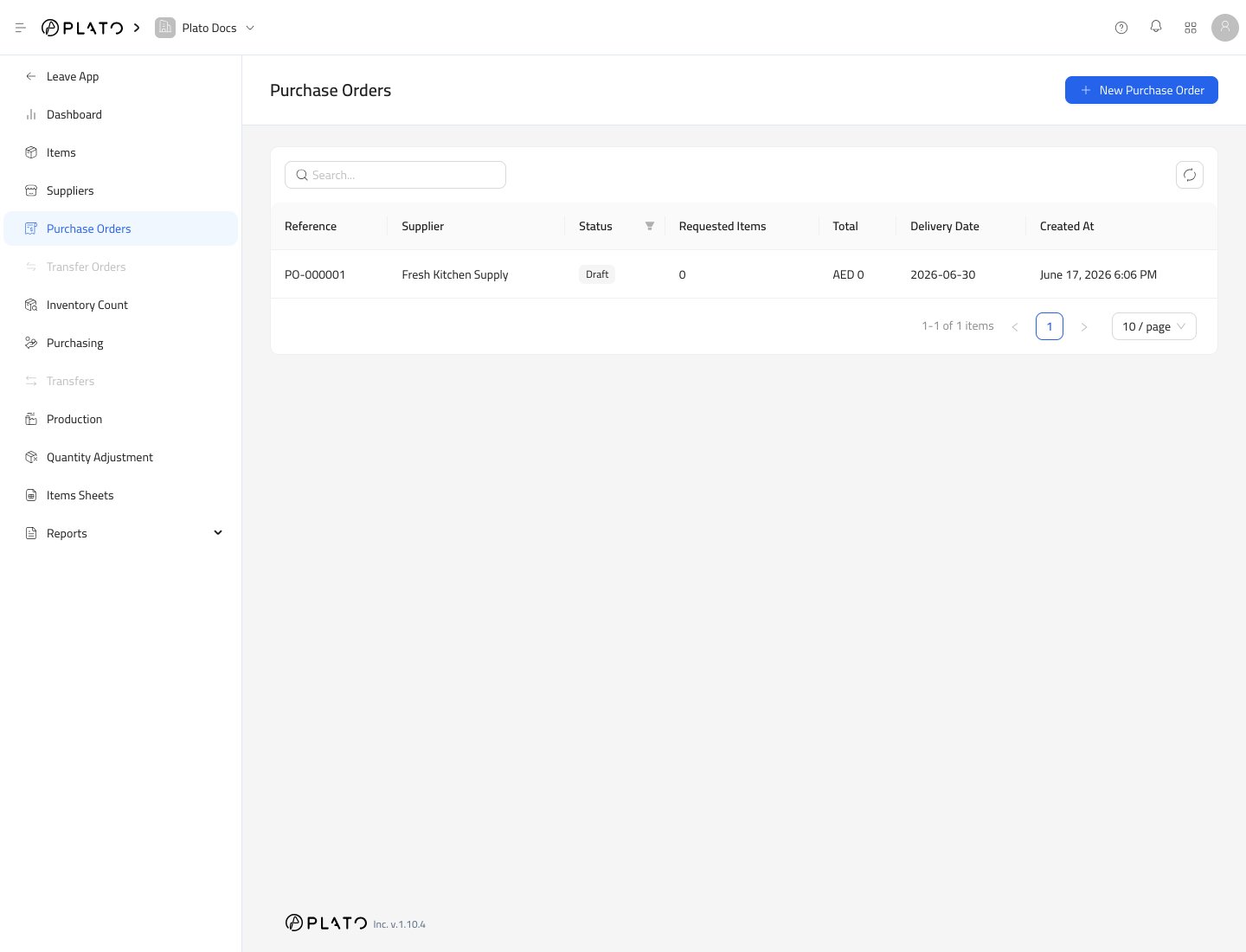
Create a Purchase Order
- Open
Inventory. - Go to
Purchase Orders. - Click
New Purchase Order.
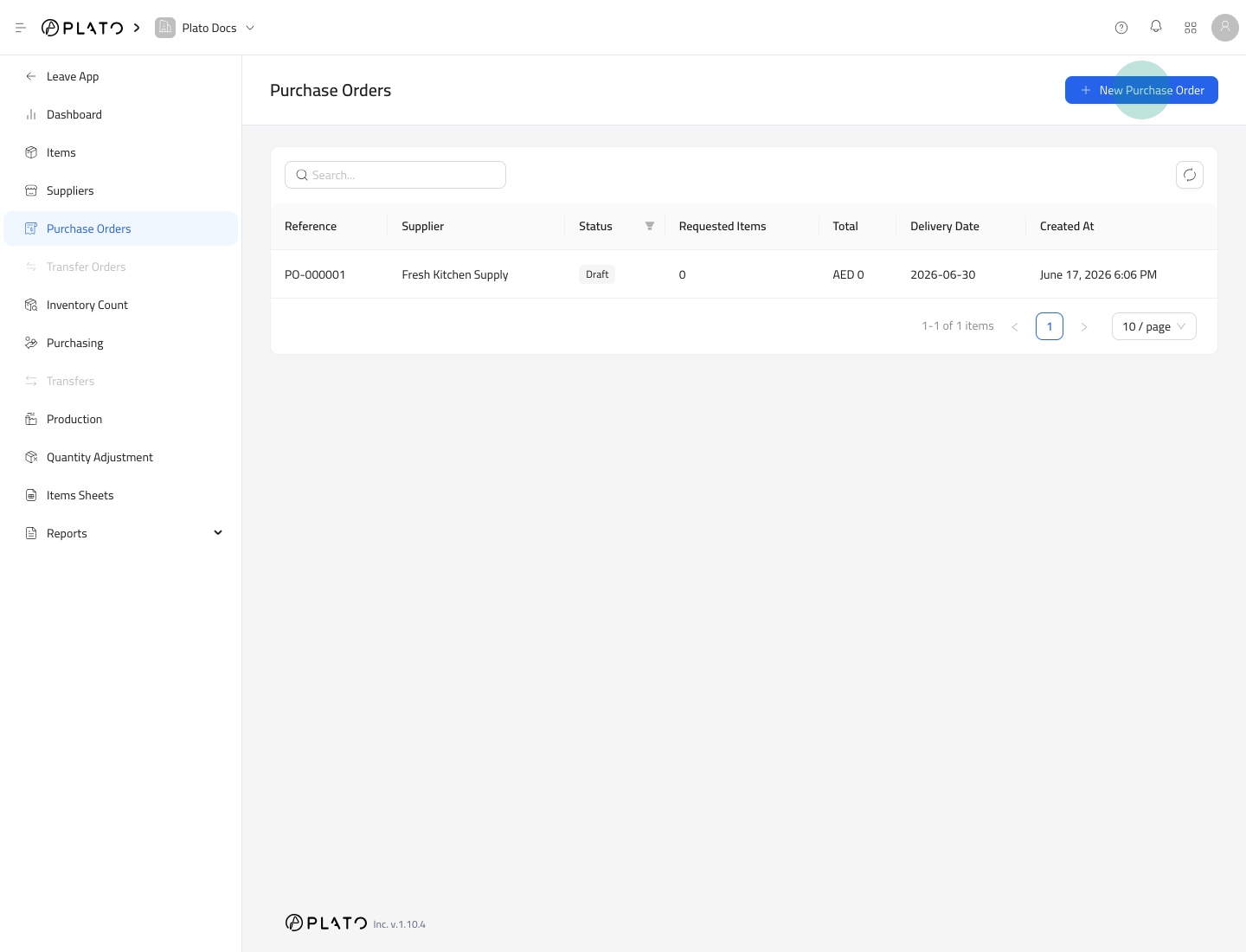
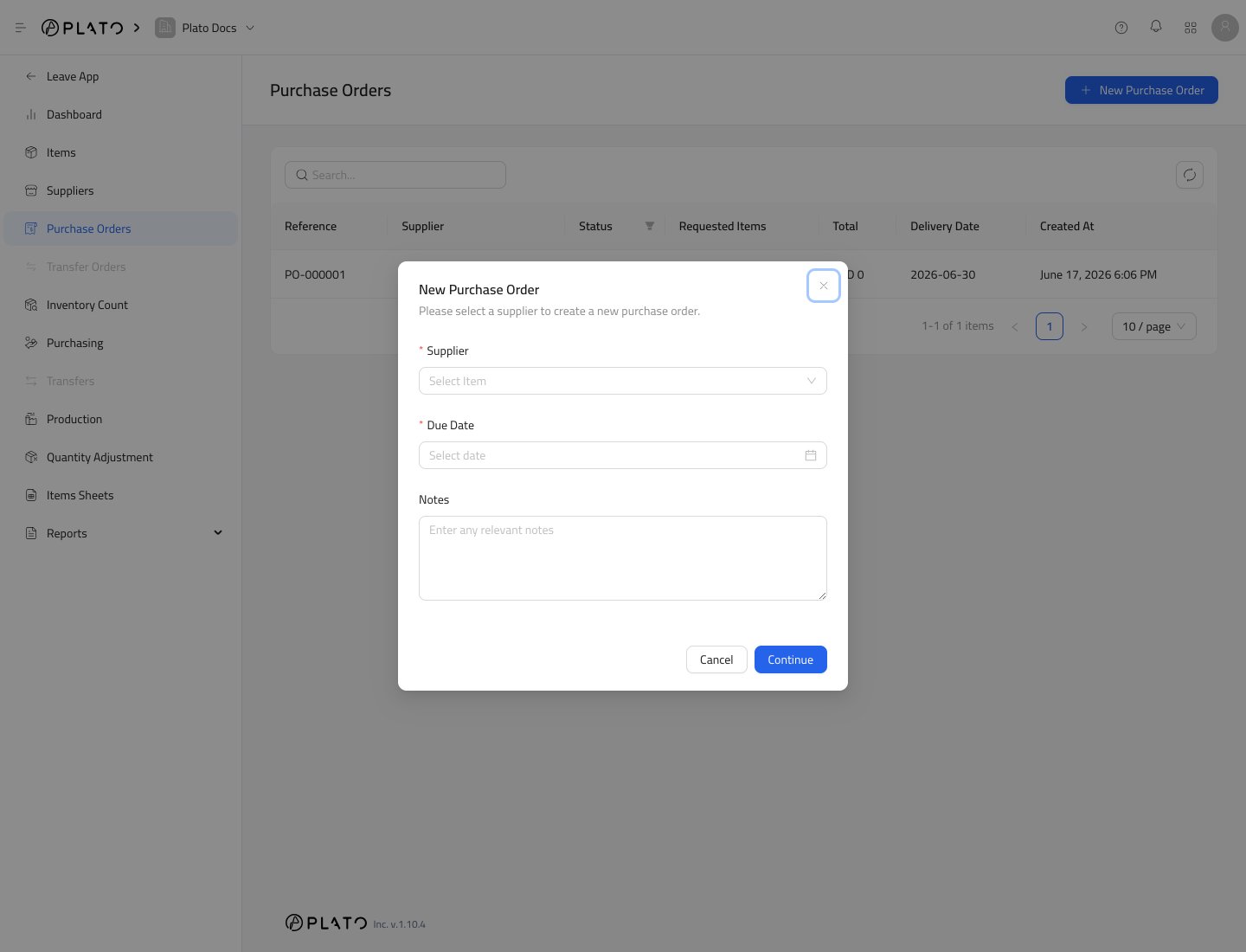
- Choose the supplier.
- Set the due date.
- Add notes if needed.
- Click
Continue.
Review the Draft
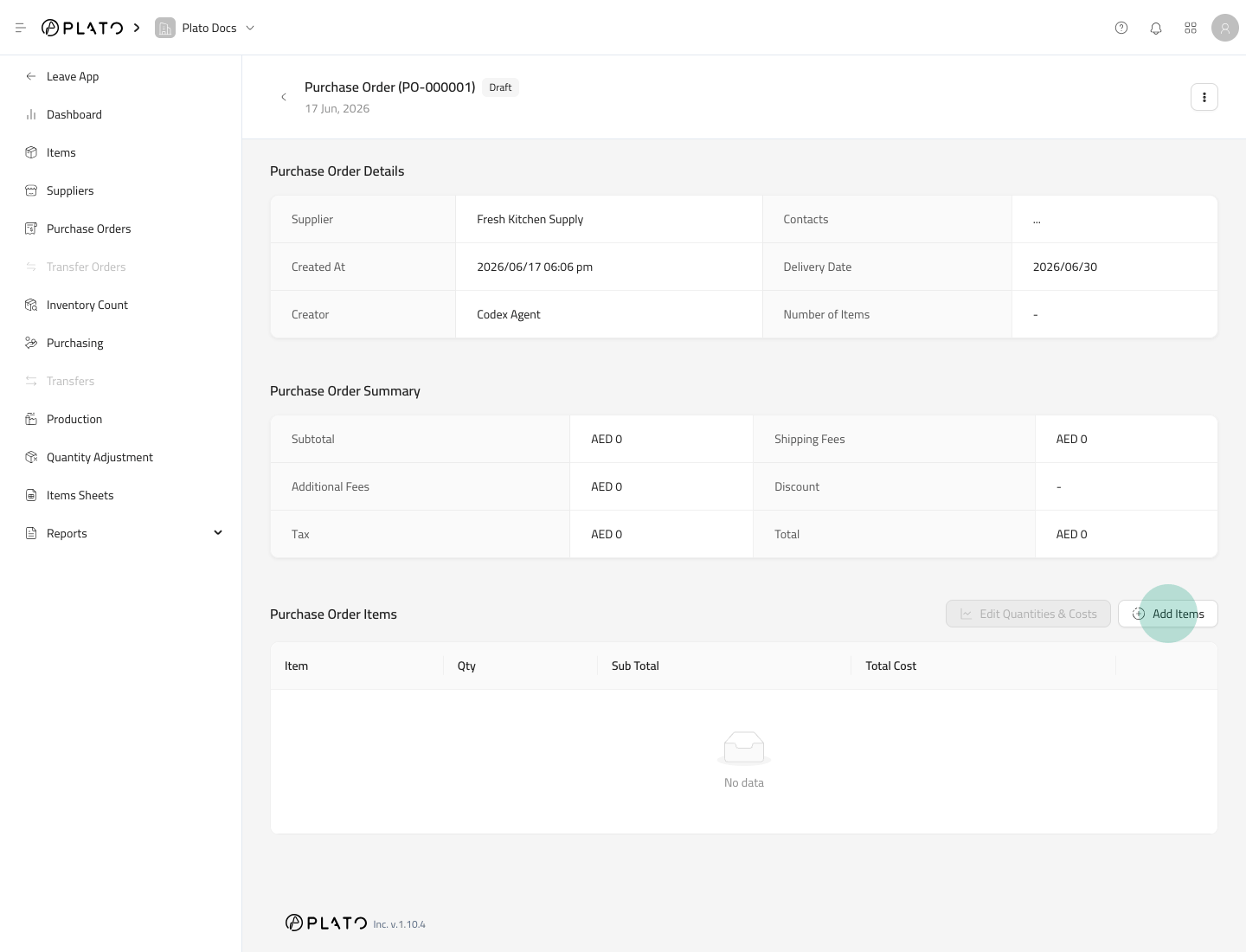
The purchase order detail page shows the supplier, delivery date, creator, item count, and summary totals.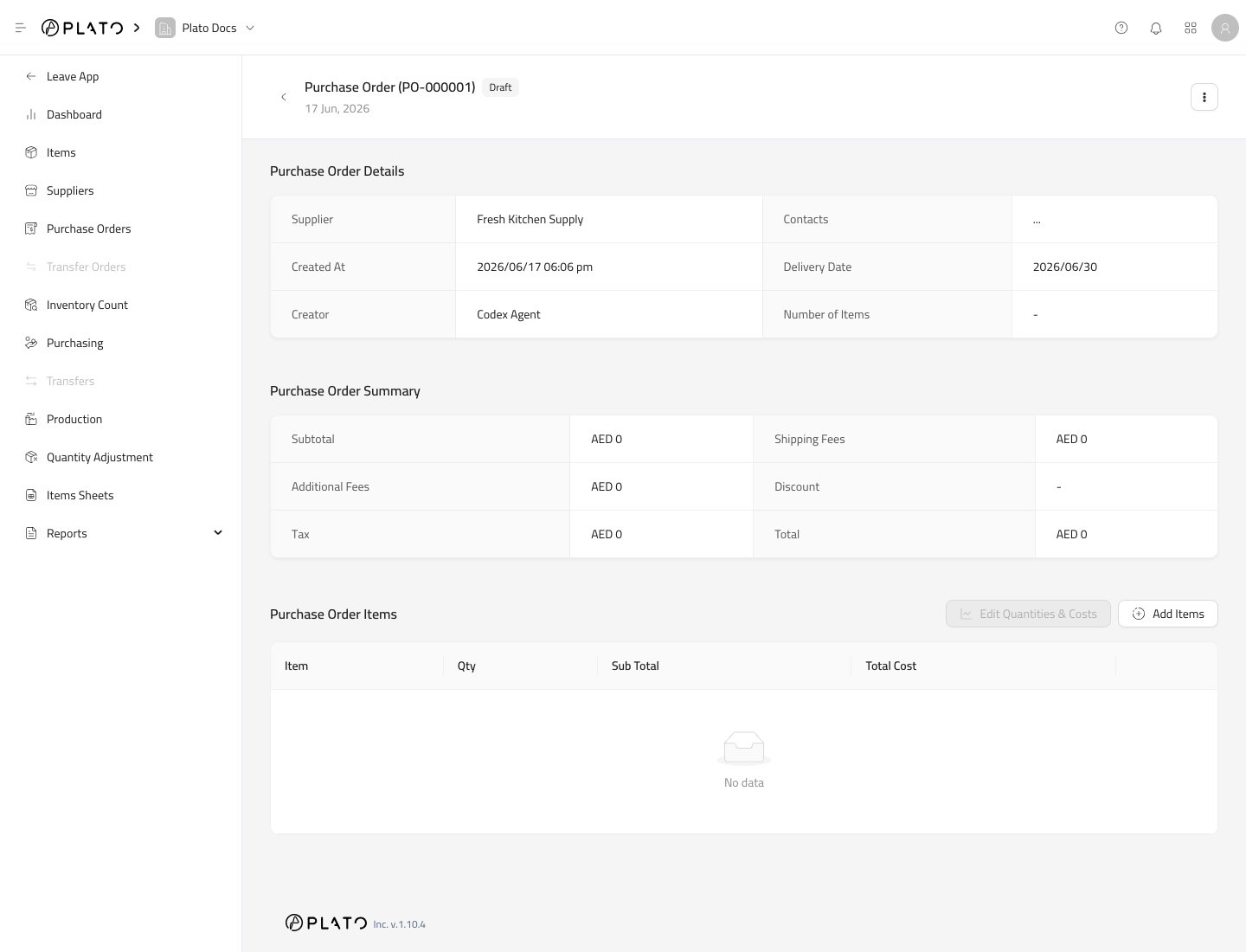
Add Requested Items
- Click
Add Items.
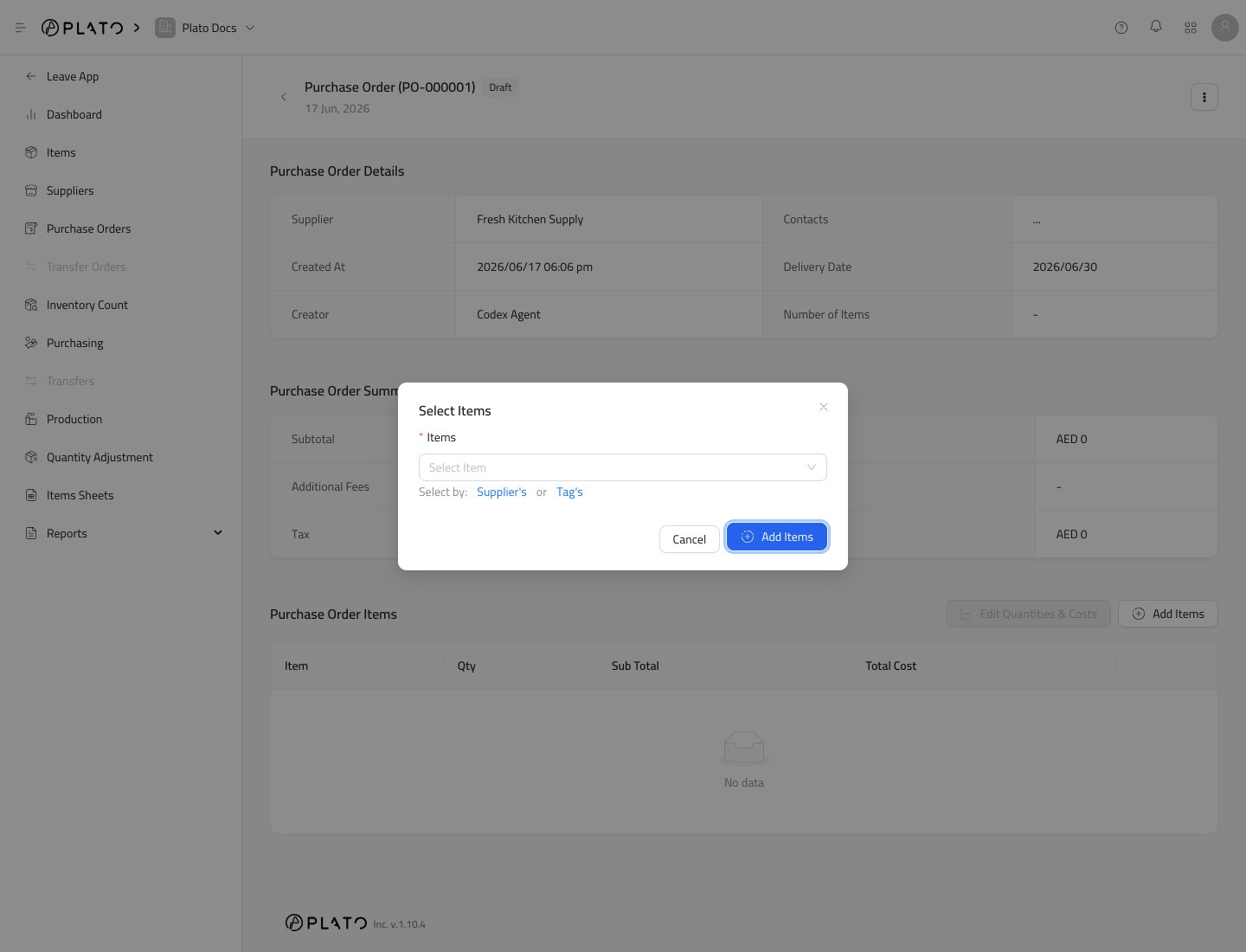
- Select the items you want to order.
- Click
Add Items.
Edit Quantities and Costs
After items are added, useEdit Quantities & Costs to confirm quantity and cost for each line.
Check the unit carefully. Supplier links can help Plato show the supplier order unit and convert it to the item’s storage unit.