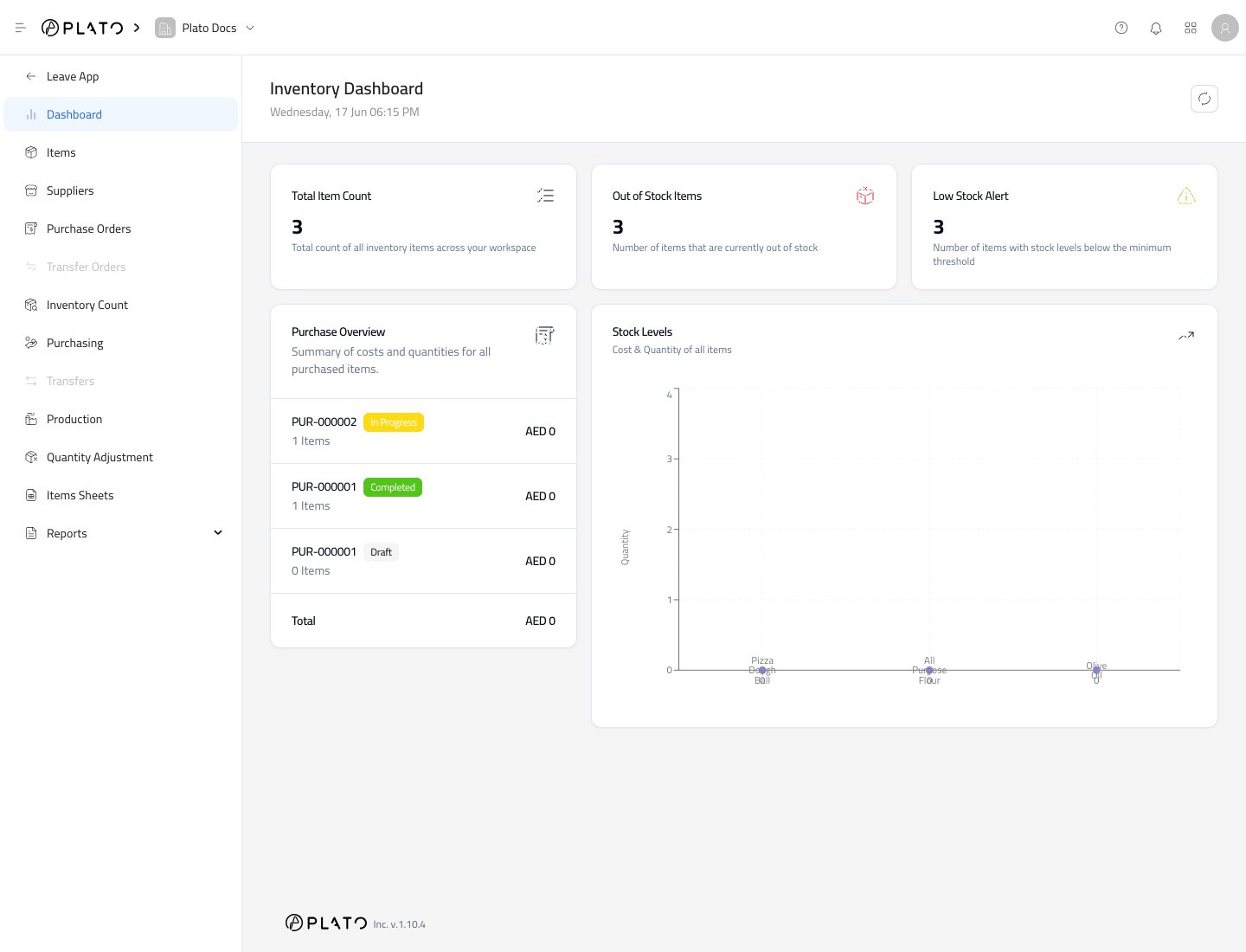
The Inventory dashboard gives a quick stock health check before you open detailed lists or reports. Inventory dashboard

What to Check First

Start with the top cards:
  1. Total Item Count shows how many inventory items exist in the workspace.
  2. Out of Stock Items shows items with no current stock.
  3. Low Stock Alert shows items below their minimum stock level.
These cards are useful at the start of a shift, before placing supplier orders, or before starting a count.

Purchase Overview

Purchase Overview summarizes recent purchasing activity. If there are no purchase records yet, the card stays empty until your team receives stock through Purchasing.

Stock Levels

Stock Levels helps you compare stock quantity and cost across items. For a detailed table, open Inventory Levels.

Refresh the Dashboard

Use the refresh button after receiving stock, submitting a count, submitting production, or submitting an adjustment. This gives the dashboard the latest totals.