

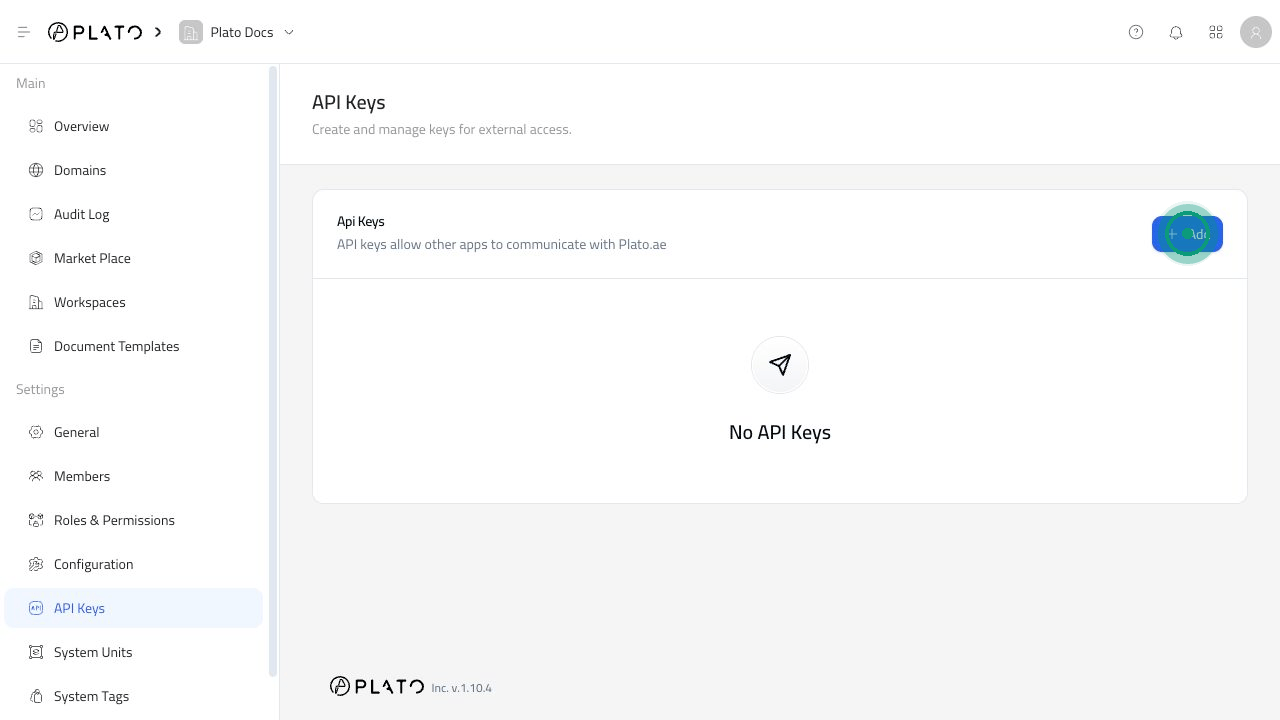
Before You Create A Key
Only create a key when you know which tool will use it and what that tool should be allowed to do. Use a clear name, such as the tool or website that will use the key. This makes it easier to find and remove later.Create A Key
- Open
API Keys. - Click
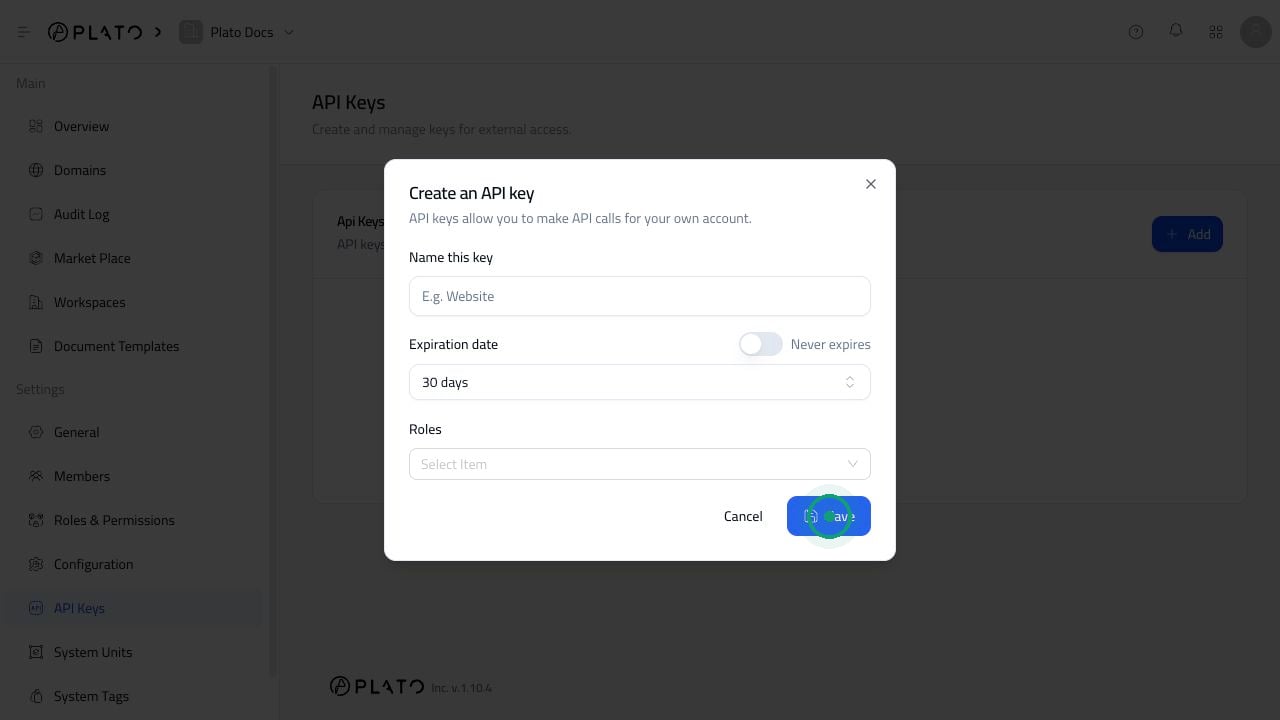
Add. - Enter a clear key name.
- Choose an expiration date.
- Select the role the tool should use.
- Click
Save. - Copy the generated key immediately.
Choose An Expiration
Short expirations are best for testing. Longer expirations are better for tools you trust and plan to keep using. AvoidNever expires unless the key is for a trusted tool and someone is responsible for keeping it secure.
Keep Access Limited
The selected role decides what the connected tool can do. For safer access, create a dedicated role for the tool instead of giving it full workspace access. Good key setup:- One key per tool.
- A clear key name.
- A role that only allows what the tool needs.
- An expiration date when possible.
Manage Existing Keys
Use the three-dot menu beside a key to edit or delete it. Delete keys that are no longer used. If you delete a key, any tool using it will stop connecting to Plato until it is updated with a new key.Keep Keys Safe
- Do not store API keys in screenshots, shared chats, or public files.
- Replace keys when a teammate leaves or a connected tool changes owner.
- Delete unused keys.
- Use separate keys for separate tools.
- Copy the generated key once and store it somewhere secure.