

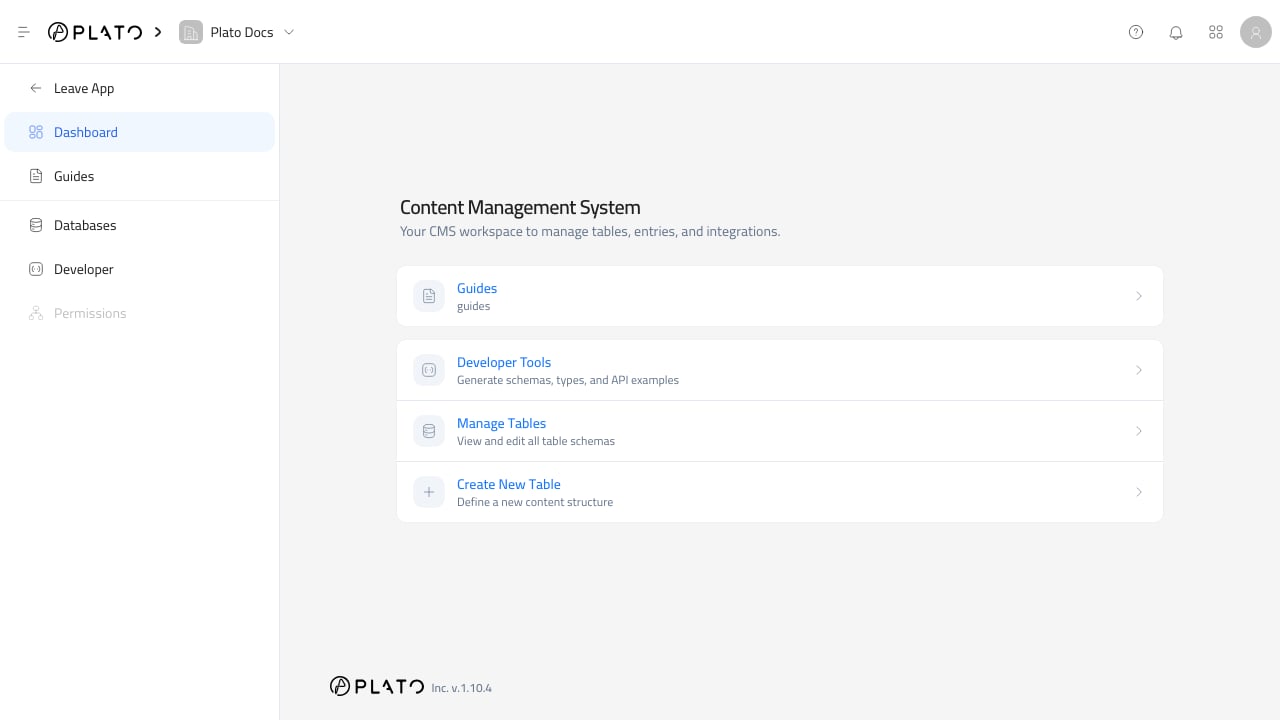
CMS from Plato Console when you want to manage custom content tables and entries.
Main Areas
The CMS sidebar has these areas:Dashboardshows the tables grouped by folder, plus shortcuts for developer tools and database management.- Table links open the entries for that table.
- Folder links group related tables in the sidebar.
Databasesopens the table and folder management page.Developeropens generated schemas, API client code, and API examples.Permissionsis visible but not active yet.
Open A Table
- Open
CMSfrom the Console. - Choose a table from the sidebar or the Dashboard.
- Review the entry list.
- Use
Add Entryto create content. - Use the row menu when you need details, edit, or delete actions.
Manage Tables
UseDatabases when you need to create folders, create databases, edit table settings, open entries, edit schema, or delete a database.
Use the table row menu for table-level actions. The Edit Schema action opens the field builder for that table.
Leave CMS
ClickLeave App in the sidebar to return to the root Console pages.