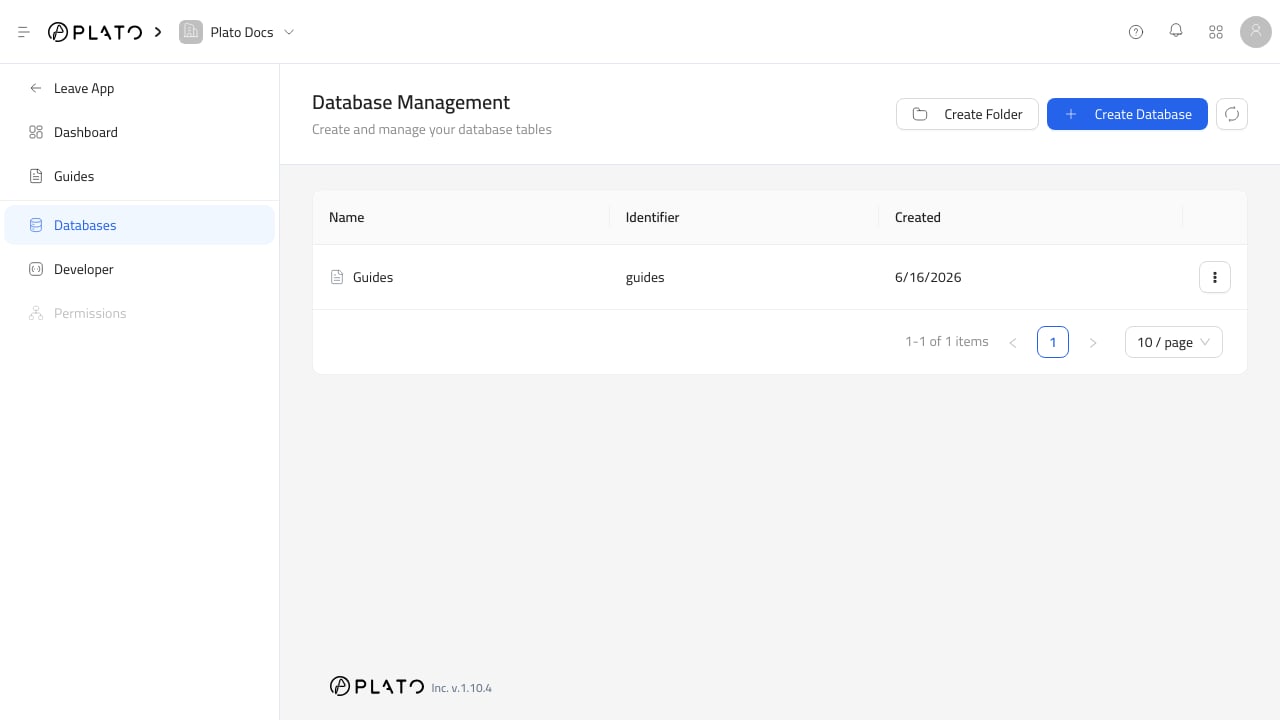
CMS databases Databases are CMS tables. Each database stores entries with the fields you define in its schema. Folders are optional groups that keep related databases together in the CMS dashboard and sidebar.

Use The Databases Page

Open CMS, then go to Databases. From this page you can:
  • Create a folder.
  • Create a database.
  • See folder and database identifiers.
  • Edit folder settings.
  • Open a database entry list.
  • Edit a database schema.
  • Delete a database and its entries.

Folder Settings

A folder has:
  • Folder name.
  • Identifier.
  • Icon.
  • Color.
  • Hidden setting.
Use folders when the CMS has several related tables, such as Content, Locations, SEO, or Media Center. Hidden folders do not appear in the normal CMS navigation.

Database Settings

A database has:
  • Table name.
  • Identifier.
  • Icon.
  • Color.
  • Folder or group.
  • Preview URL.
  • Sort field.
  • Singleton setting.
  • Hidden setting.
The identifier is the stable key used by code and developer tools. It cannot be changed after the database is created.

Risky Actions

Deleting a database permanently removes the database and all entries inside it. Before deleting, confirm that no public page, app, integration, or API client still reads that database.