

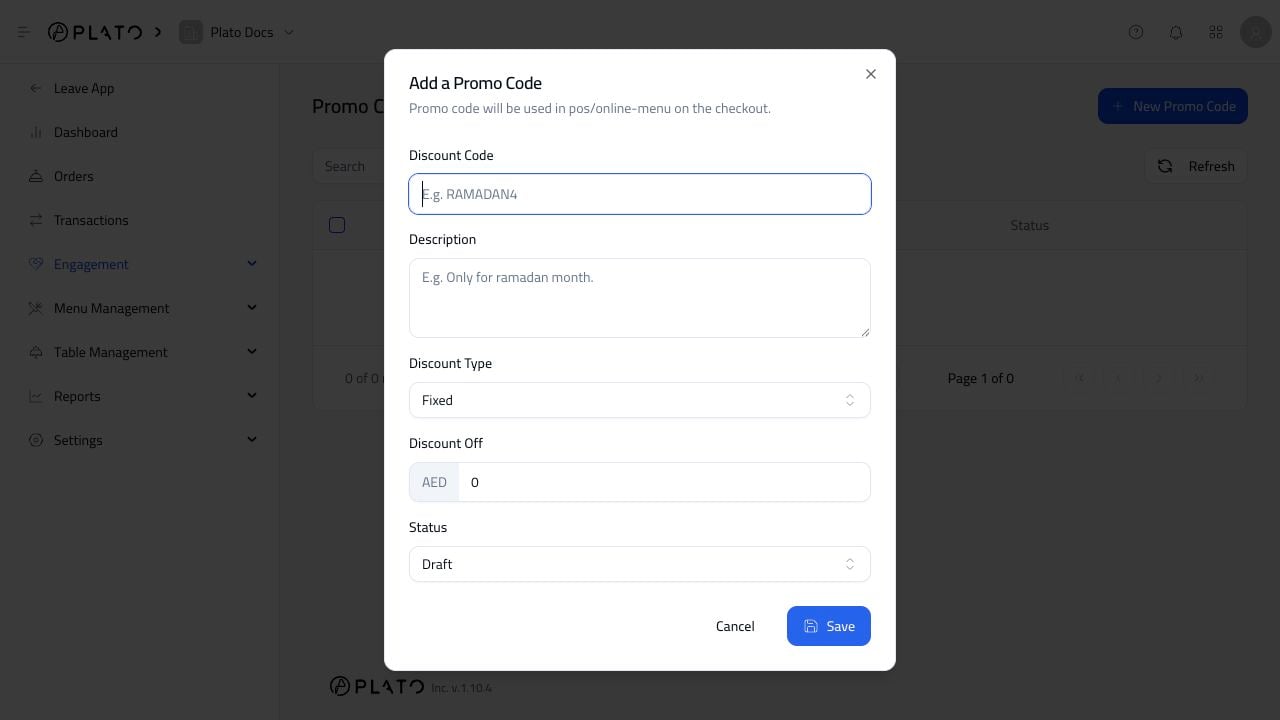
Open The Form
From Promo Codes, clickNew Promo Code.
Add The Details
Fill in:- Discount code.
- Description.
- Discount type.
- Discount amount.
- Status.
LUNCH20 or RAMADAN10.
Add the code, discount, and status.
New Promo Code.
LUNCH20 or RAMADAN10.