

What You Can Do
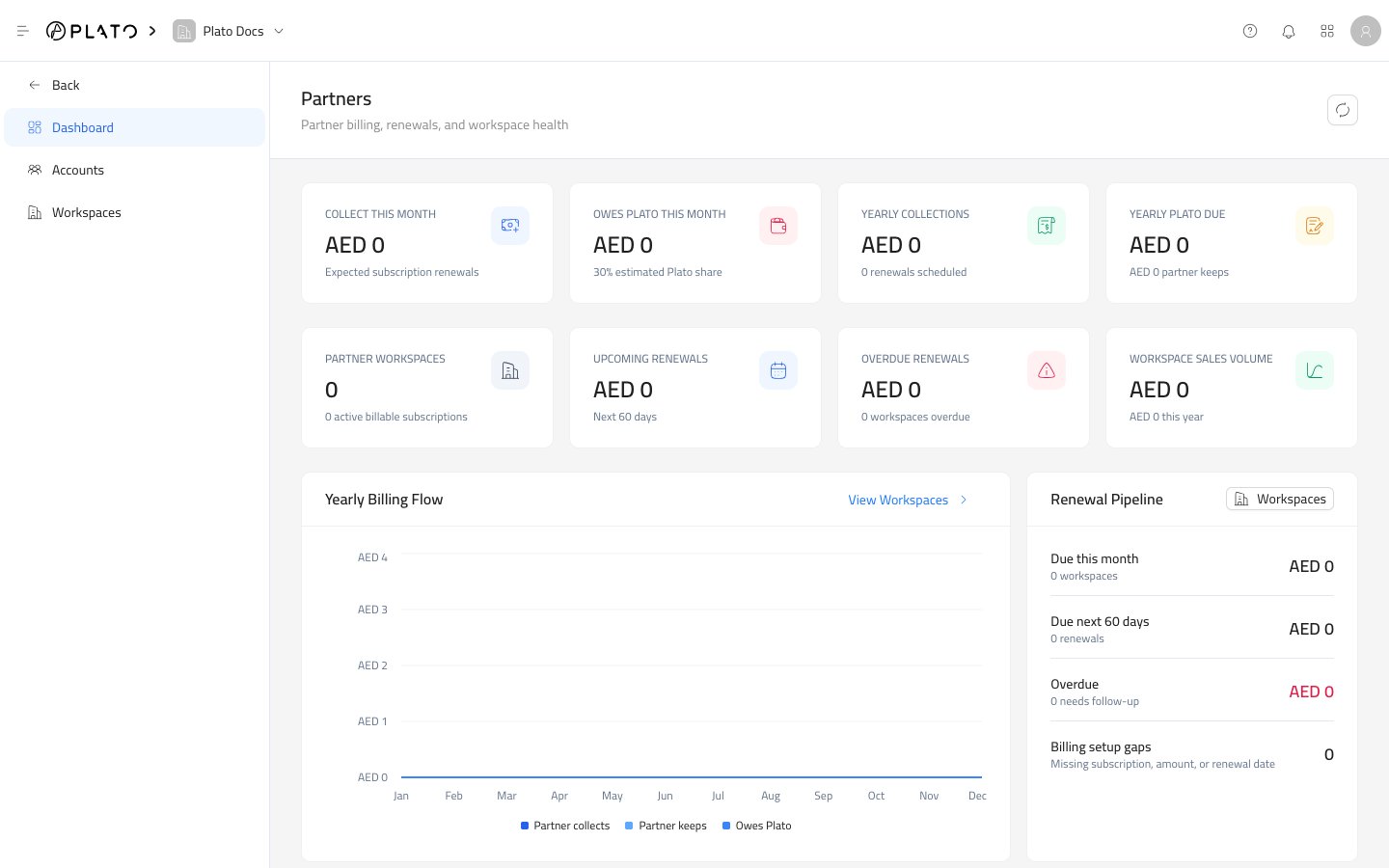
With Partners, you can:- Review collection, renewal, overdue, and workspace health from one dashboard.
- Create and manage customer accounts.
- Activate or deactivate an account.
- Reset an account password when a customer needs help signing in.
- Create customer workspaces.
- Choose the apps enabled for each workspace.
- Set subscription plans, renewal dates, amounts, and limits.
- Add or remove partner accounts from a workspace.
- Review and manage workspace wallets.
- Record wallet credits, debits, refunds, and adjustments.
Start Here
Read The Dashboard
Understand billing, renewal, overdue, and workspace health cards.
Manage Accounts
Search customer accounts, open details, edit accounts, reset passwords, and delete accounts.
Create An Account
Add a customer login and optionally connect it to one or more workspaces.
Manage Workspaces
Search workspaces, open details, edit setup, manage members, and delete workspaces.
Create A Workspace
Set the workspace name, slug, apps, subscription, dates, and usage limits.
Wallets
Add wallets and review wallet transactions for a partner workspace.
A Good Partner Setup Path
For a new customer, work in this order:- Create the workspace.
- Choose the apps the customer should use.
- Set the subscription plan, amount, dates, status, and limits.
- Create the customer account.
- Add the account to the workspace.
- Add wallets only when the workspace needs partner-managed balances.
- Return to the dashboard to confirm the workspace appears in the right renewal and billing areas.