

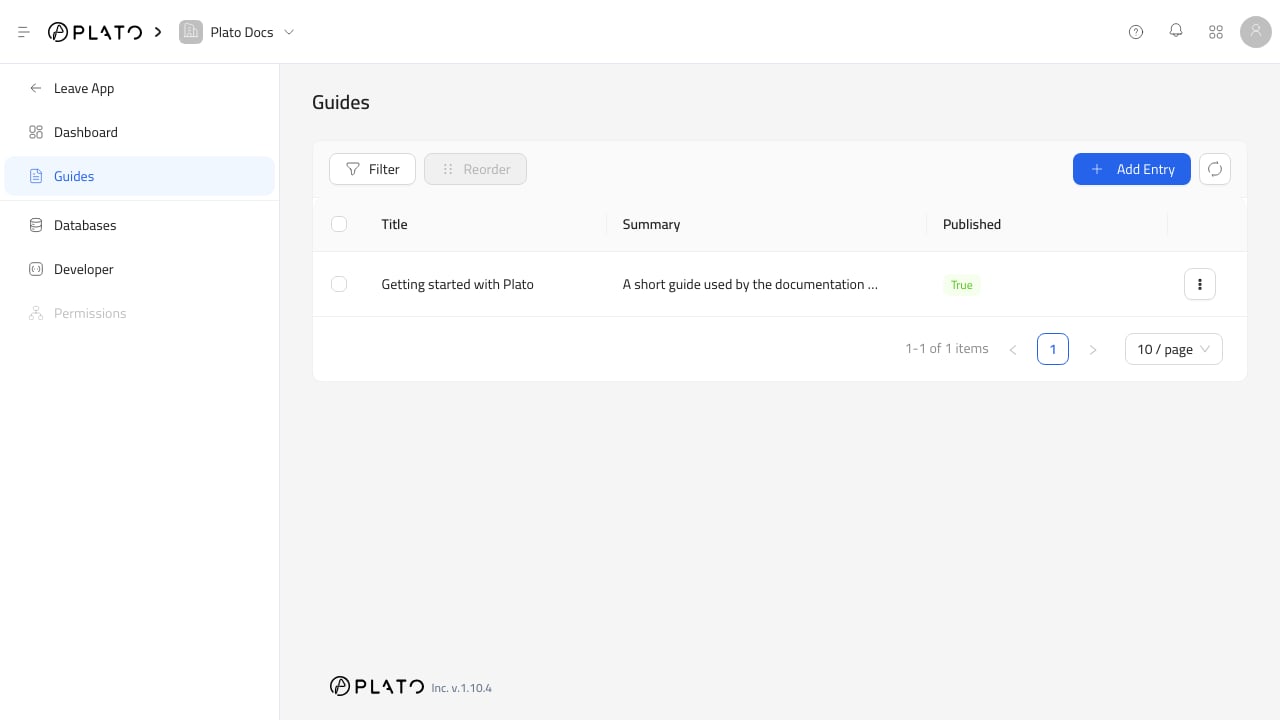
Databases to manage its entries.
Entry List
The entry list shows one column for each visible field in the schema. Use the list to:- Add entries.
- Filter entries.
- Select one or more rows.
- Edit a selected entry.
- Delete selected entries.
- Reorder entries.
- Open row details.
- Refresh the list.
Filters
ClickFilter to add a filter.
Available filters depend on the table fields and field display settings. Hidden or non-filterable fields are not shown as filter options.
Filter operators include equals, not equals, contains, starts with, ends with, greater than, less than, before, after, is empty, and is not empty.
Row Actions
Use the row menu when you need to work with one entry. Available row actions include:Show Details.Edit Entry.Delete.
Bulk Actions
Select rows when you need to edit one entry or delete one or more entries. Editing is only available when exactly one row is selected.Reorder Entries
ClickReorder when the table order matters.
Reorder mode clears active filters and selected rows. Drag rows into the desired order. The saved order applies to the current page of entries.