> ## Documentation Index
> Fetch the complete documentation index at: https://docs.plato.ae/llms.txt
> Use this file to discover all available pages before exploring further.
# Kategoriler
> Ürünlerin organize edilmesini ve filtrelenmesini kolaylaştırmak için menü kategorileri oluşturun.
Kategoriler personelin ürünleri organize etmesine ve müşterilerin menüye göz atmasına yardımcı olur.
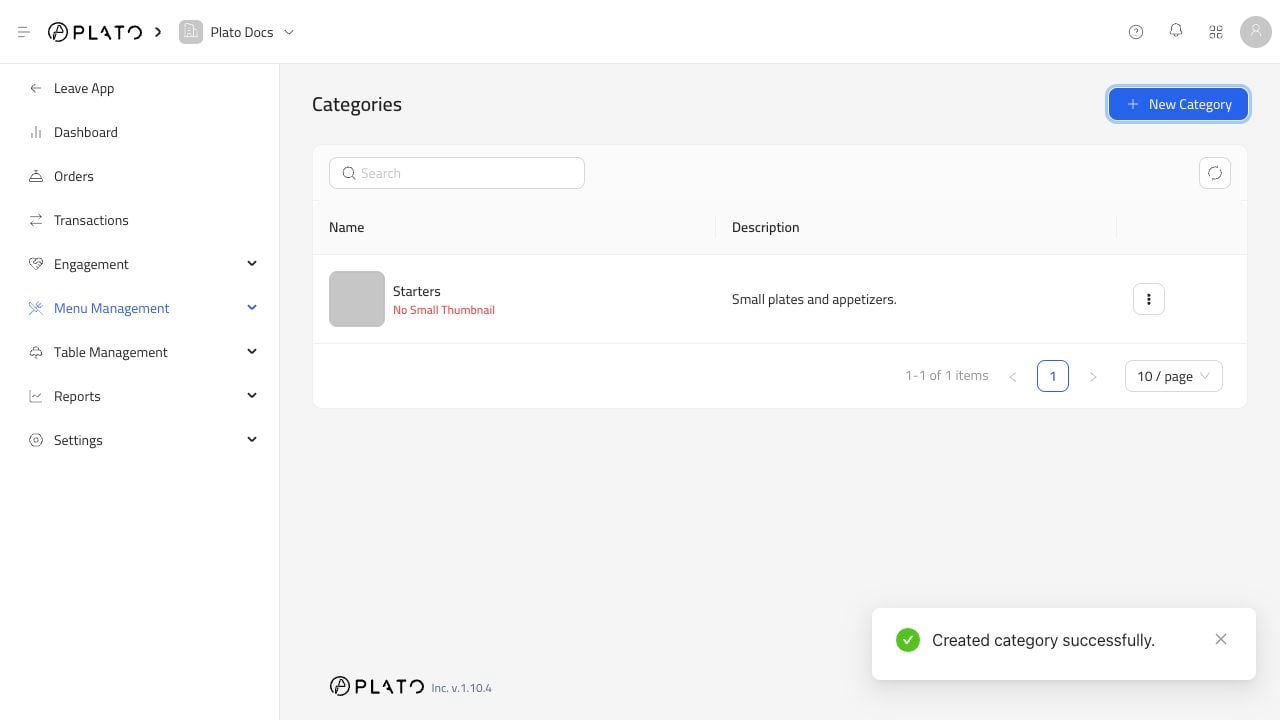 ## Kategori Oluştur
`New Category`'ye tıklayın.
## Kategori Oluştur
`New Category`'ye tıklayın.
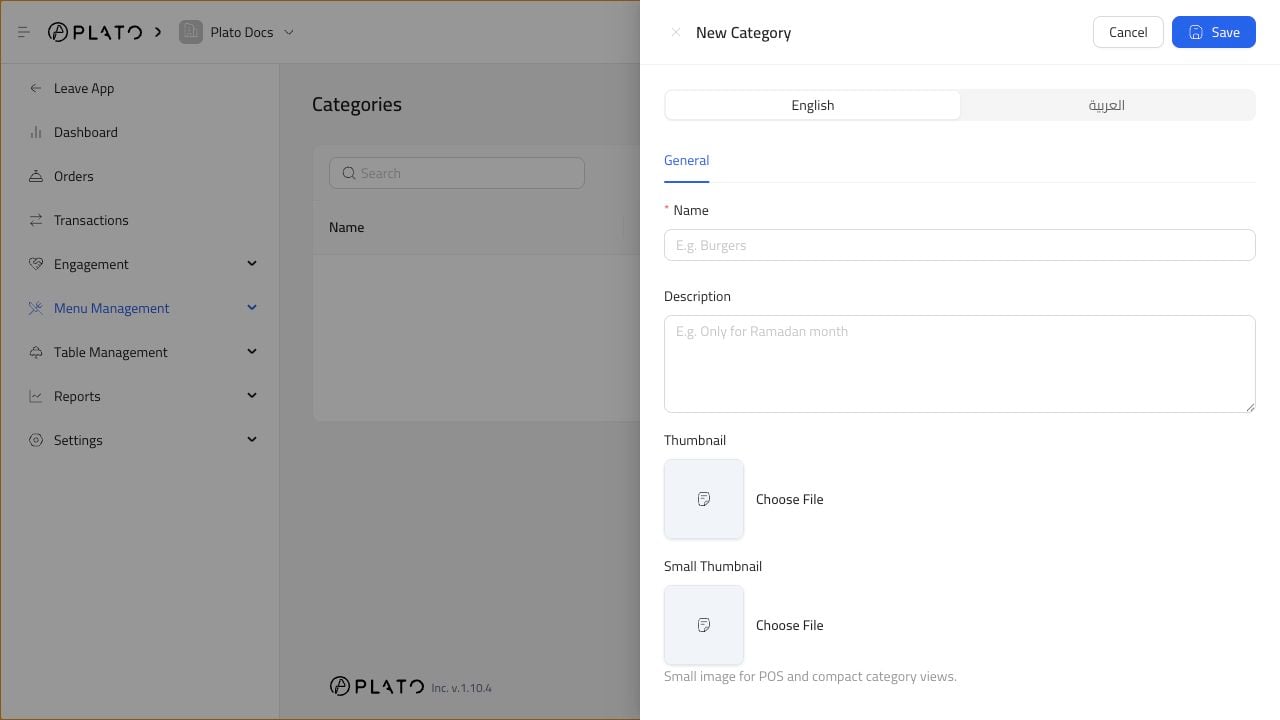 Bir ad ve isteğe bağlı bir açıklama ekleyin. Ayrıca menü ve POS görünümleri için kategori görselleri de yükleyebilirsiniz.
`Starters`, `Burgers`, `Desserts` veya `Drinks` gibi basit adlar kullanın.
## Kategoriler Ne Zaman Kullanılmalı
Birçok ürün eklemeden önce kategoriler oluşturun. Her öğe doğru kategoriye sahip olduğunda ürünler daha temiz bir şekilde filtrelenebilir ve görüntülenebilir.
Ürün geçici bir kampanyaya aitse sezonluk bir kategori oluşturun ve daha sonra bu kategoriyi kaldırın veya gizleyin.
Bir ad ve isteğe bağlı bir açıklama ekleyin. Ayrıca menü ve POS görünümleri için kategori görselleri de yükleyebilirsiniz.
`Starters`, `Burgers`, `Desserts` veya `Drinks` gibi basit adlar kullanın.
## Kategoriler Ne Zaman Kullanılmalı
Birçok ürün eklemeden önce kategoriler oluşturun. Her öğe doğru kategoriye sahip olduğunda ürünler daha temiz bir şekilde filtrelenebilir ve görüntülenebilir.
Ürün geçici bir kampanyaya aitse sezonluk bir kategori oluşturun ve daha sonra bu kategoriyi kaldırın veya gizleyin.