> ## Documentation Index
> Fetch the complete documentation index at: https://docs.plato.ae/llms.txt
> Use this file to discover all available pages before exploring further.

# Siparişi Nakit Olarak Yerleştirin

> Nakit ödeme alın, ihale tutarını girin ve satışı tamamlayın.

Müşteri fiziksel nakitle ödeme yaptığında ve kasiyerin ihaleyi, değişikliği ve makbuz adımını kaydetmek için Plato'ye ihtiyacı olduğunda nakit ödemeyi kullanın.

## Nakit Almadan Önce

Siparişin zaten gönderilmiş olması veya ödemeye hazır olması gerekir.
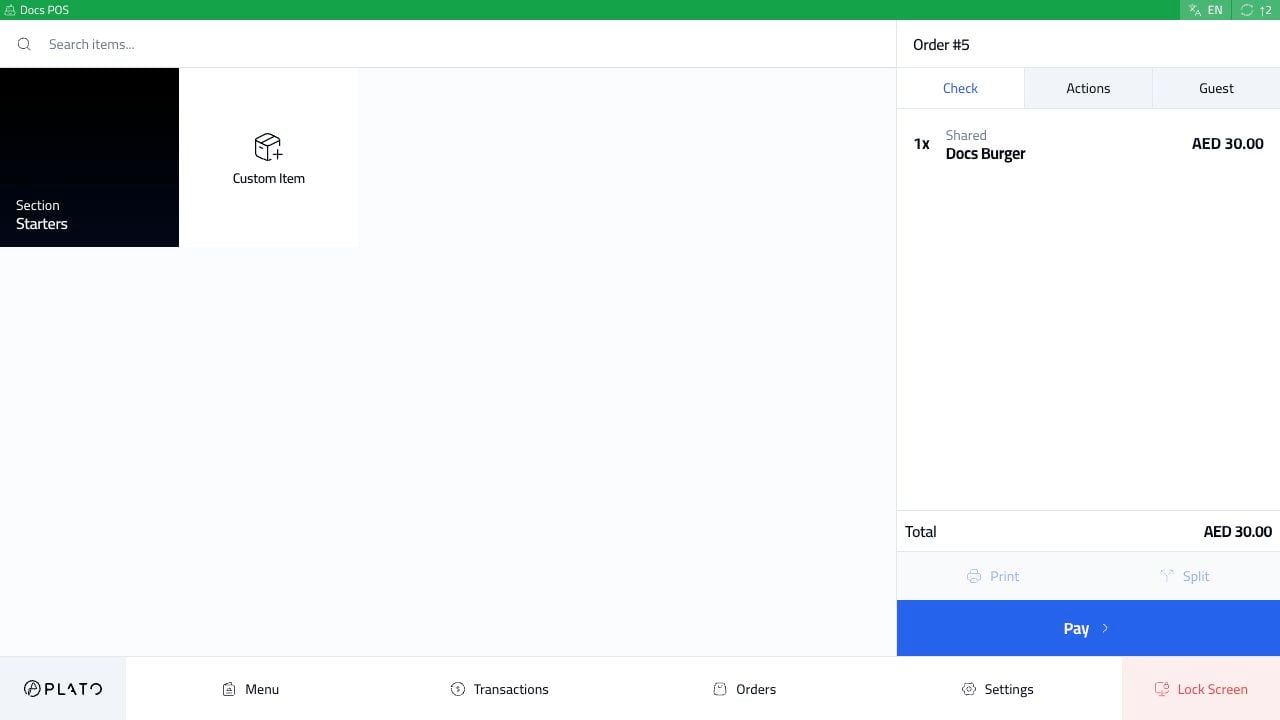
<img src="https://mintcdn.com/platoae/BPT5cVutD7nA9lgH/images/kds-pos/pos-fresh/13-order-sent-ready-to-pay.png?fit=max&auto=format&n=BPT5cVutD7nA9lgH&q=85&s=ef6ac031fce3596a31129c4f48d64f04" alt="Ödemeye hazır nakit sipariş" width="1280" height="720" data-path="images/kds-pos/pos-fresh/13-order-sent-ready-to-pay.png" />

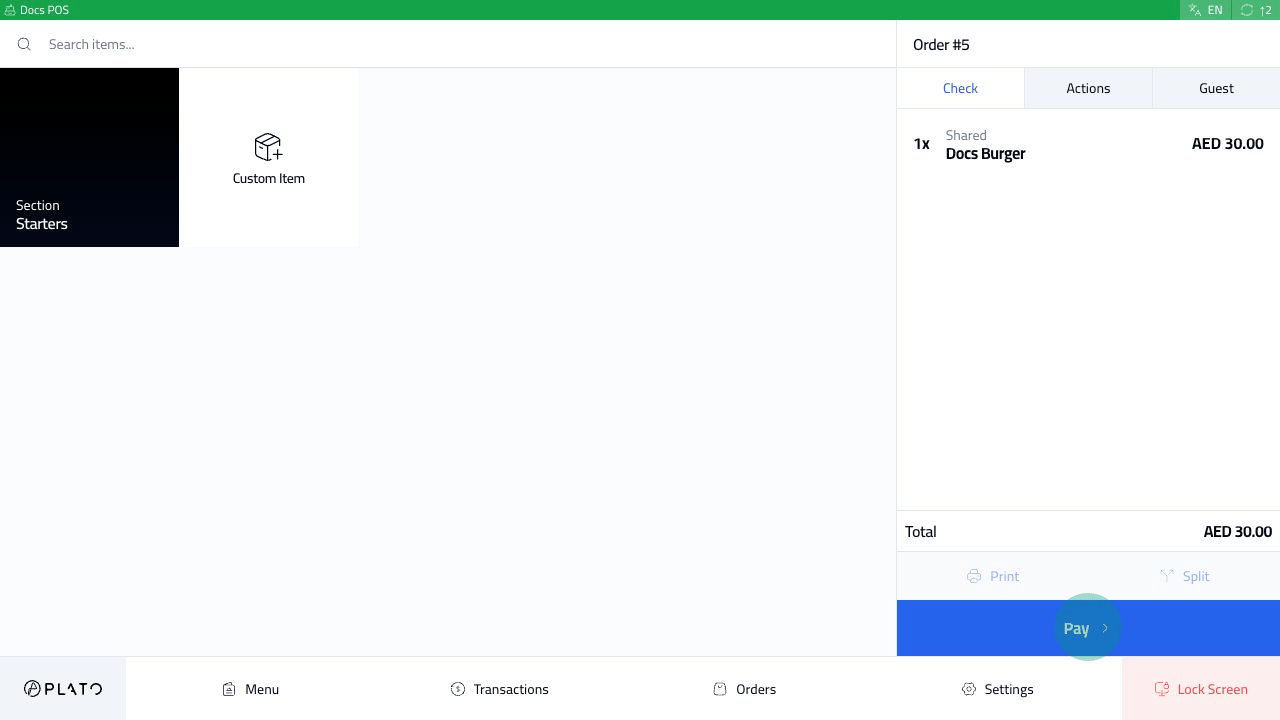
Ödemeyi açmadan önce sipariş kenar çubuğundaki toplamı kontrol edin.

## Ödemeyi Aç

`Pay`'ye tıklayın.
<img src="https://mintcdn.com/platoae/BPT5cVutD7nA9lgH/images/kds-pos/pos-fresh/14-pay-button-tap.png?fit=max&auto=format&n=BPT5cVutD7nA9lgH&q=85&s=03382c0e50123249a213e93ac7f9c25e" alt="Ödeme düğmesi" width="1280" height="720" data-path="images/kds-pos/pos-fresh/14-pay-button-tap.png" />

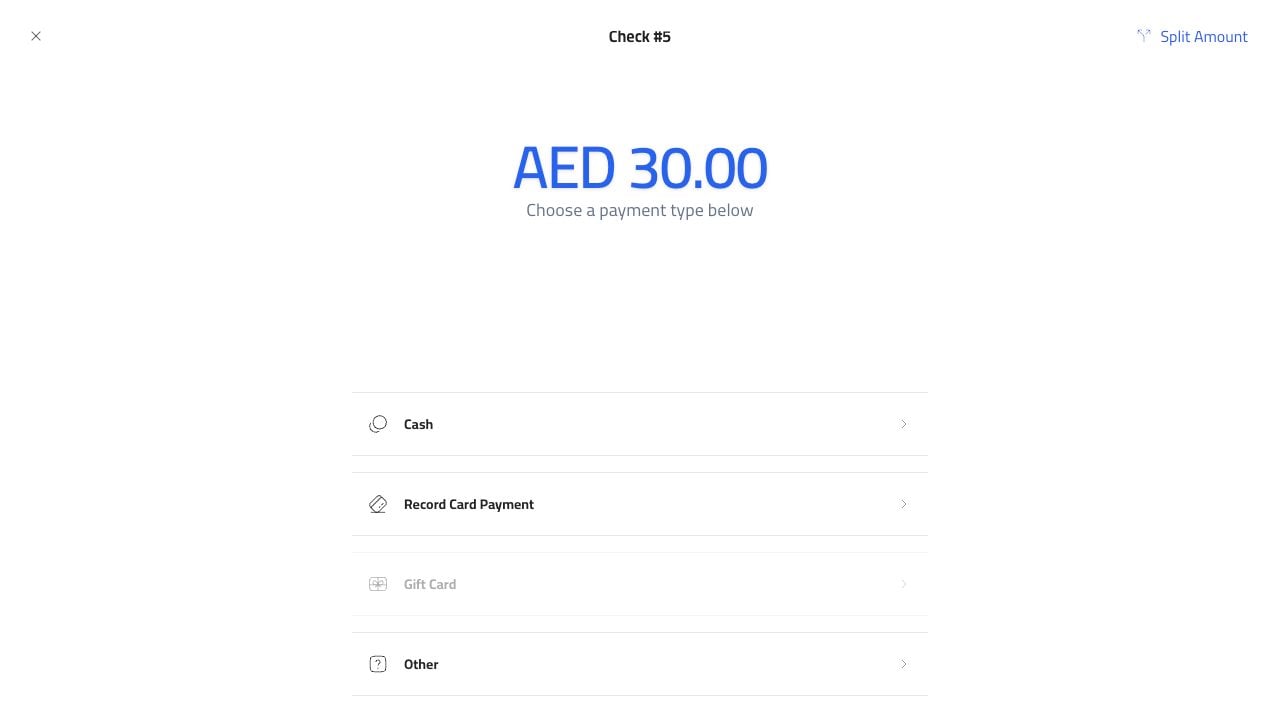
Ödeme ekranı ödenmesi gereken tutarı ve mevcut ödeme yöntemlerini gösterir.
<img src="https://mintcdn.com/platoae/BPT5cVutD7nA9lgH/images/kds-pos/pos-fresh/15-payment-methods.png?fit=max&auto=format&n=BPT5cVutD7nA9lgH&q=85&s=90ade911a7339b877655ba7aec0e4140" alt="Ödeme yöntemleri" width="1280" height="720" data-path="images/kds-pos/pos-fresh/15-payment-methods.png" />

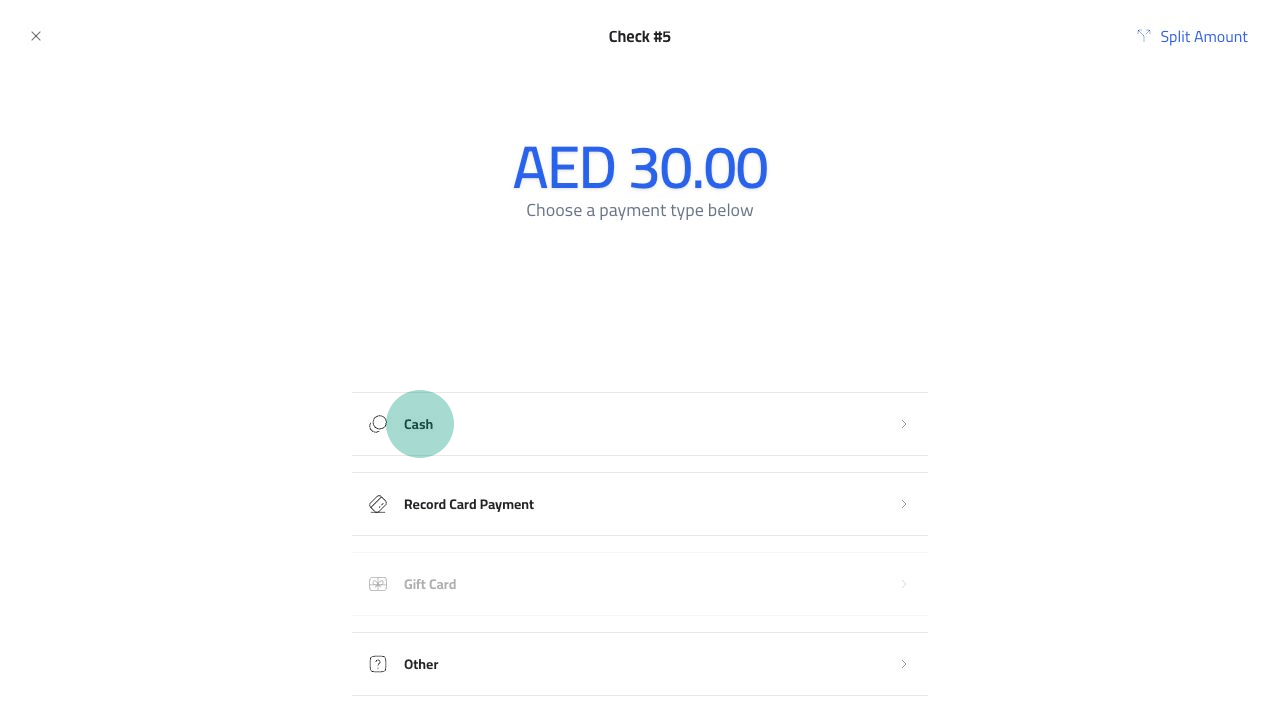
`Cash`'yi seçin.

<img src="https://mintcdn.com/platoae/BPT5cVutD7nA9lgH/images/kds-pos/pos-fresh/16-cash-method-tap.png?fit=max&auto=format&n=BPT5cVutD7nA9lgH&q=85&s=18c549a1cea56a224f6e1e9dccfe68ae" alt="Nakit ödeme yöntemi" width="1280" height="720" data-path="images/kds-pos/pos-fresh/16-cash-method-tap.png" />

## İhaleye Girin

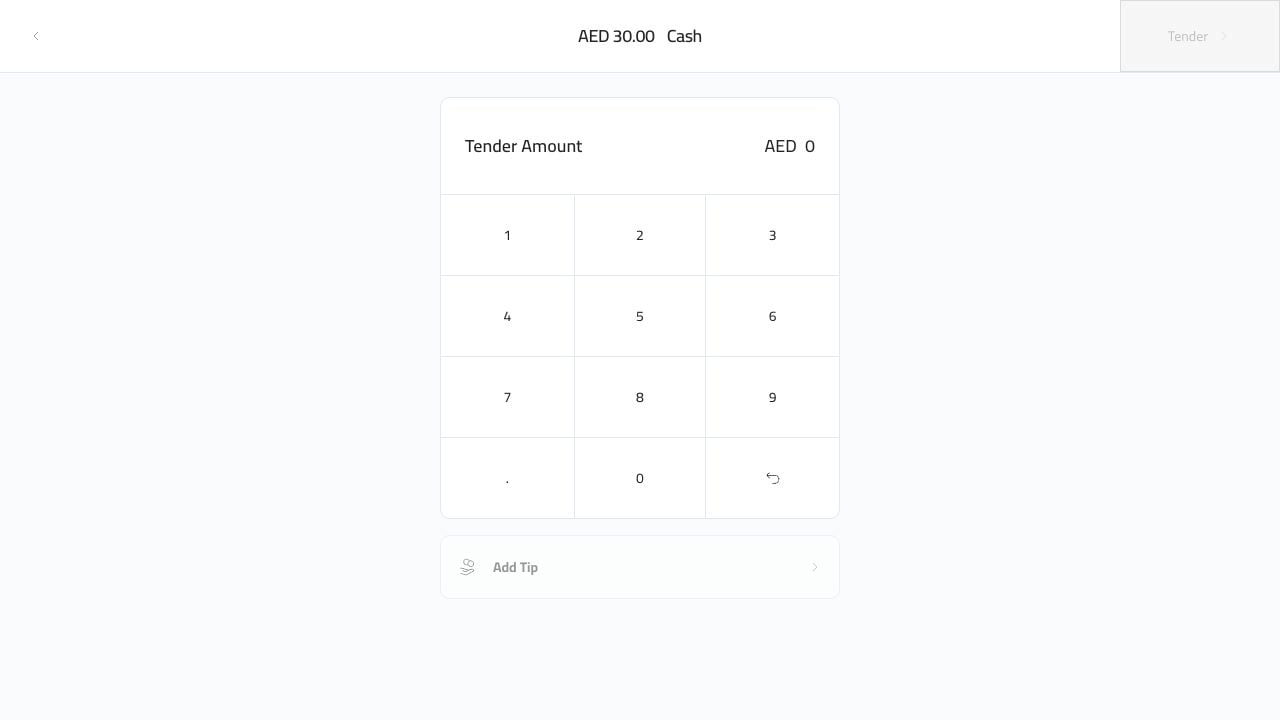
Nakit ihale ekranı ödenmesi gereken tutarı ve bir tuş takımını gösterir.
<img src="https://mintcdn.com/platoae/BPT5cVutD7nA9lgH/images/kds-pos/pos-fresh/17-cash-tender-screen.png?fit=max&auto=format&n=BPT5cVutD7nA9lgH&q=85&s=d1c5015d58d87eebc1a18f7faf77bb64" alt="Nakit ihale ekranı" width="1280" height="720" data-path="images/kds-pos/pos-fresh/17-cash-tender-screen.png" />

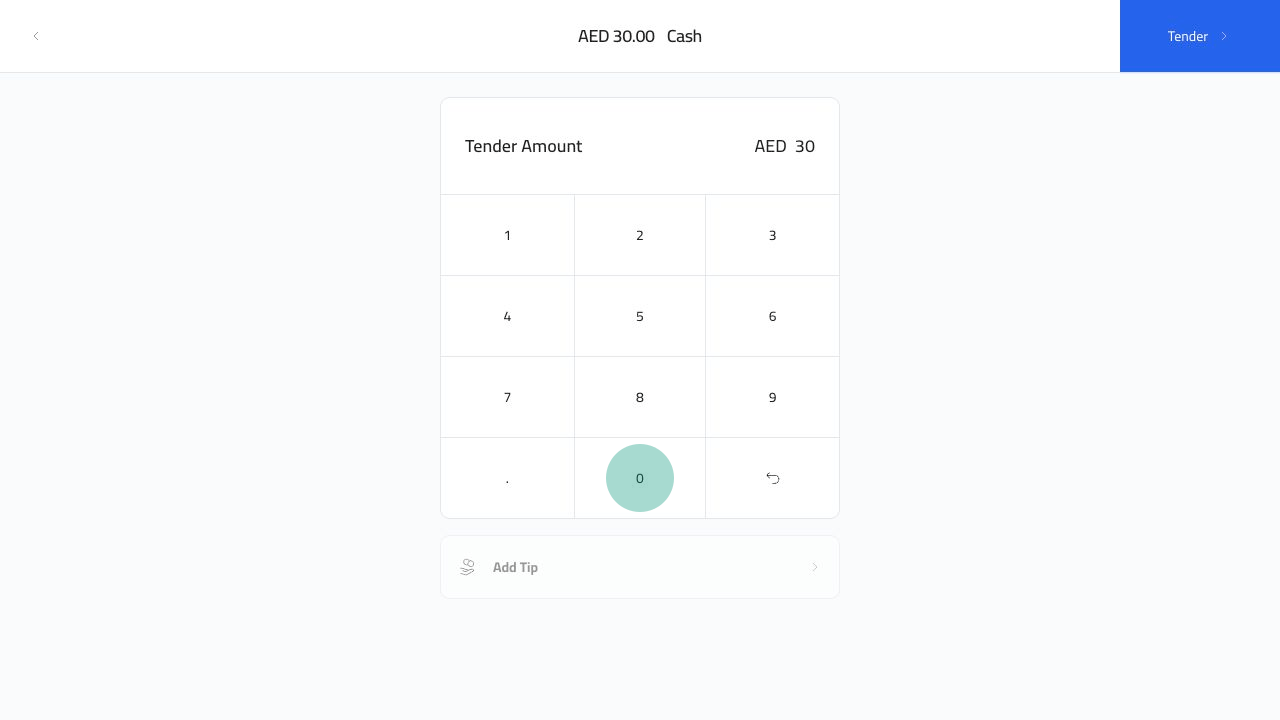
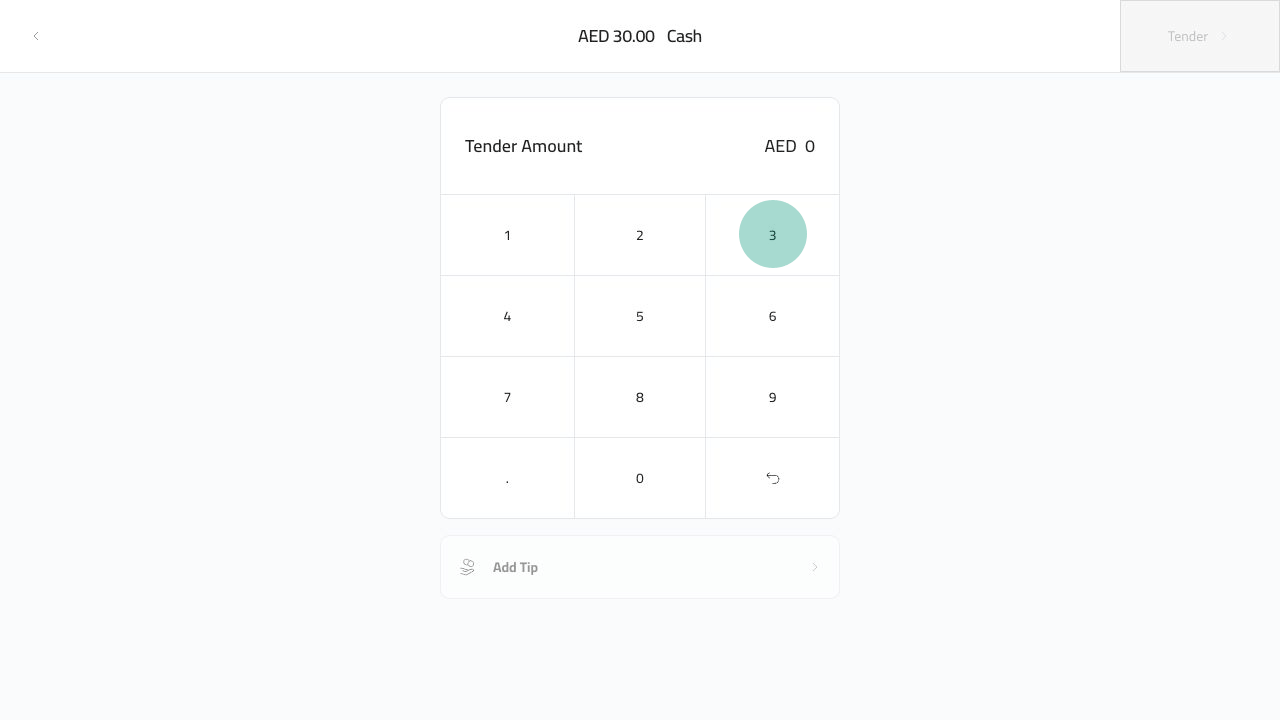
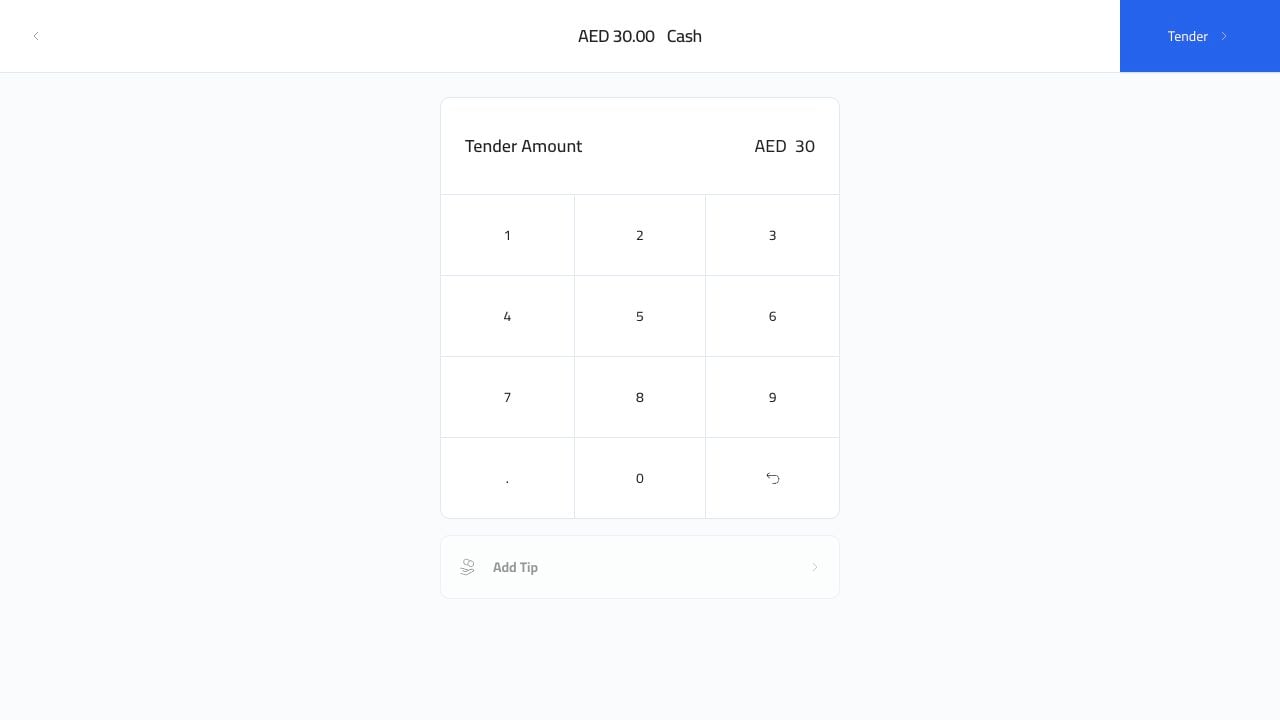
Müşterinin size verdiği tutarı girin. Aşağıdaki örnekte `30` girilmektedir.
<img src="https://mintcdn.com/platoae/BPT5cVutD7nA9lgH/images/kds-pos/pos-fresh/18-cash-keypad-3-tap.png?fit=max&auto=format&n=BPT5cVutD7nA9lgH&q=85&s=31f12aa3cc2bd80327eba2540fbfa82e" alt="Nakit tuş takımı 3" width="1280" height="720" data-path="images/kds-pos/pos-fresh/18-cash-keypad-3-tap.png" />

<img src="https://mintcdn.com/platoae/BPT5cVutD7nA9lgH/images/kds-pos/pos-fresh/19-cash-keypad-0-tap.png?fit=max&auto=format&n=BPT5cVutD7nA9lgH&q=85&s=b0640b1e41a72783eb8005bc616a3c67" alt="Nakit tuş takımı 0" width="1280" height="720" data-path="images/kds-pos/pos-fresh/19-cash-keypad-0-tap.png" />

Tutar girildikten sonra `Tender` düğmesi kullanılabilir hale gelir.
<img src="https://mintcdn.com/platoae/BPT5cVutD7nA9lgH/images/kds-pos/pos-fresh/20-cash-amount-entered.png?fit=max&auto=format&n=BPT5cVutD7nA9lgH&q=85&s=9662af72e1b9274c724aedde8ab22d14" alt="Girilen nakit tutarı" width="1280" height="720" data-path="images/kds-pos/pos-fresh/20-cash-amount-entered.png" />

## Satışı Bitir

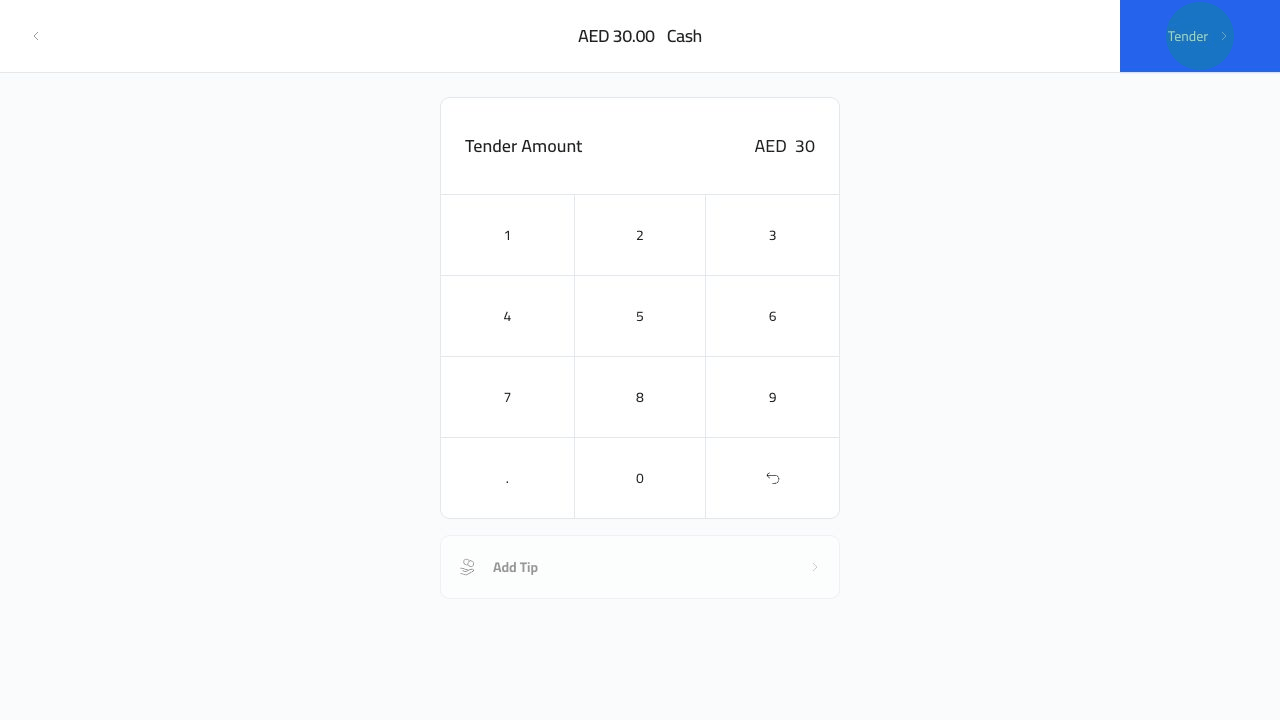
`Tender`'ye tıklayın.

<img src="https://mintcdn.com/platoae/BPT5cVutD7nA9lgH/images/kds-pos/pos-fresh/21-cash-tender-tap.png?fit=max&auto=format&n=BPT5cVutD7nA9lgH&q=85&s=7d13e8b6d10535421509d426b00b9e4c" alt="İhale nakit ödemesi" width="1280" height="720" data-path="images/kds-pos/pos-fresh/21-cash-tender-tap.png" />

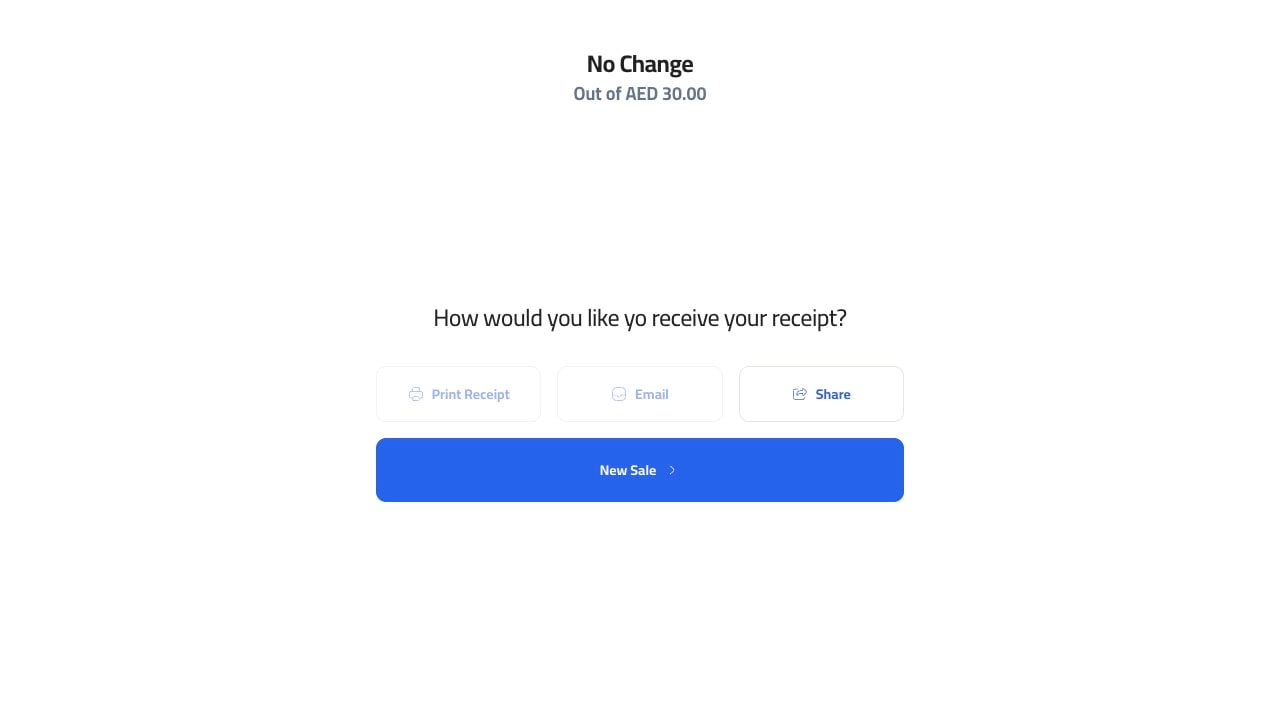
Plato siparişi kapatır ve makbuz ekranını açar. Kasiyer buradan çıktı alabilir, e-posta gönderebilir, paylaşabilir veya yeni bir satış başlatabilir.
<img src="https://mintcdn.com/platoae/TIGnbzXxmghL4Tv_/images/kds-pos/pos-fresh/22-cash-receipt-screen.png?fit=max&auto=format&n=TIGnbzXxmghL4Tv_&q=85&s=76fde56c278be9ddf113e79fe5fa8b65" alt="Nakit giriş ekranı" width="1280" height="720" data-path="images/kds-pos/pos-fresh/22-cash-receipt-screen.png" />

Müşteri toplamdan fazla verdiyse bir sonraki satışa başlamadan önce başarı ekranında gösterilen değişikliği kullanın.