> ## Documentation Index
> Fetch the complete documentation index at: https://docs.plato.ae/llms.txt
> Use this file to discover all available pages before exploring further.
# Şablon Oluştur
> Sohbetler, kampanyalar ve iş akışları için yeniden kullanılabilir Connect360 mesaj şablonları oluşturun.
Şablonlar giden mesajların tutarlı olmasını sağlar.
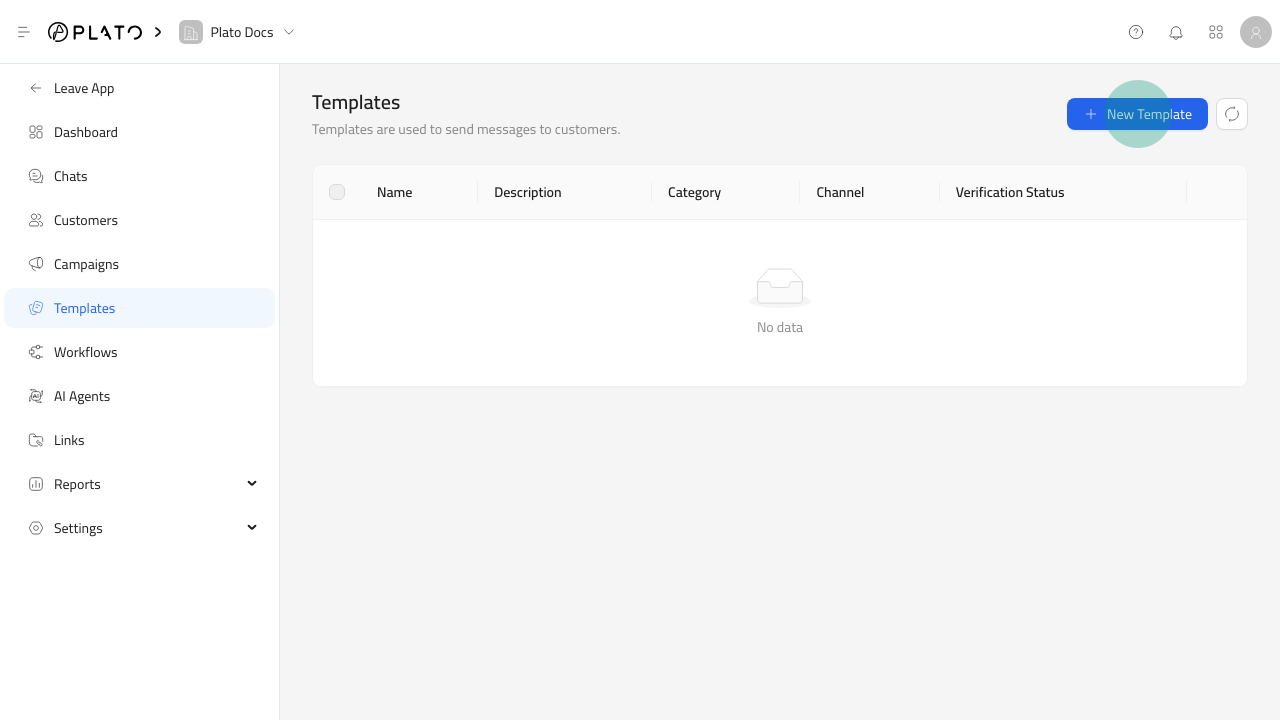 ## Şablon Formunu Aç
1. `Connect360`'yi açın.
2. `Templates`'ye gidin.
3. `New Template`'ye tıklayın.
## Şablon Formunu Aç
1. `Connect360`'yi açın.
2. `Templates`'ye gidin.
3. `New Template`'ye tıklayın.
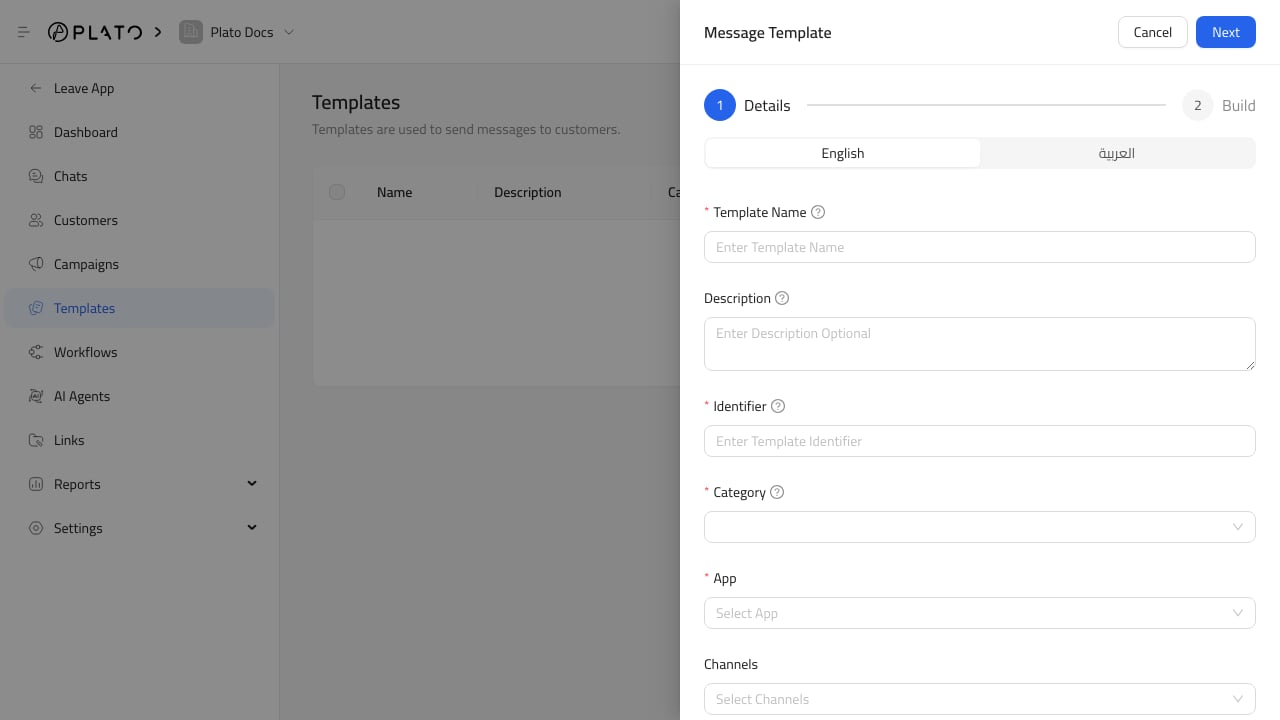 ## Ayrıntıları Doldur
Anlaşılır bir ad, açıklama ve tanımlayıcı ekleyin. `welcome_message`, `order_ready` veya `delivery_follow_up` gibi tanımlayıcıları kullanın.
Şablonun ait olduğu mesajlaşma uygulamasını ve kanal türünü seçin. Personelin amaca göre şablon bulması gerektiğinde etiket ekleyin.
## İçeriğe Devam Et
Ayrıntılar hazır olduktan sonra mesaj içeriğini oluşturun ve kaydetmeden önce önizleyin.
## Ayrıntıları Doldur
Anlaşılır bir ad, açıklama ve tanımlayıcı ekleyin. `welcome_message`, `order_ready` veya `delivery_follow_up` gibi tanımlayıcıları kullanın.
Şablonun ait olduğu mesajlaşma uygulamasını ve kanal türünü seçin. Personelin amaca göre şablon bulması gerektiğinde etiket ekleyin.
## İçeriğe Devam Et
Ayrıntılar hazır olduktan sonra mesaj içeriğini oluşturun ve kaydetmeden önce önizleyin.