> ## Documentation Index
> Fetch the complete documentation index at: https://docs.plato.ae/llms.txt
> Use this file to discover all available pages before exploring further.
# Payments
> Review how retail orders were paid.
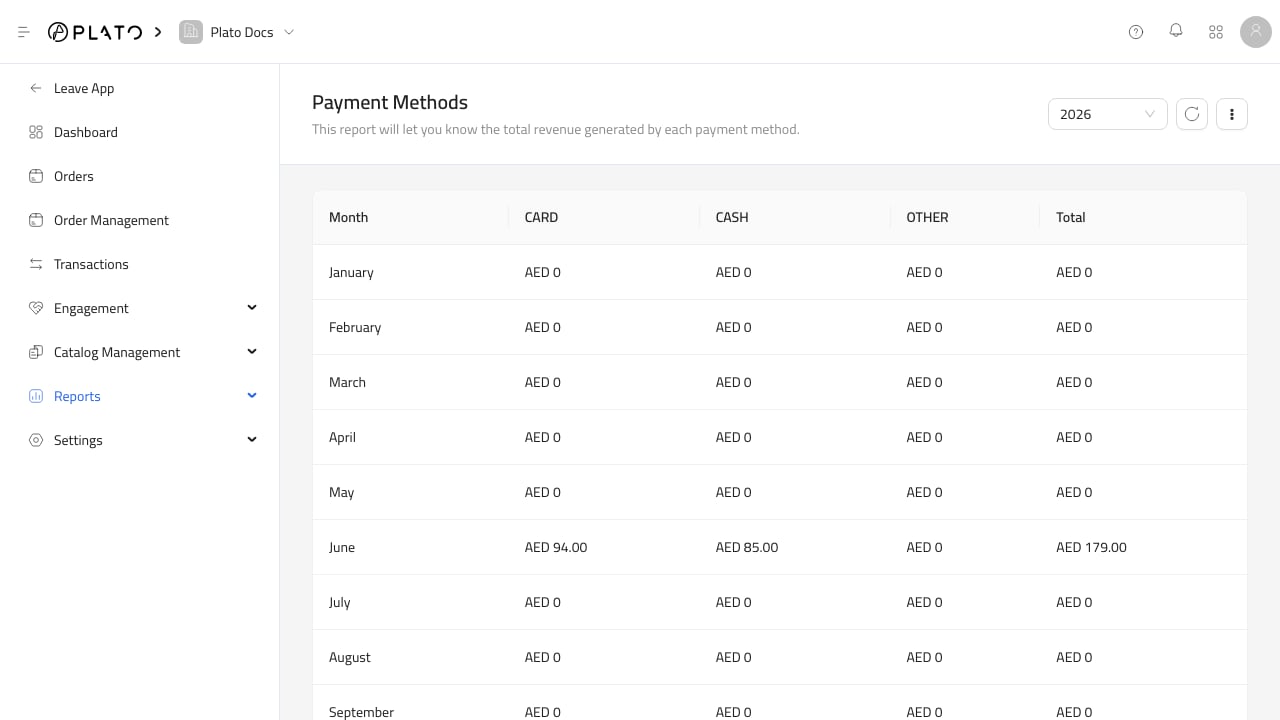
Payment reports show how money was collected, not only what was sold.
 ## What To Check
Use payment reports to review:
* Payment methods.
* Monthly payment method totals.
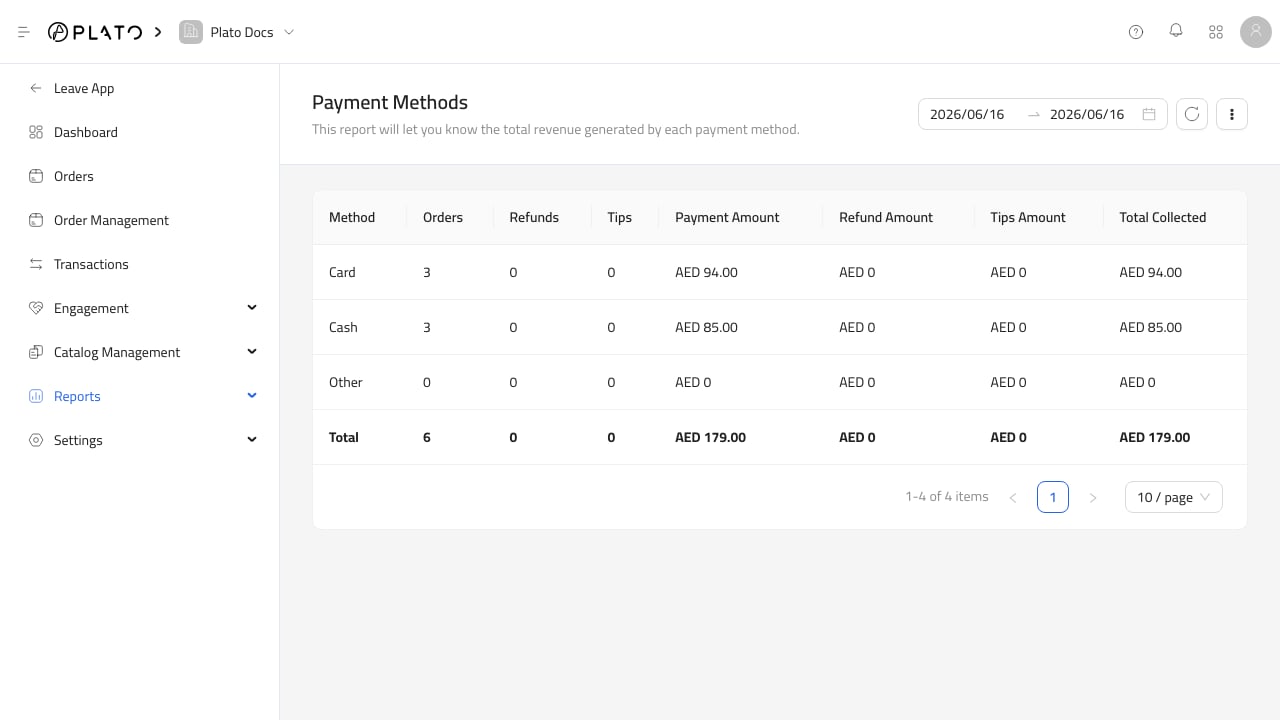
* Counts and amounts by method.
* Differences between sales and collected payments.
Payment reports are useful during closing because they help reconcile cash, card, and other payment methods.
## What To Check
Use payment reports to review:
* Payment methods.
* Monthly payment method totals.
* Counts and amounts by method.
* Differences between sales and collected payments.
Payment reports are useful during closing because they help reconcile cash, card, and other payment methods.