> ## Documentation Index
> Fetch the complete documentation index at: https://docs.plato.ae/llms.txt
> Use this file to discover all available pages before exploring further.
# Public Menu
> Check the customer-facing menu, product page, and order entry before sharing the menu URL.
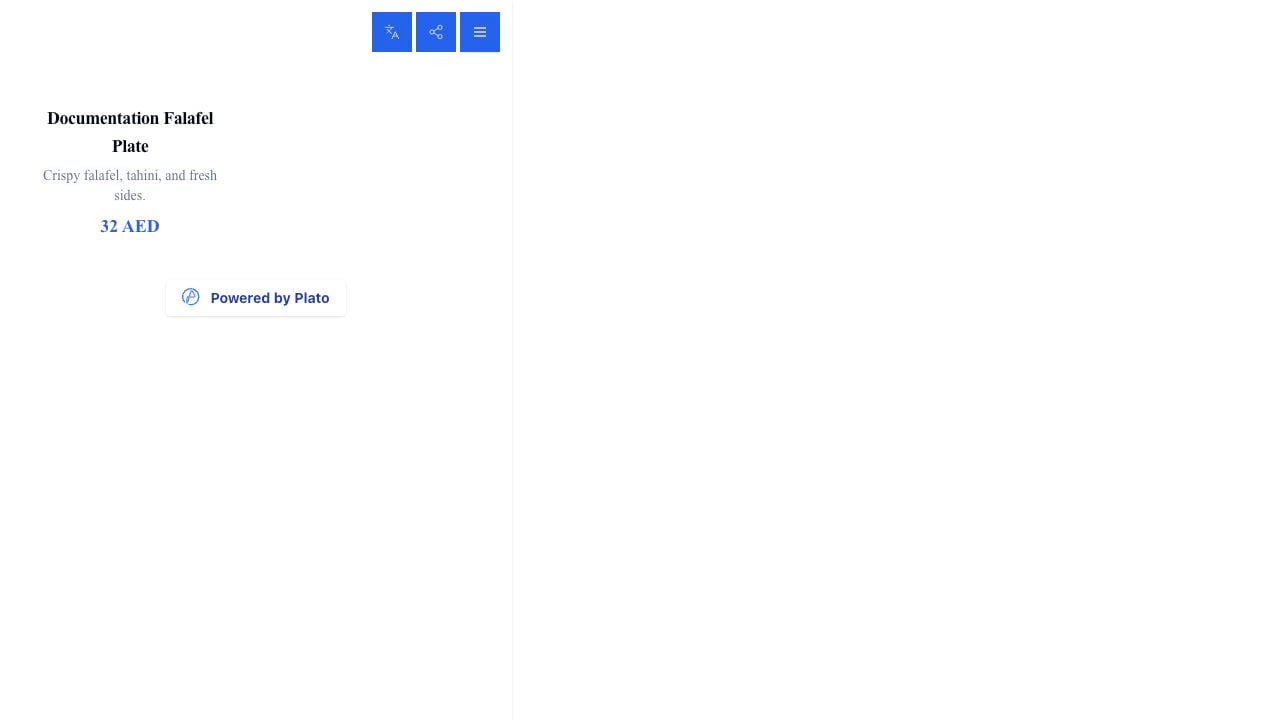
The public menu is what customers see after opening the menu URL or scanning a QR code.
 ## Review Before Sharing
Before printing a QR code or sharing the link, check:
* Menu name.
* Language selector.
* Product names and prices.
* Product descriptions.
* Sold-out items.
* Ordering button.
* Powered-by footer.
* Cart and checkout behavior.
## Product Details
Open a product to review its detail page.
## Review Before Sharing
Before printing a QR code or sharing the link, check:
* Menu name.
* Language selector.
* Product names and prices.
* Product descriptions.
* Sold-out items.
* Ordering button.
* Powered-by footer.
* Cart and checkout behavior.
## Product Details
Open a product to review its detail page.
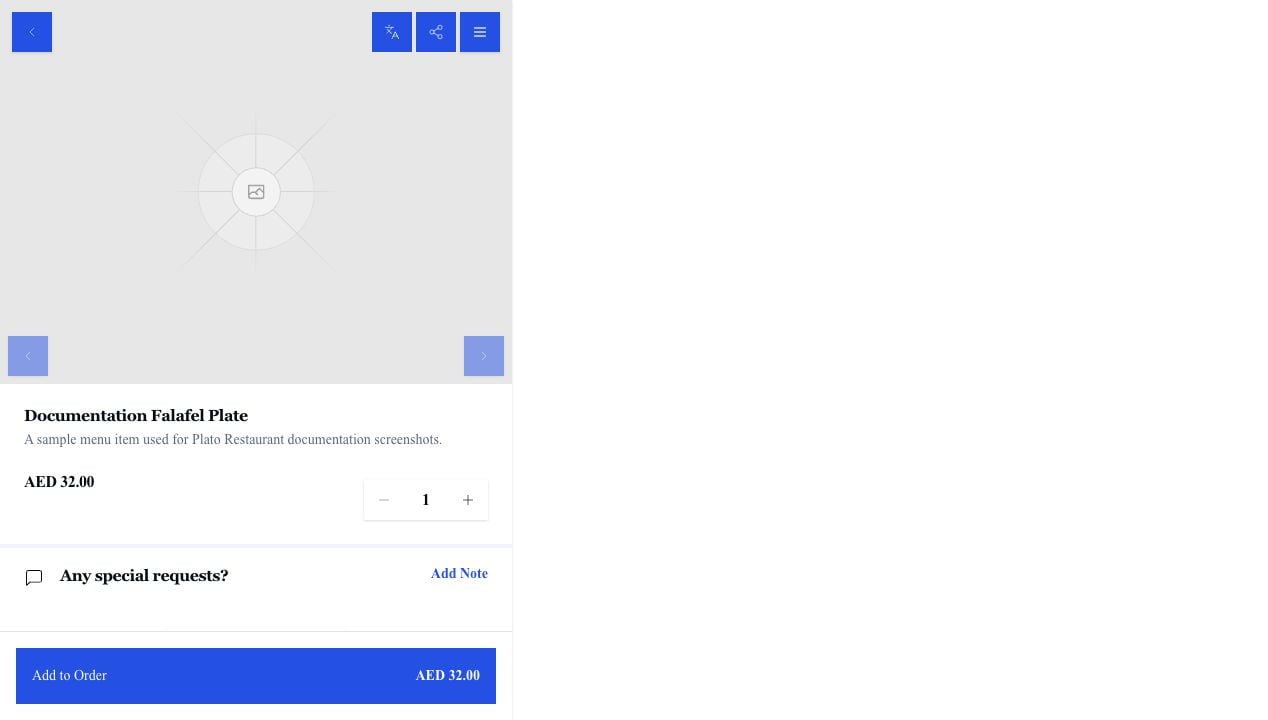 Check the description, price, quantity controls, notes, modifiers, and `Add to Order` button.
## Test Like A Customer
Open the public URL in a normal browser and place a small test order before publishing the link widely. Test every enabled order type: dine-in, delivery, and pick-up.
Check the description, price, quantity controls, notes, modifiers, and `Add to Order` button.
## Test Like A Customer
Open the public URL in a normal browser and place a small test order before publishing the link widely. Test every enabled order type: dine-in, delivery, and pick-up.