> ## Documentation Index
> Fetch the complete documentation index at: https://docs.plato.ae/llms.txt
> Use this file to discover all available pages before exploring further.
# Modifiers
> Create modifier groups for add-ons, choices, and customizations.
Modifiers let customers or staff customize an item.
 ## Create A Modifier Group
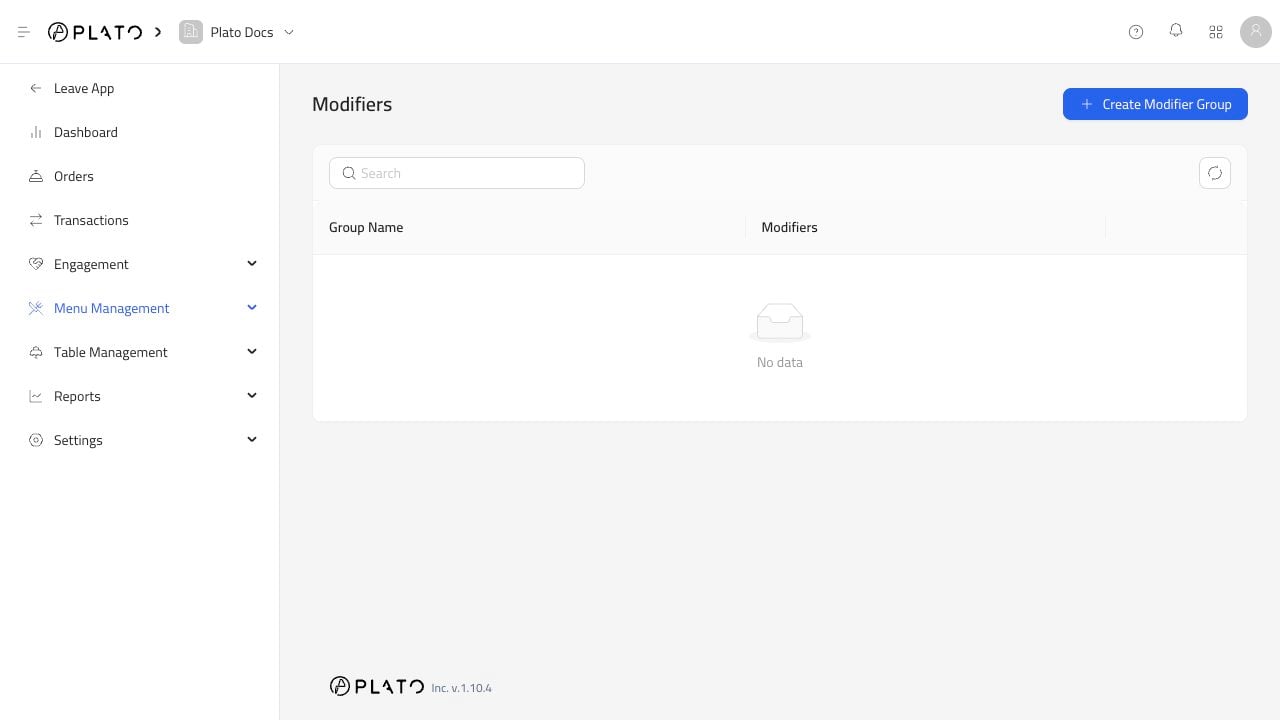
Click `Create Modifier Group`.
## Create A Modifier Group
Click `Create Modifier Group`.
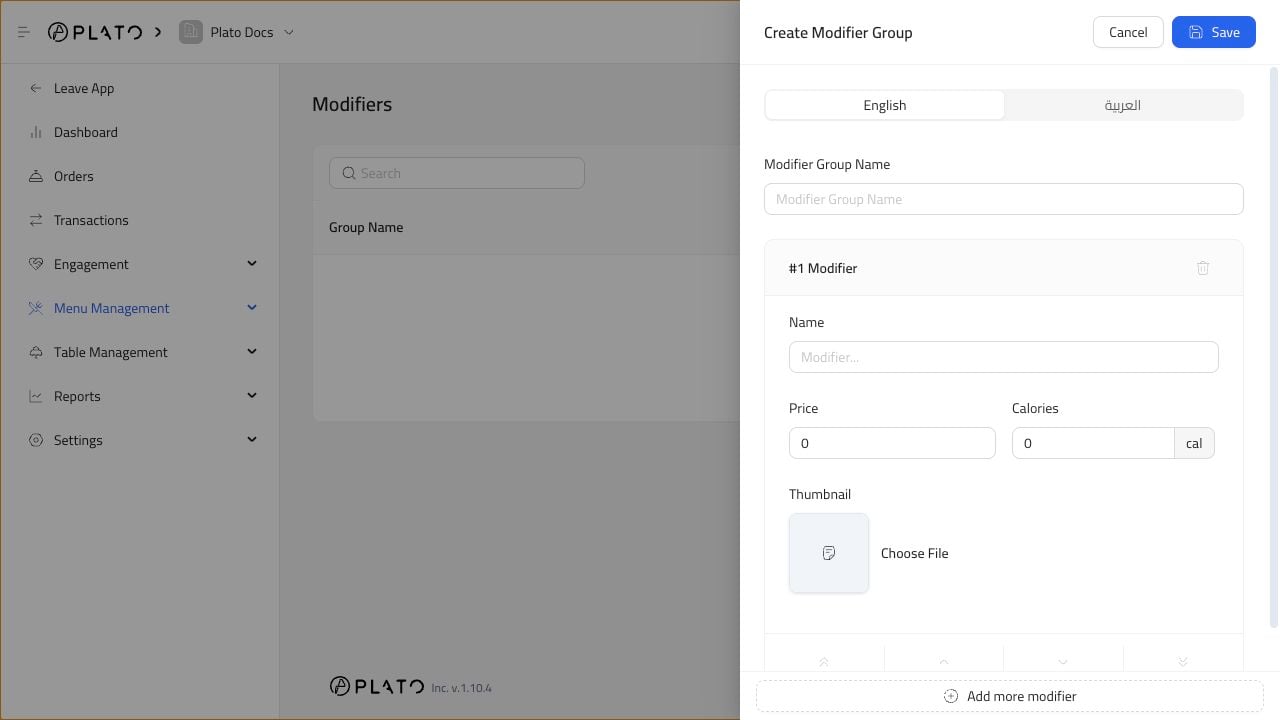 Add a group name, then add one or more modifier choices. Each modifier can have its own price, calories, and thumbnail.
## Common Examples
Use modifiers for:
* Extra cheese.
* Sauce choice.
* Spice level.
* Side dish choice.
* Milk option.
* Add protein.
Create one group per decision. For example, use one group for `Sauce` and another group for `Add-ons` instead of mixing every option into one long list.
Add a group name, then add one or more modifier choices. Each modifier can have its own price, calories, and thumbnail.
## Common Examples
Use modifiers for:
* Extra cheese.
* Sauce choice.
* Spice level.
* Side dish choice.
* Milk option.
* Add protein.
Create one group per decision. For example, use one group for `Sauce` and another group for `Add-ons` instead of mixing every option into one long list.