> ## Documentation Index
> Fetch the complete documentation index at: https://docs.plato.ae/llms.txt
> Use this file to discover all available pages before exploring further.
# Ordering
> Configure dine-in, delivery, pick-up, customer fields, payment options, and operating hours.
Ordering settings decide how customers can place orders from the online menu.
 ## Order Types
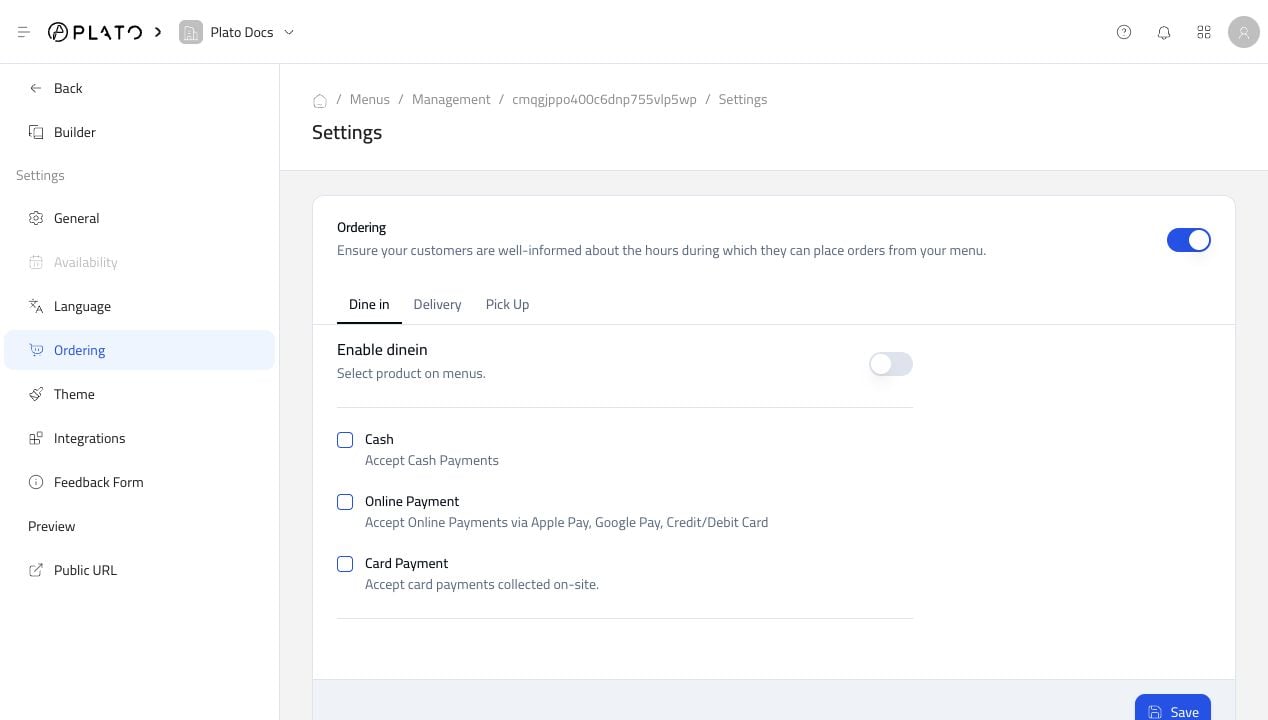
Use the tabs for `Dine in`, `Delivery`, and `Pick Up` to configure each flow separately.
For each order type, decide:
* Whether that order type is enabled.
* Which payment options are accepted.
* Whether customers can pay online, on-site, or with cash.
Only enable order types your team is ready to handle.
## Customer Fields
Use Customer Form Option to ask for extra information during checkout.
## Order Types
Use the tabs for `Dine in`, `Delivery`, and `Pick Up` to configure each flow separately.
For each order type, decide:
* Whether that order type is enabled.
* Which payment options are accepted.
* Whether customers can pay online, on-site, or with cash.
Only enable order types your team is ready to handle.
## Customer Fields
Use Customer Form Option to ask for extra information during checkout.
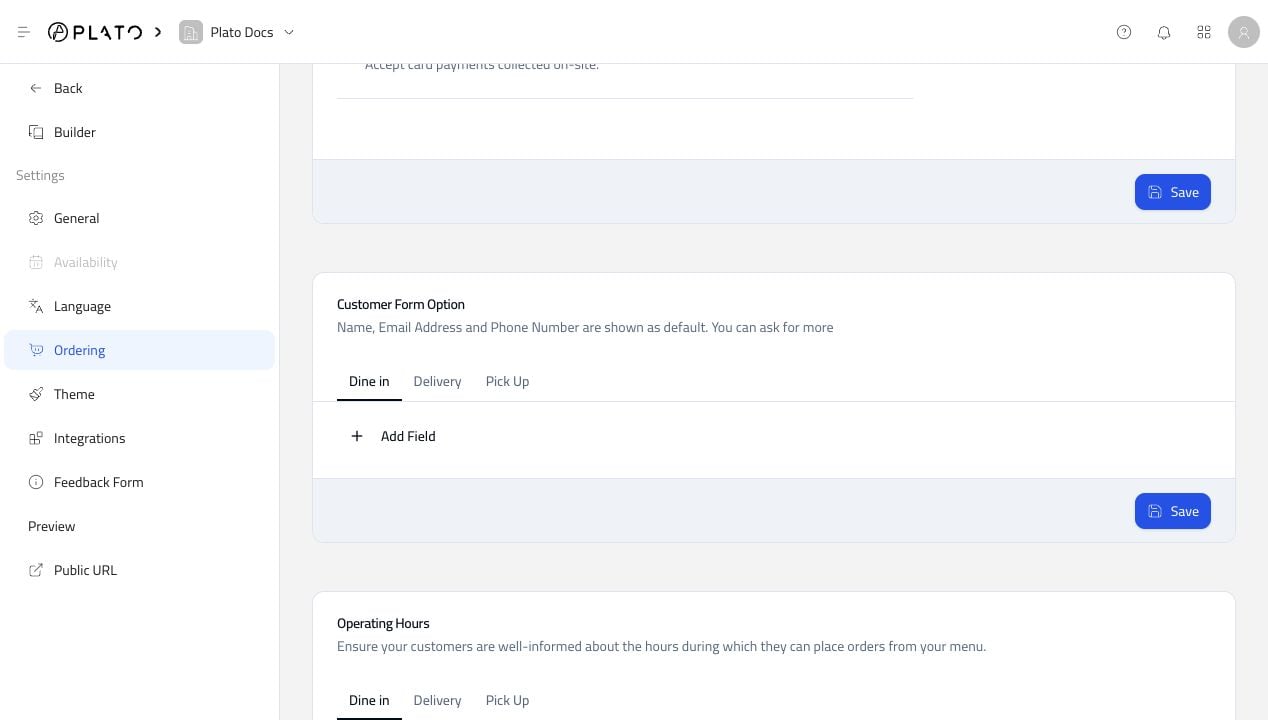 Keep customer fields short. Ask only for information staff actually need to prepare or deliver the order.
## Operating Hours
Operating hours control when customers can place orders.
Keep customer fields short. Ask only for information staff actually need to prepare or deliver the order.
## Operating Hours
Operating hours control when customers can place orders.
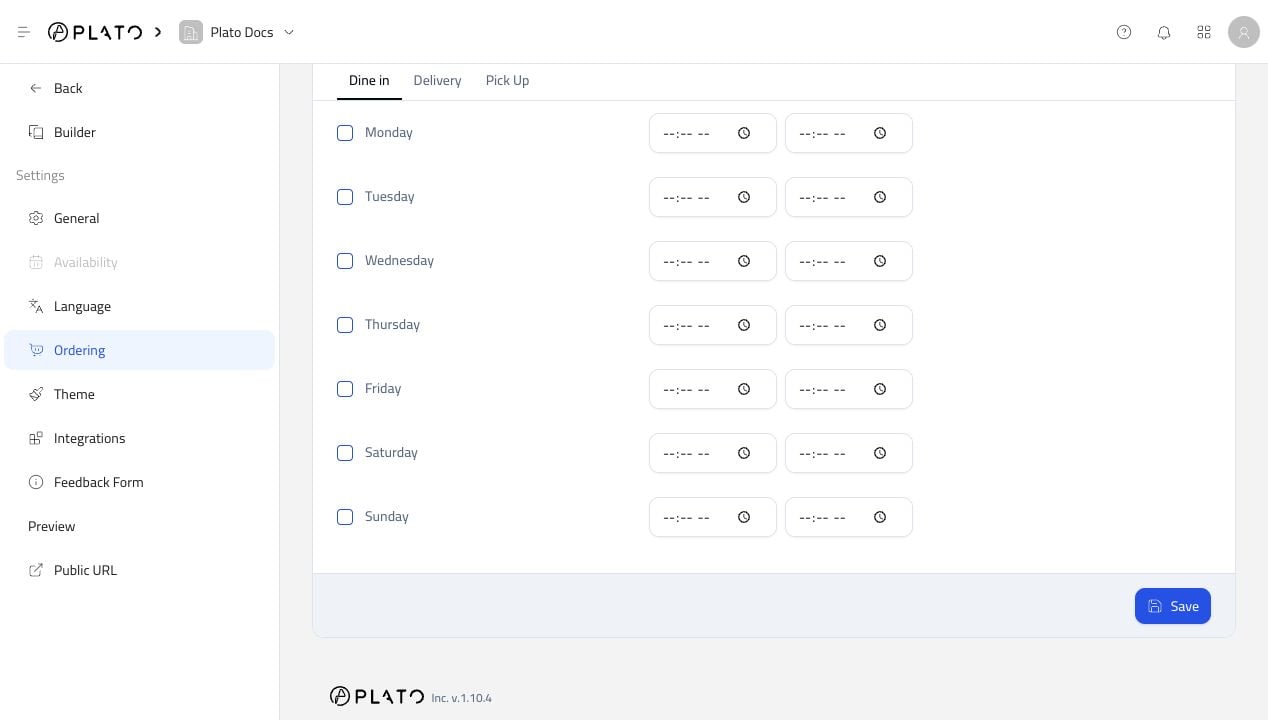 Review every order type separately. Delivery and pick-up often need different hours from dine-in service.