> ## Documentation Index
> Fetch the complete documentation index at: https://docs.plato.ae/llms.txt
> Use this file to discover all available pages before exploring further.
# POS
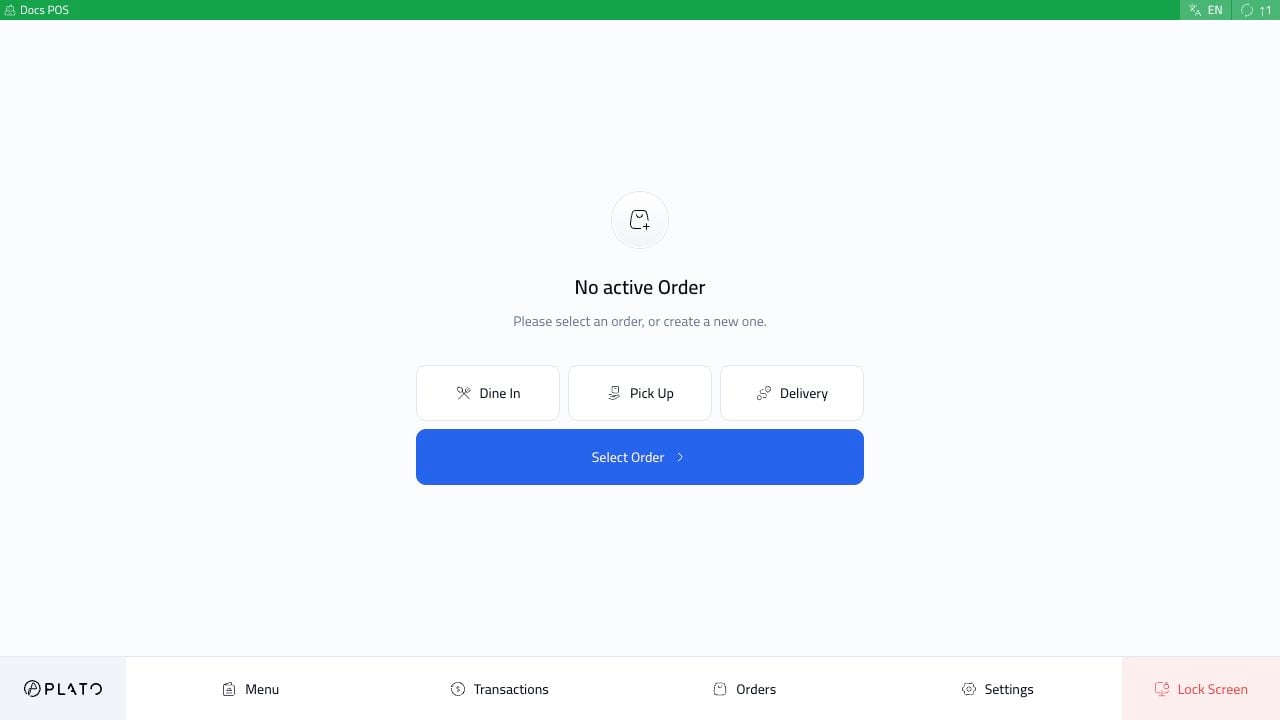
> Open a Plato POS station, take orders, settle payments, split checks, and review service activity.
Use POS when staff are serving customers at a cashier station, table-service station, or call center station.
 ## Start With The Daily Flow
Most cashiers follow the same flow during service:
Enter the device, choose the staff member, use PIN `0000` when needed, and start service.
Add items, adjust the order, send it to the kitchen, and review the sidebar.
Record cash, confirm the amount, and finish the receipt flow.
Record a Visa or card payment after the terminal payment is approved.
Divide one order total across cash, card, or multiple payment methods.
Separate guest checks before payment when a table wants to pay separately.
## Choose The Right POS Mode
Use **Main POS** for counter service, dine-in service, cashier payments, receipts, and sending kitchen tickets.
Use **Call Center POS** when a team takes delivery or phone orders from a separate station. Call Center POS should normally be created as a separate device so it can use its own order behavior and customer flow.
## Key POS Guides
* [Open POS And Start A Session](/kds-pos/pos/start-session)
* [Create An Order And Send It](/kds-pos/pos/create-order)
* [Settle An Order In Cash](/kds-pos/pos/pay-with-cash)
* [Settle An Order By Card](/kds-pos/pos/pay-with-card)
* [Split One Payment Across Cash And Card](/kds-pos/pos/split-payment)
* [Split A Bill Into Separate Checks](/kds-pos/pos/split-bill)
* [Fix Orders, Void Items, And Reopen](/kds-pos/pos/order-actions)
* [Run A Call Center Station](/kds-pos/call-center/overview)
## Start With The Daily Flow
Most cashiers follow the same flow during service:
Enter the device, choose the staff member, use PIN `0000` when needed, and start service.
Add items, adjust the order, send it to the kitchen, and review the sidebar.
Record cash, confirm the amount, and finish the receipt flow.
Record a Visa or card payment after the terminal payment is approved.
Divide one order total across cash, card, or multiple payment methods.
Separate guest checks before payment when a table wants to pay separately.
## Choose The Right POS Mode
Use **Main POS** for counter service, dine-in service, cashier payments, receipts, and sending kitchen tickets.
Use **Call Center POS** when a team takes delivery or phone orders from a separate station. Call Center POS should normally be created as a separate device so it can use its own order behavior and customer flow.
## Key POS Guides
* [Open POS And Start A Session](/kds-pos/pos/start-session)
* [Create An Order And Send It](/kds-pos/pos/create-order)
* [Settle An Order In Cash](/kds-pos/pos/pay-with-cash)
* [Settle An Order By Card](/kds-pos/pos/pay-with-card)
* [Split One Payment Across Cash And Card](/kds-pos/pos/split-payment)
* [Split A Bill Into Separate Checks](/kds-pos/pos/split-bill)
* [Fix Orders, Void Items, And Reopen](/kds-pos/pos/order-actions)
* [Run A Call Center Station](/kds-pos/call-center/overview)