> ## Documentation Index
> Fetch the complete documentation index at: https://docs.plato.ae/llms.txt
> Use this file to discover all available pages before exploring further.
# Create A Workspace
> Create a partner customer workspace, choose apps, set subscription details, and configure limits.
Create a workspace when a new customer needs their own Plato workspace under the partner account.
 ## Open The Drawer
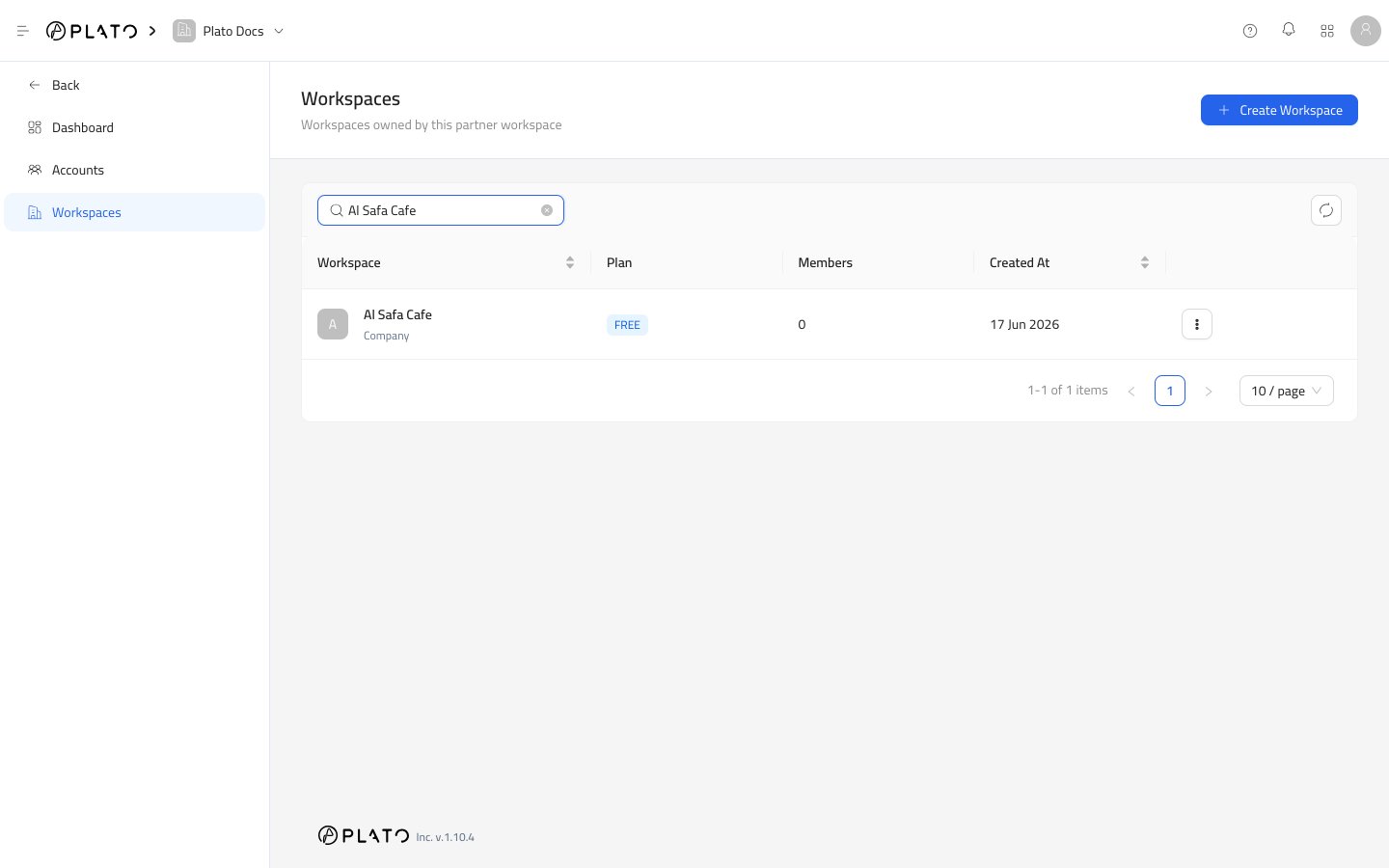
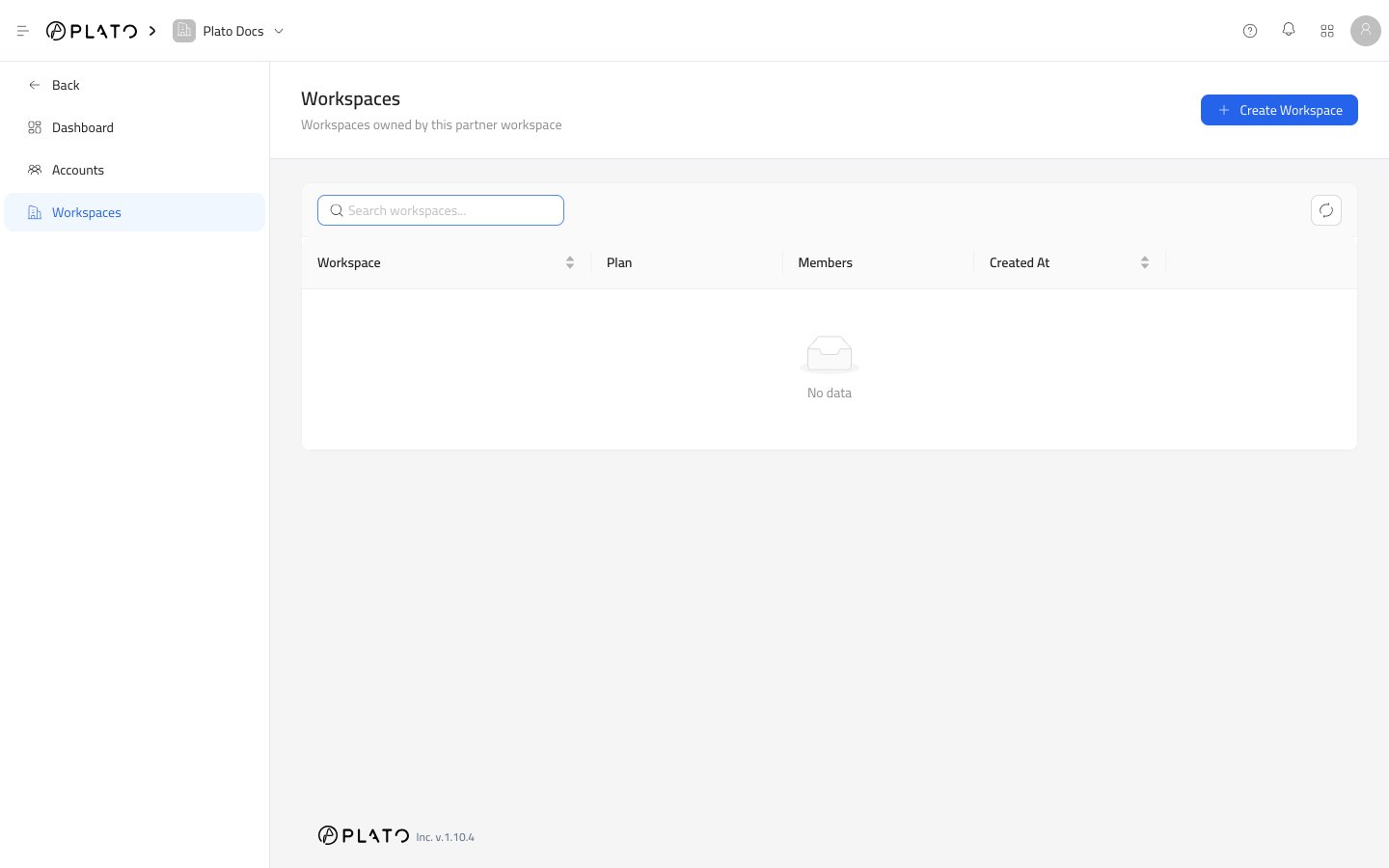
1. Open `Partners`.
2. Go to `Workspaces`.
3. Click `Create Workspace`.
The drawer opens from the side.
## Open The Drawer
1. Open `Partners`.
2. Go to `Workspaces`.
3. Click `Create Workspace`.
The drawer opens from the side.
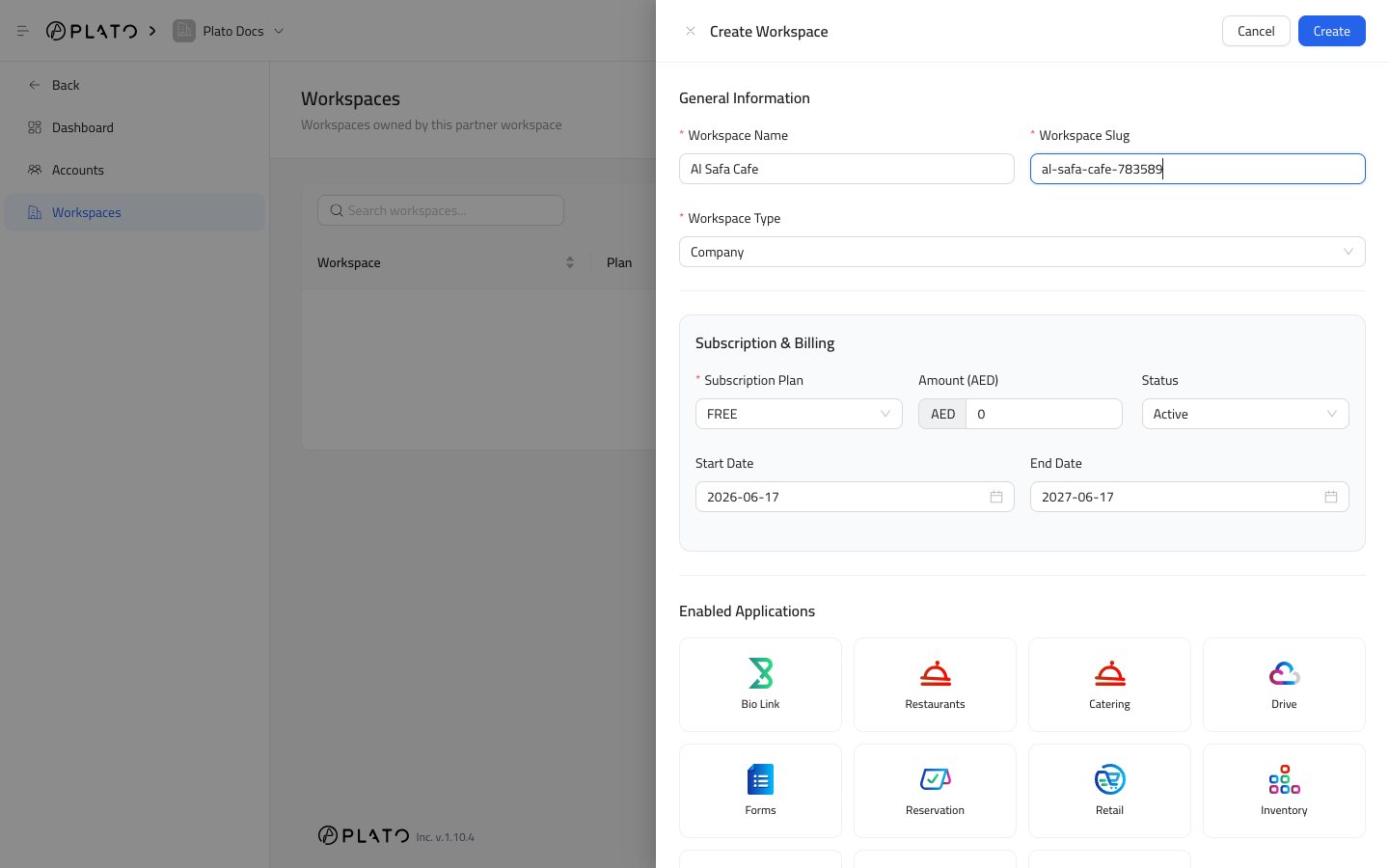
 ## General Information
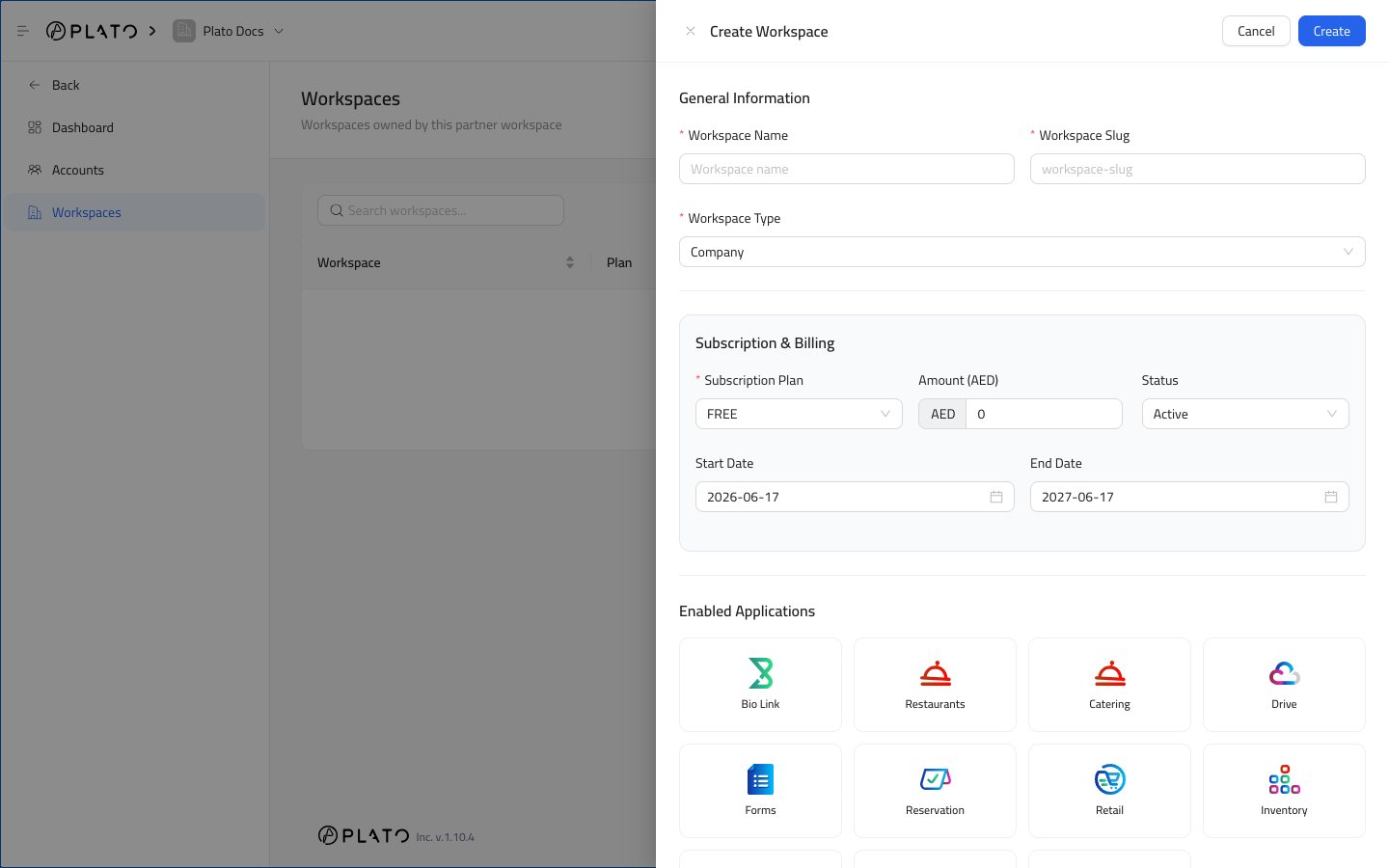
`Workspace Name` is the customer-facing workspace name.
`Workspace Slug` is the clean URL-friendly identifier for the workspace.
`Workspace Type` defines the workspace category. Most customer workspaces use `Company`.
## General Information
`Workspace Name` is the customer-facing workspace name.
`Workspace Slug` is the clean URL-friendly identifier for the workspace.
`Workspace Type` defines the workspace category. Most customer workspaces use `Company`.
 ## Subscription And Billing
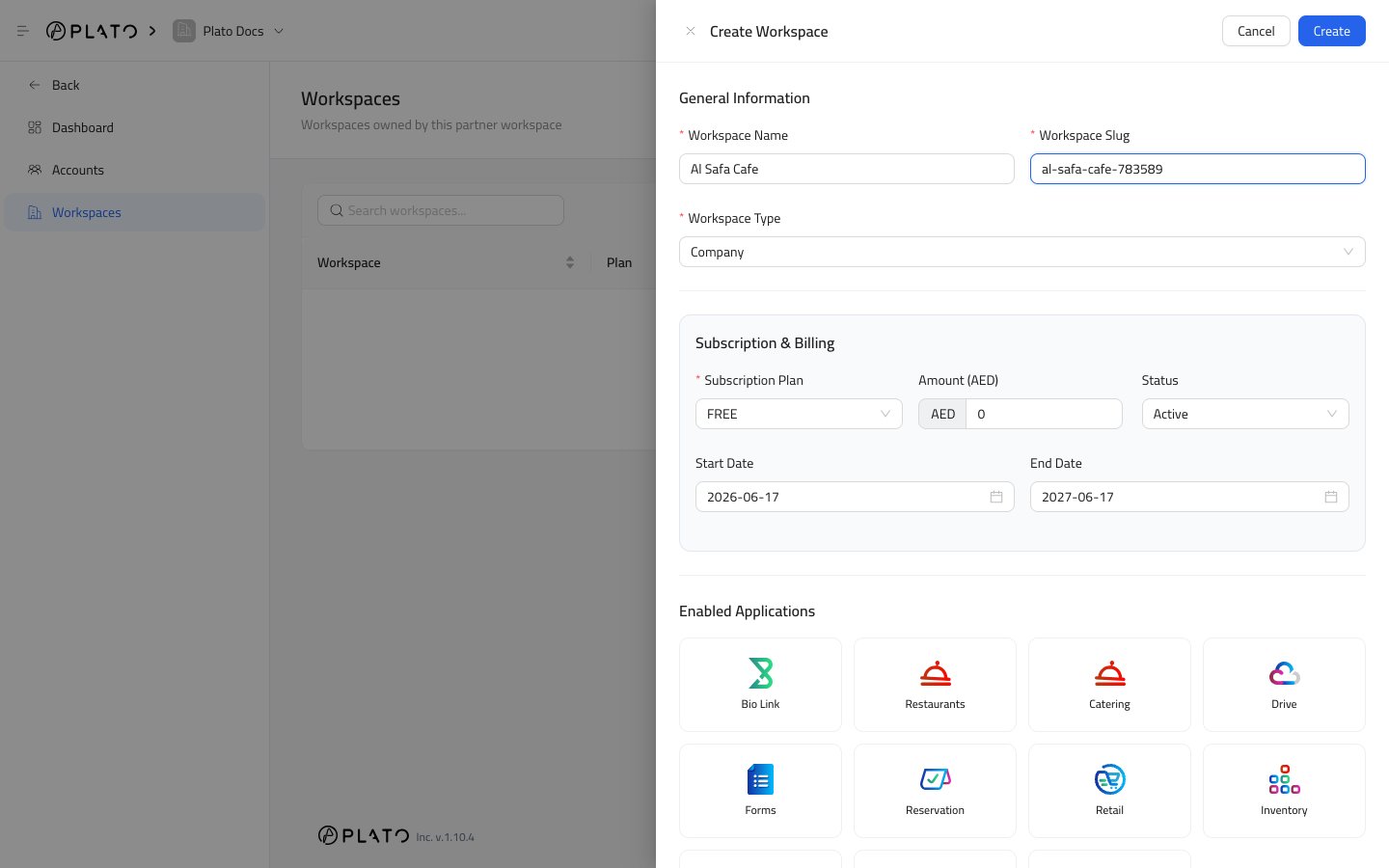
`Subscription Plan` is the plan assigned to the workspace.
`Amount (AED)` is the amount expected for the subscription period.
`Status` controls whether the subscription is active, trialing, past due, unpaid, or another available state.
`Start Date` is when the subscription period begins.
`End Date` is the renewal or expiry date used by dashboard and renewal reports.
## Enabled Applications
Choose the Plato apps the customer should be able to use.
Available app cards can include:
* Bio Link.
* Restaurants.
* Catering.
* Drive.
* Forms.
* Reservation.
* Retail.
* Inventory.
* Pay.
* Connect360.
* Accounting.
Only enable apps the customer should actually use. You can edit this later from the workspace actions menu or the workspace detail page.
## Subscription And Billing
`Subscription Plan` is the plan assigned to the workspace.
`Amount (AED)` is the amount expected for the subscription period.
`Status` controls whether the subscription is active, trialing, past due, unpaid, or another available state.
`Start Date` is when the subscription period begins.
`End Date` is the renewal or expiry date used by dashboard and renewal reports.
## Enabled Applications
Choose the Plato apps the customer should be able to use.
Available app cards can include:
* Bio Link.
* Restaurants.
* Catering.
* Drive.
* Forms.
* Reservation.
* Retail.
* Inventory.
* Pay.
* Connect360.
* Accounting.
Only enable apps the customer should actually use. You can edit this later from the workspace actions menu or the workspace detail page.
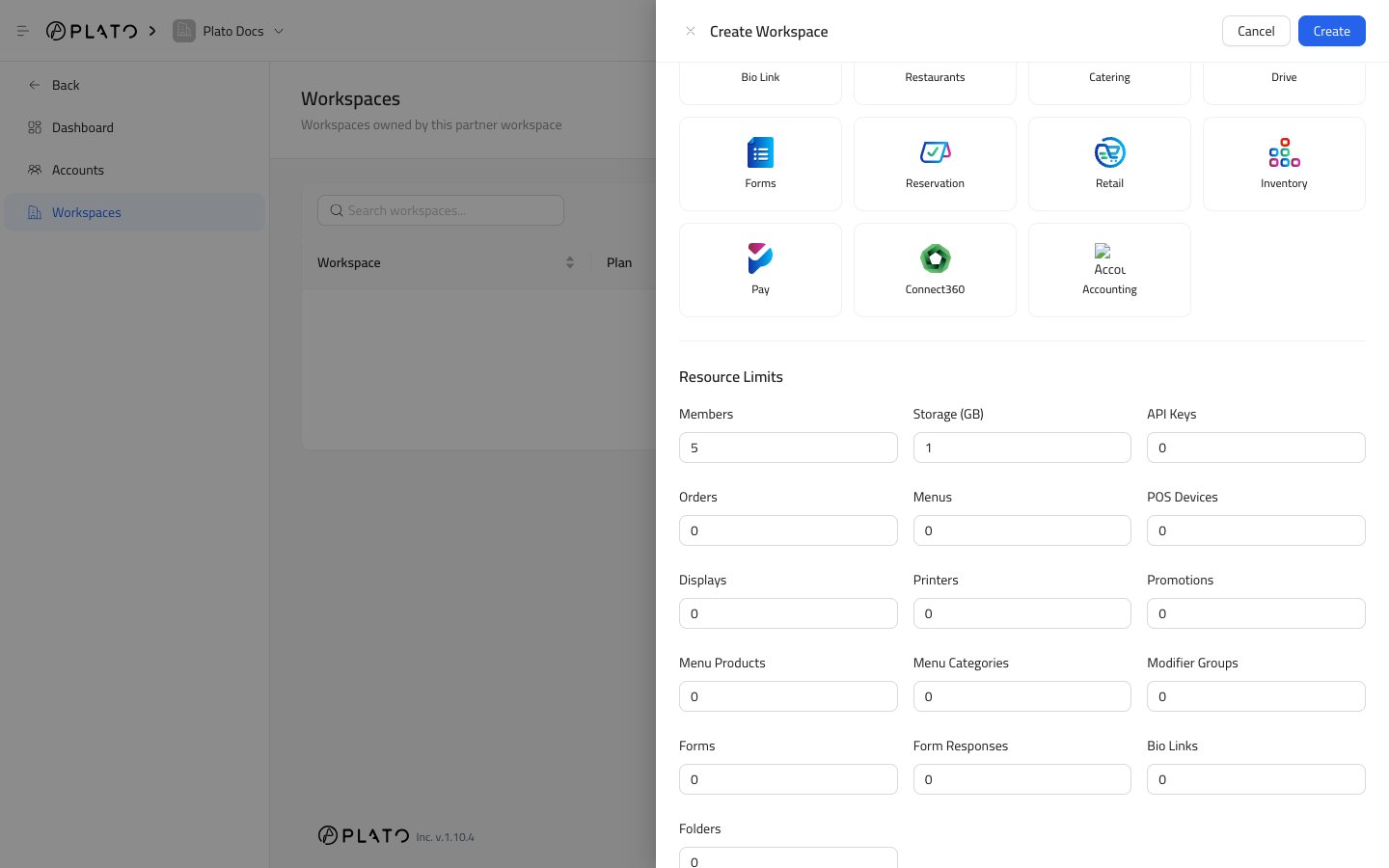
 ## Resource Limits
Resource limits control how much the workspace can create or use.
`Members` controls how many active members the workspace can have.
`Storage (GB)` controls file storage capacity.
`API Keys` controls how many API keys the workspace can create.
`Orders` controls order volume limits.
`Menus` controls how many menus can be created.
`POS Devices` controls how many POS devices can be connected.
`Displays` controls display screen limits.
`Printers` controls printer limits.
`Promotions` controls promotion code limits.
`Menu Products` controls product count limits.
`Menu Categories` controls category count limits.
`Modifier Groups` controls modifier group limits.
`Forms` controls form count limits.
`Form Responses` controls response limits.
`Bio Links` controls public Bio Link page limits.
`Folders` controls folder limits.
## Resource Limits
Resource limits control how much the workspace can create or use.
`Members` controls how many active members the workspace can have.
`Storage (GB)` controls file storage capacity.
`API Keys` controls how many API keys the workspace can create.
`Orders` controls order volume limits.
`Menus` controls how many menus can be created.
`POS Devices` controls how many POS devices can be connected.
`Displays` controls display screen limits.
`Printers` controls printer limits.
`Promotions` controls promotion code limits.
`Menu Products` controls product count limits.
`Menu Categories` controls category count limits.
`Modifier Groups` controls modifier group limits.
`Forms` controls form count limits.
`Form Responses` controls response limits.
`Bio Links` controls public Bio Link page limits.
`Folders` controls folder limits.
 ## Create The Workspace
Click `Create` when the name, slug, subscription, apps, and limits are ready.
After creation, open the workspace details page to review subscription cards, enabled apps, wallets, and members.
## Create The Workspace
Click `Create` when the name, slug, subscription, apps, and limits are ready.
After creation, open the workspace details page to review subscription cards, enabled apps, wallets, and members.