> ## Documentation Index
> Fetch the complete documentation index at: https://docs.plato.ae/llms.txt
> Use this file to discover all available pages before exploring further.
# Item Sheets
> Create reusable item lists for counts, purchasing, transfers, and waste checks.
Item Sheets are reusable lists of inventory items.
Use them when staff repeatedly select the same group of items, such as a monthly count list or a waste check list.
 ## Create a Sheet
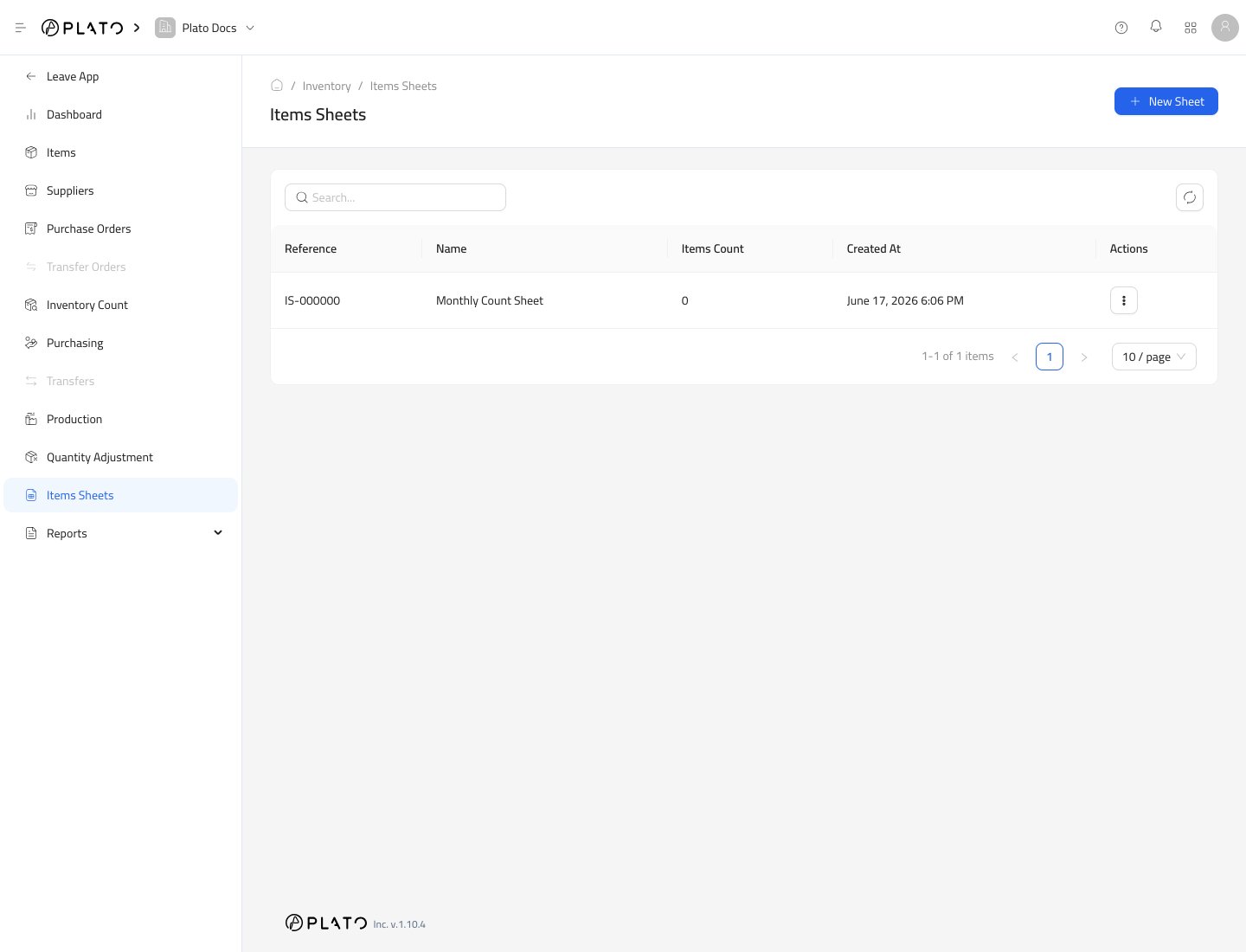
1. Open `Inventory`.
2. Go to `Items Sheets`.
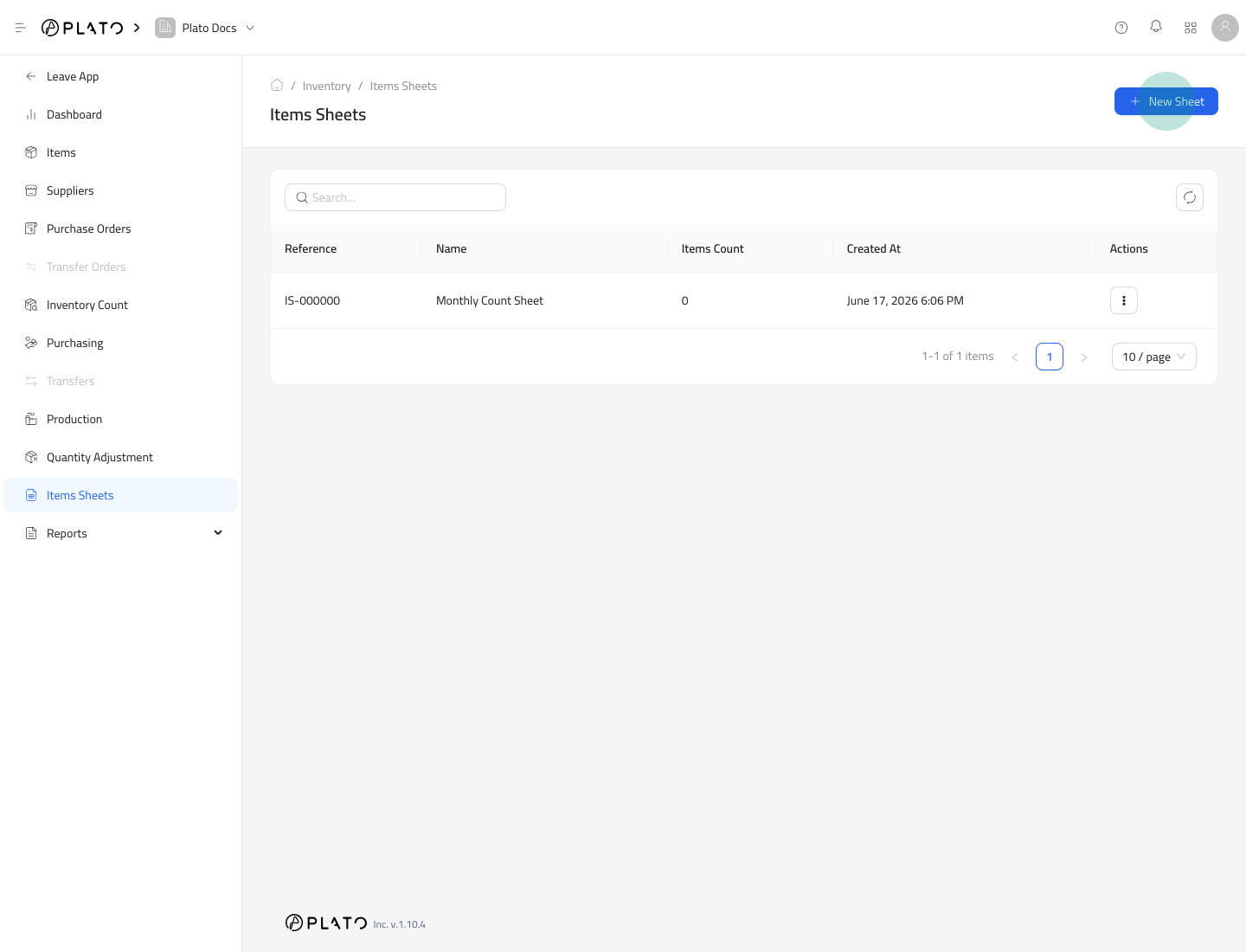
3. Click `New Sheet`.
## Create a Sheet
1. Open `Inventory`.
2. Go to `Items Sheets`.
3. Click `New Sheet`.
 4. Enter the sheet name.
5. Add a short description.
6. Choose the sheet type.
7. Click `Create`.
4. Enter the sheet name.
5. Add a short description.
6. Choose the sheet type.
7. Click `Create`.
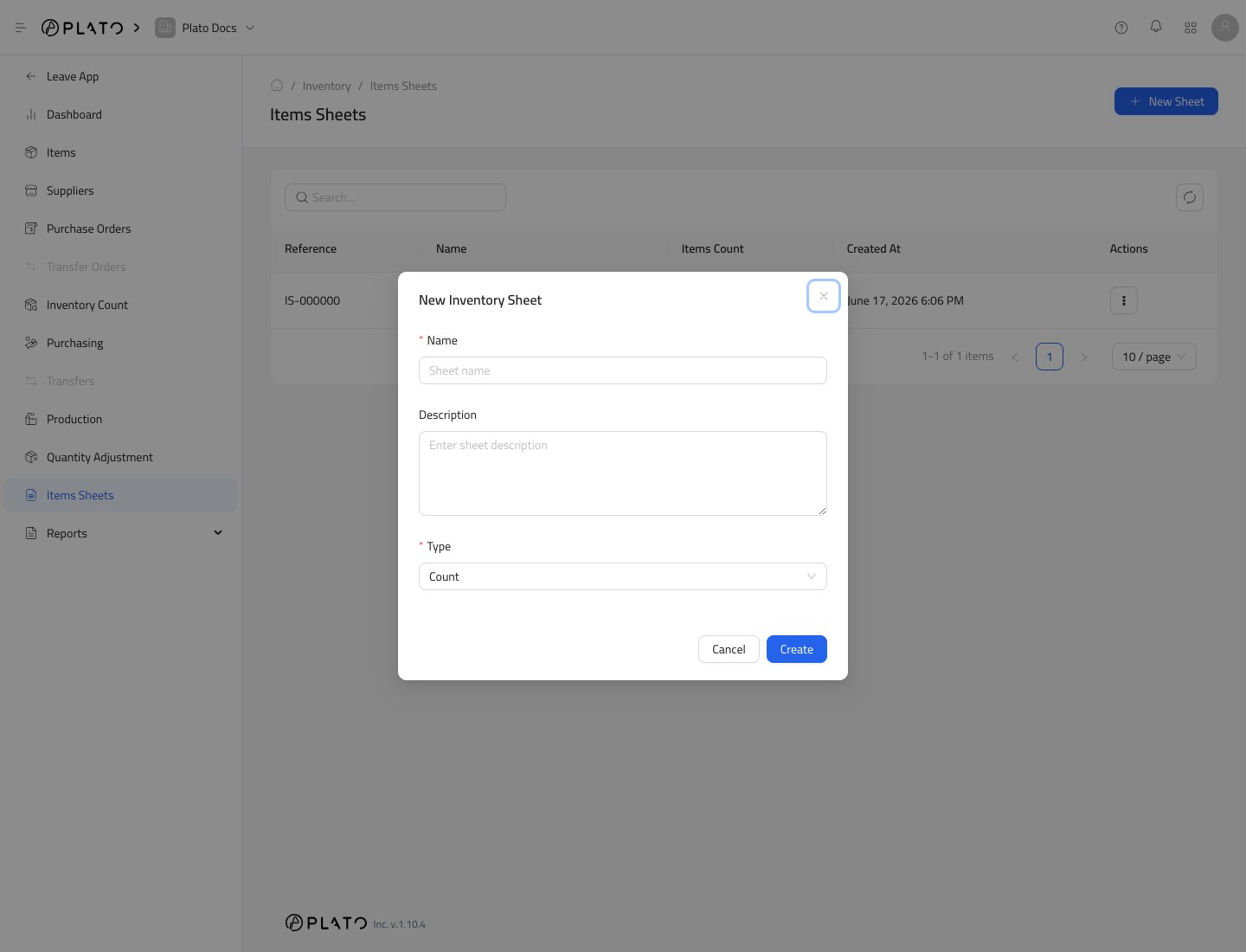 Current sheet types include `Count`, `Purchase`, `Transfer`, and `Waste`.
## Open the Sheet
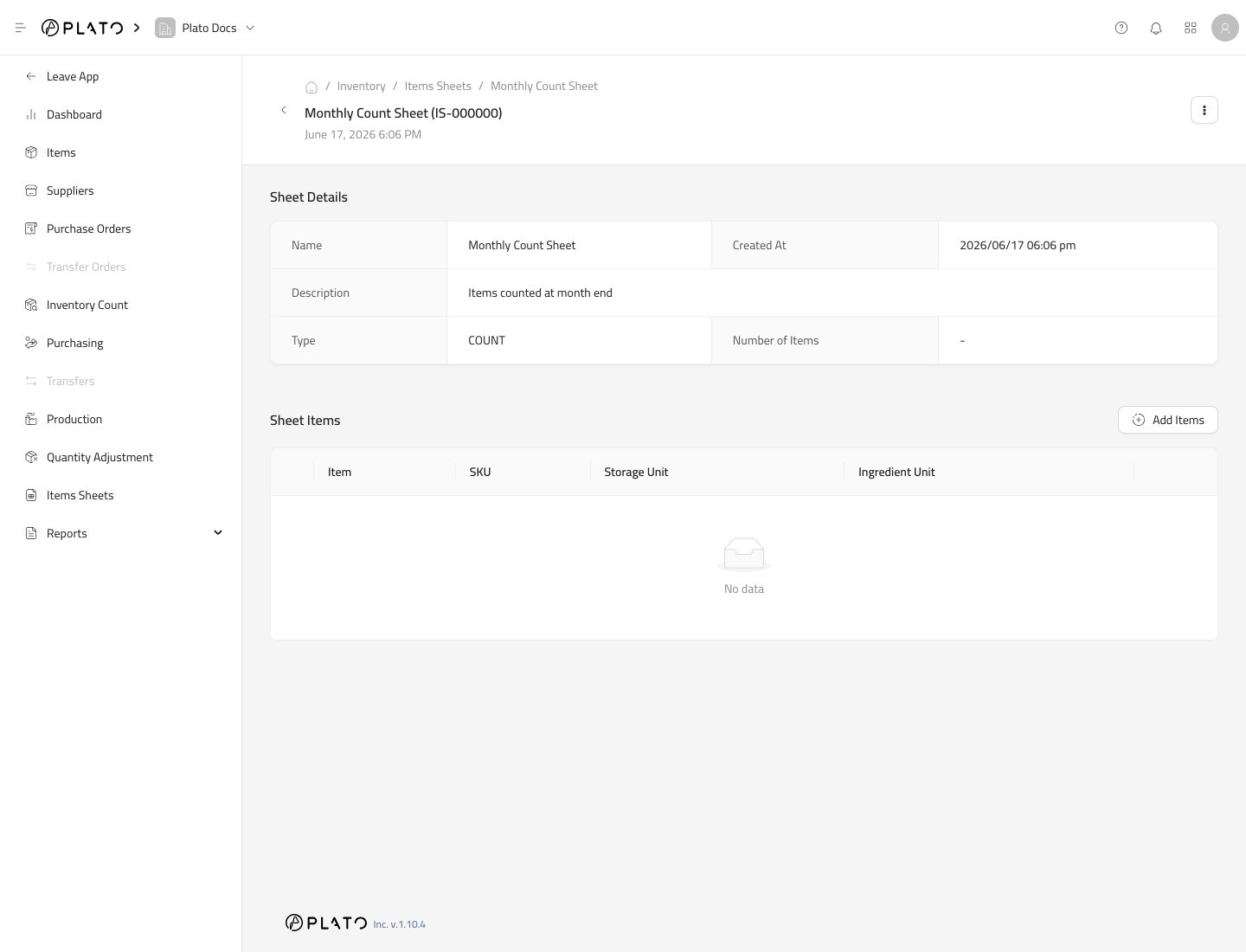
After creating the sheet, Plato opens the sheet detail page.
Current sheet types include `Count`, `Purchase`, `Transfer`, and `Waste`.
## Open the Sheet
After creating the sheet, Plato opens the sheet detail page.
 ## Add Items
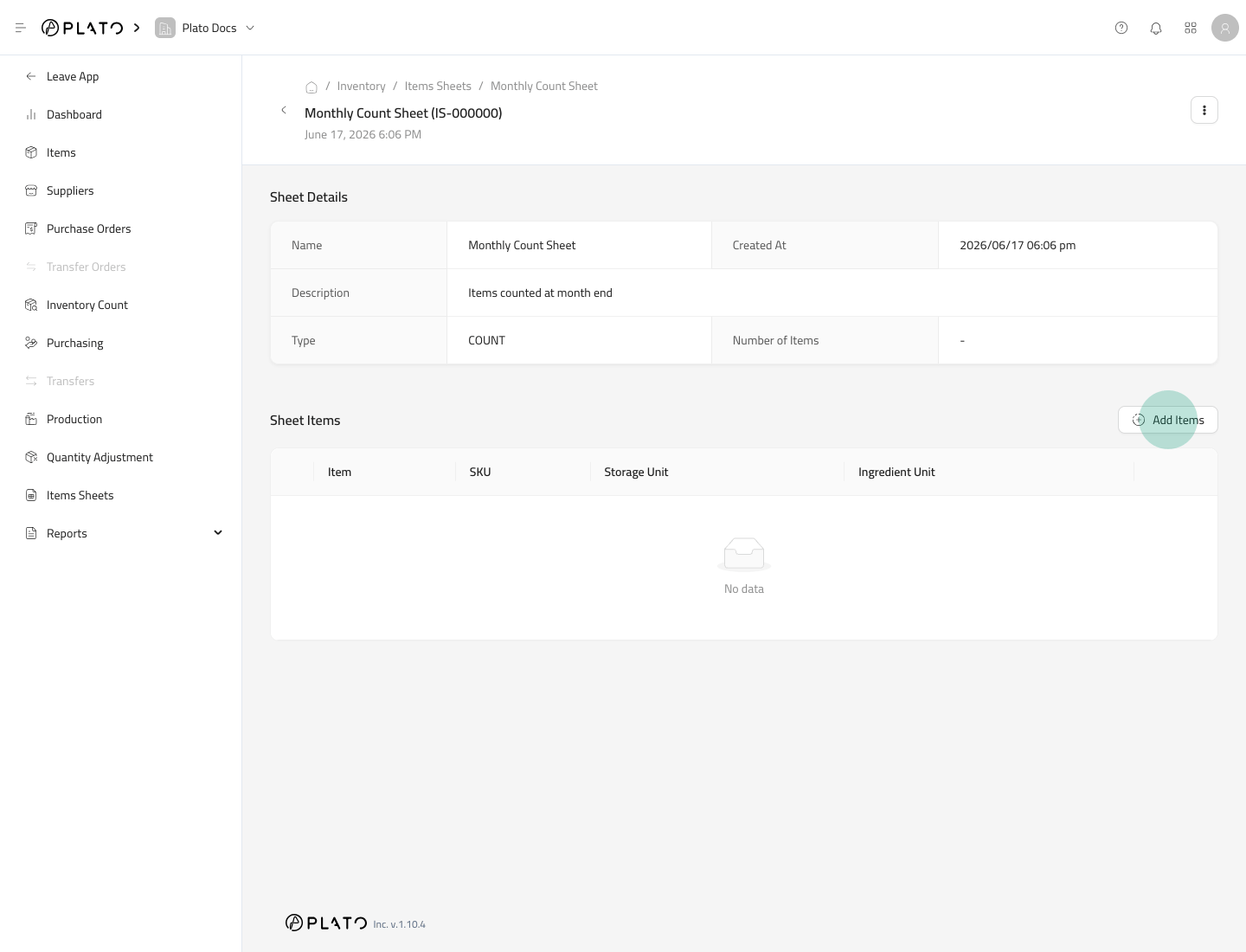
Click `Add Items`, then select the items that should belong to the sheet.
## Add Items
Click `Add Items`, then select the items that should belong to the sheet.
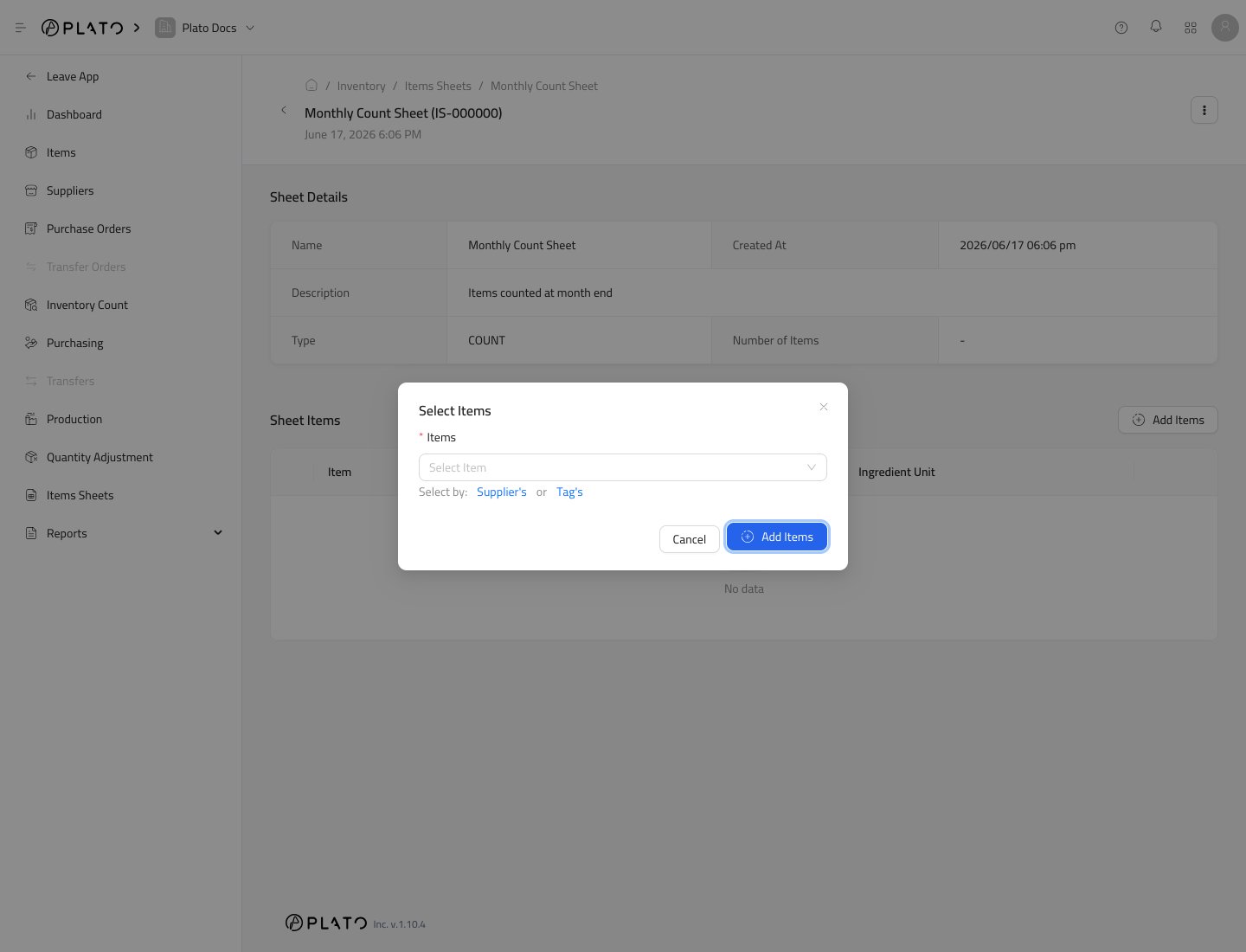
 Use the item selector to choose the items.
 ## Use the Sheet
When a workflow supports sheets, choose the sheet to add its items quickly.
Sheets are helpful for recurring count lists, supplier purchase lists, or repeated waste checks.
## Print a Sheet
Use the sheet action menu when you need a printable version for a physical count or review.
## Use the Sheet
When a workflow supports sheets, choose the sheet to add its items quickly.
Sheets are helpful for recurring count lists, supplier purchase lists, or repeated waste checks.
## Print a Sheet
Use the sheet action menu when you need a printable version for a physical count or review.