> ## Documentation Index
> Fetch the complete documentation index at: https://docs.plato.ae/llms.txt
> Use this file to discover all available pages before exploring further.
# Reports
> Choose the right Inventory report for stock levels, movement history, purchasing, and consumption.
Inventory reports help your team review stock health and stock movement after daily work is recorded.
 ## Choose a Report
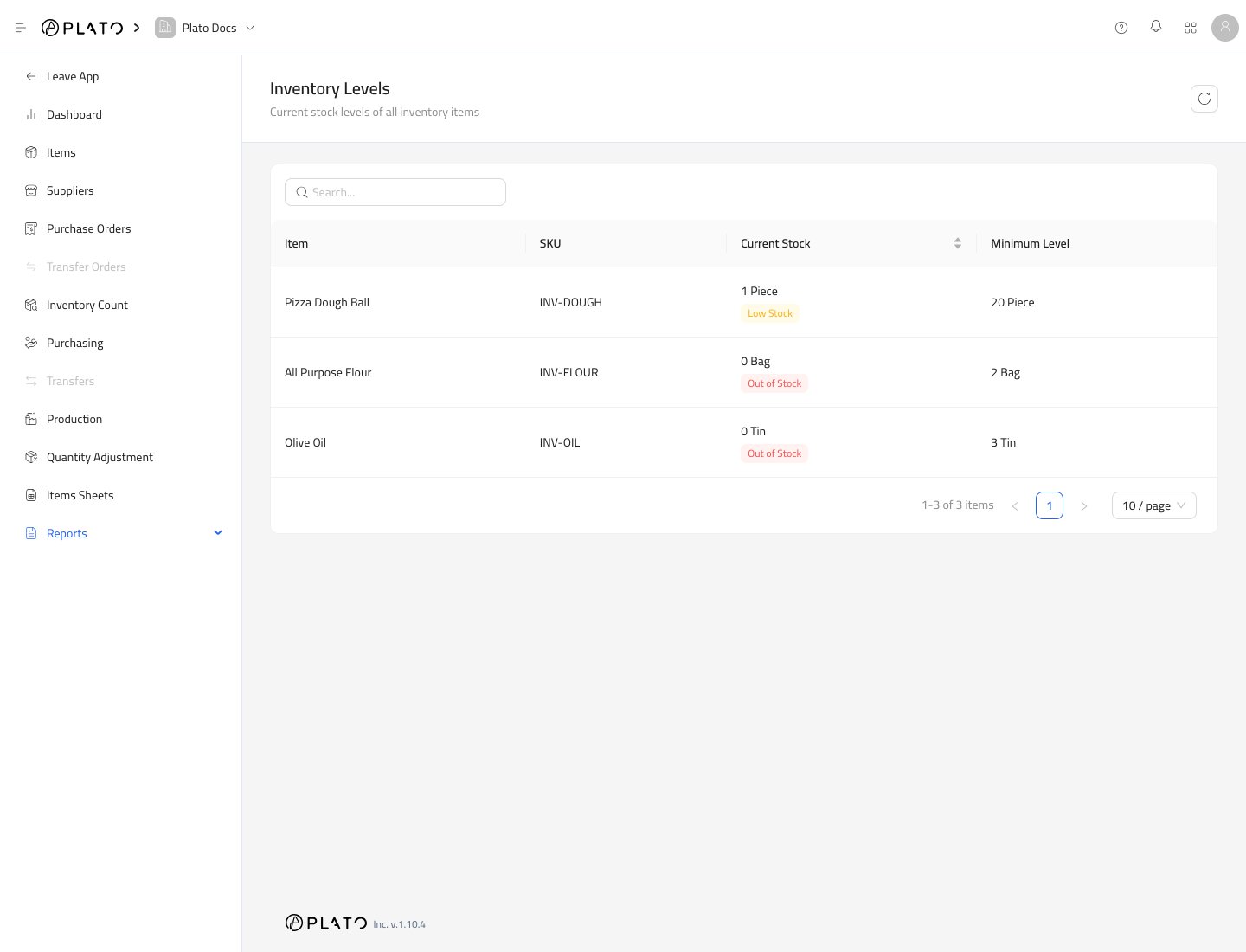
See current stock, minimum levels, and stock status.
Review stock-changing transactions by date.
Review purchased items, quantities, and costs across a date range.
Review item usage, cost, and consumption across a date range.
## When Reports Update
Reports update after stock-changing work is submitted or received.
Purchasing appears after items are received. Counts, production, and adjustments appear after they are submitted. Consumption appears after connected product, modifier, or item usage is recorded.
## Good Daily Review
At the end of the day, check:
1. Inventory Levels for low-stock or out-of-stock items.
2. Inventory History for unexpected stock changes.
3. Purchasing Report for received items and costs.
4. Daily Consumption for usage and cost trends.
## Choose a Report
See current stock, minimum levels, and stock status.
Review stock-changing transactions by date.
Review purchased items, quantities, and costs across a date range.
Review item usage, cost, and consumption across a date range.
## When Reports Update
Reports update after stock-changing work is submitted or received.
Purchasing appears after items are received. Counts, production, and adjustments appear after they are submitted. Consumption appears after connected product, modifier, or item usage is recorded.
## Good Daily Review
At the end of the day, check:
1. Inventory Levels for low-stock or out-of-stock items.
2. Inventory History for unexpected stock changes.
3. Purchasing Report for received items and costs.
4. Daily Consumption for usage and cost trends.