> ## Documentation Index
> Fetch the complete documentation index at: https://docs.plato.ae/llms.txt
> Use this file to discover all available pages before exploring further.
# Open Inventory
> Open the Inventory app and understand the main navigation areas.
Open Inventory from the Plato app list when you need to manage stock, suppliers, purchasing, counts, production, adjustments, sheets, or reports.
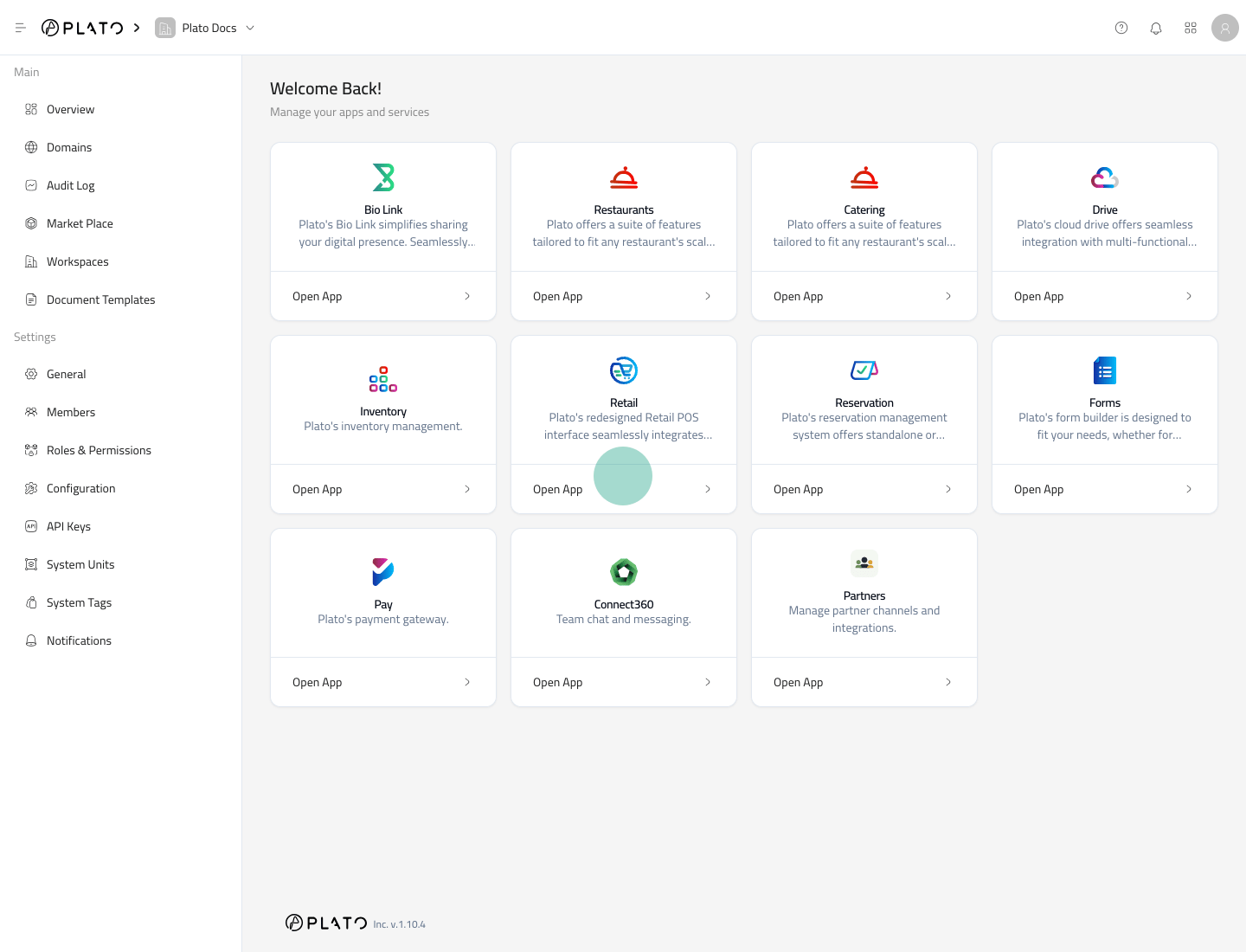 ## Open the App
1. Go to the Plato Console.
2. Open the app switcher or app list.
3. Select `Inventory`.
4. Wait for the Inventory sidebar to appear.
Inventory opens on the dashboard by default.
## Open the App
1. Go to the Plato Console.
2. Open the app switcher or app list.
3. Select `Inventory`.
4. Wait for the Inventory sidebar to appear.
Inventory opens on the dashboard by default.
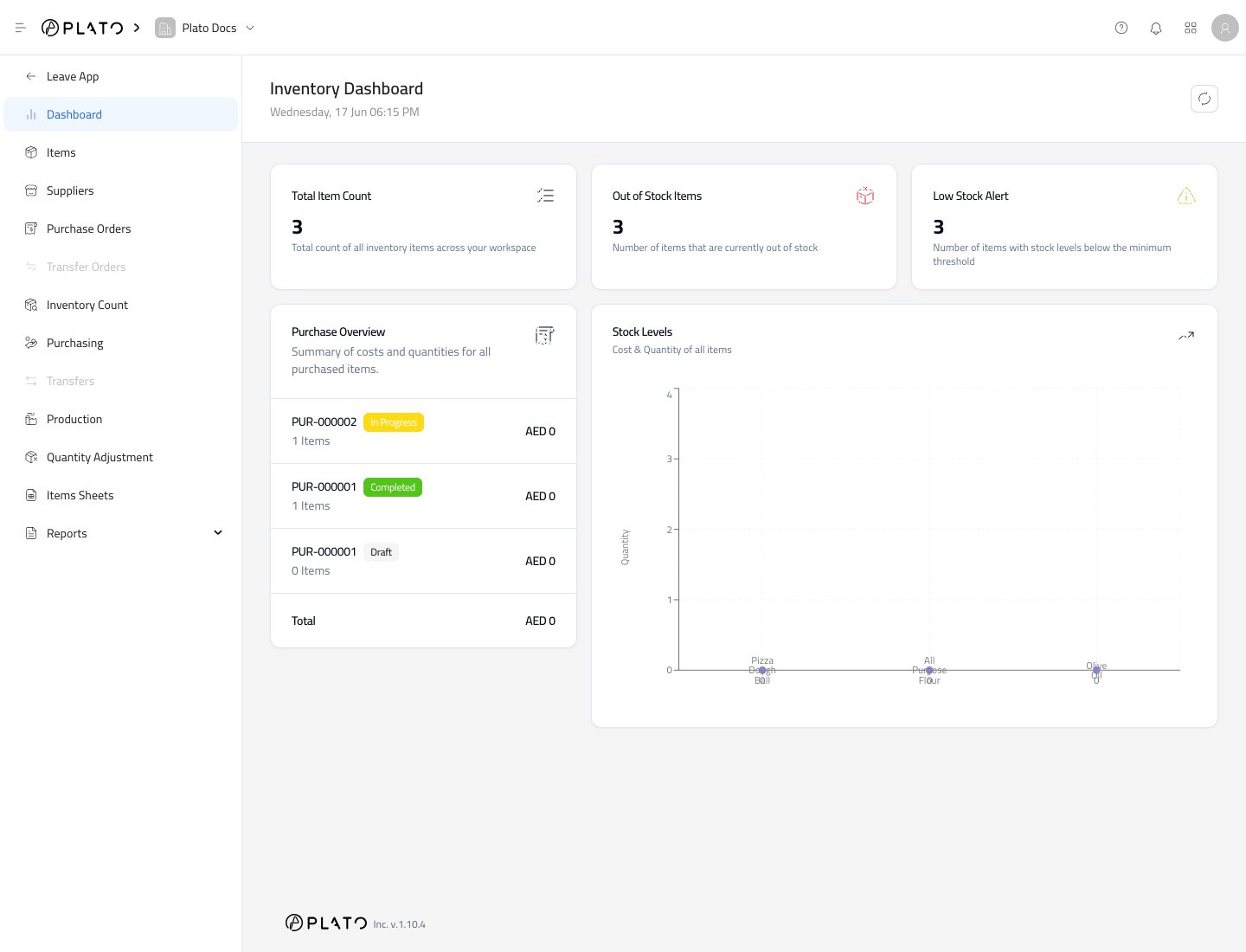 ## Read the Sidebar
The Inventory sidebar is split by job:
* `Dashboard` gives a quick stock health view.
* `Items` is where you create and edit inventory items.
* `Suppliers` stores supplier records and supplier item links.
* `Purchase Orders` prepares orders before items arrive.
* `Purchasing` records received stock.
* `Inventory Count` records physical counts.
* `Production` records made items and formula usage.
* `Quantity Adjustment` records waste, expired, damaged, or theft adjustments.
* `Items Sheets` stores reusable item lists.
* `Reports` opens inventory reports.
## Leave Inventory
Use `Leave App` when you want to return to the main Plato Console.
Unsaved drawers or modals should be closed or saved before leaving the app.
## Read the Sidebar
The Inventory sidebar is split by job:
* `Dashboard` gives a quick stock health view.
* `Items` is where you create and edit inventory items.
* `Suppliers` stores supplier records and supplier item links.
* `Purchase Orders` prepares orders before items arrive.
* `Purchasing` records received stock.
* `Inventory Count` records physical counts.
* `Production` records made items and formula usage.
* `Quantity Adjustment` records waste, expired, damaged, or theft adjustments.
* `Items Sheets` stores reusable item lists.
* `Reports` opens inventory reports.
## Leave Inventory
Use `Leave App` when you want to return to the main Plato Console.
Unsaved drawers or modals should be closed or saved before leaving the app.