> ## Documentation Index
> Fetch the complete documentation index at: https://docs.plato.ae/llms.txt
> Use this file to discover all available pages before exploring further.
# Suppliers
> Create suppliers and open supplier details for contacts and item links.
Suppliers stores the companies or vendors your team buys inventory from.
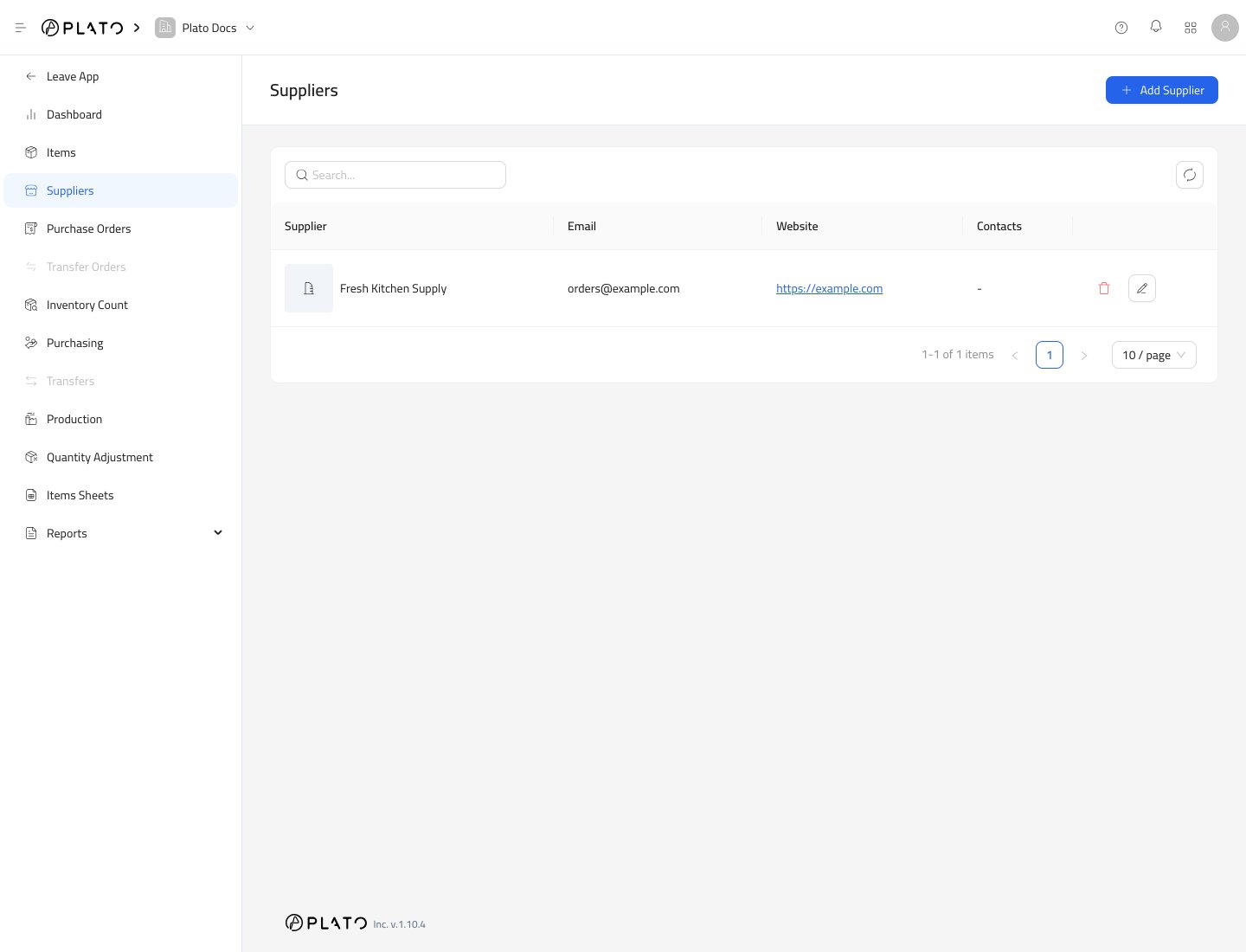 ## Create a Supplier
1. Open `Inventory`.
2. Go to `Suppliers`.
3. Click `Add Supplier`.
## Create a Supplier
1. Open `Inventory`.
2. Go to `Suppliers`.
3. Click `Add Supplier`.
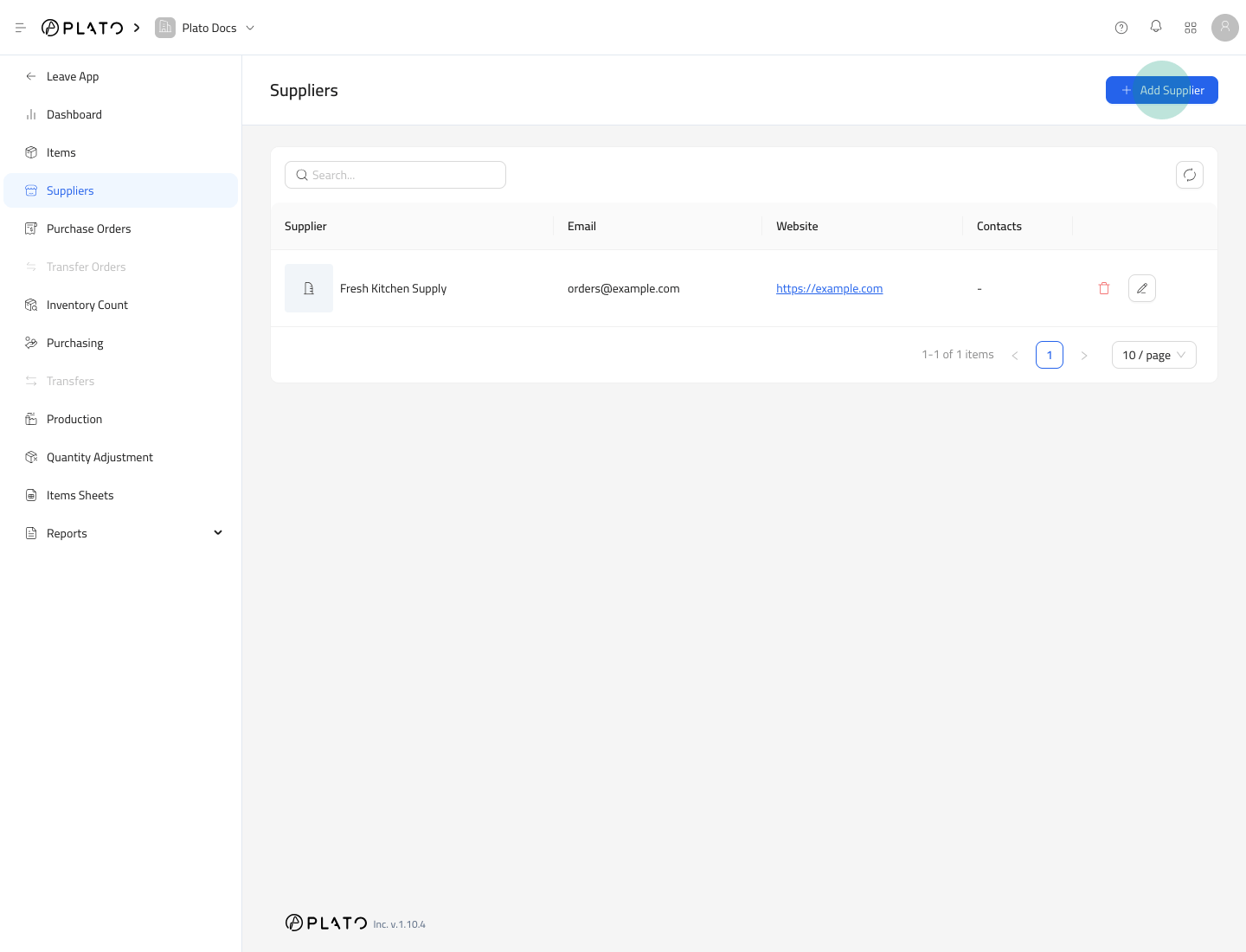 Fill the supplier form and save it.
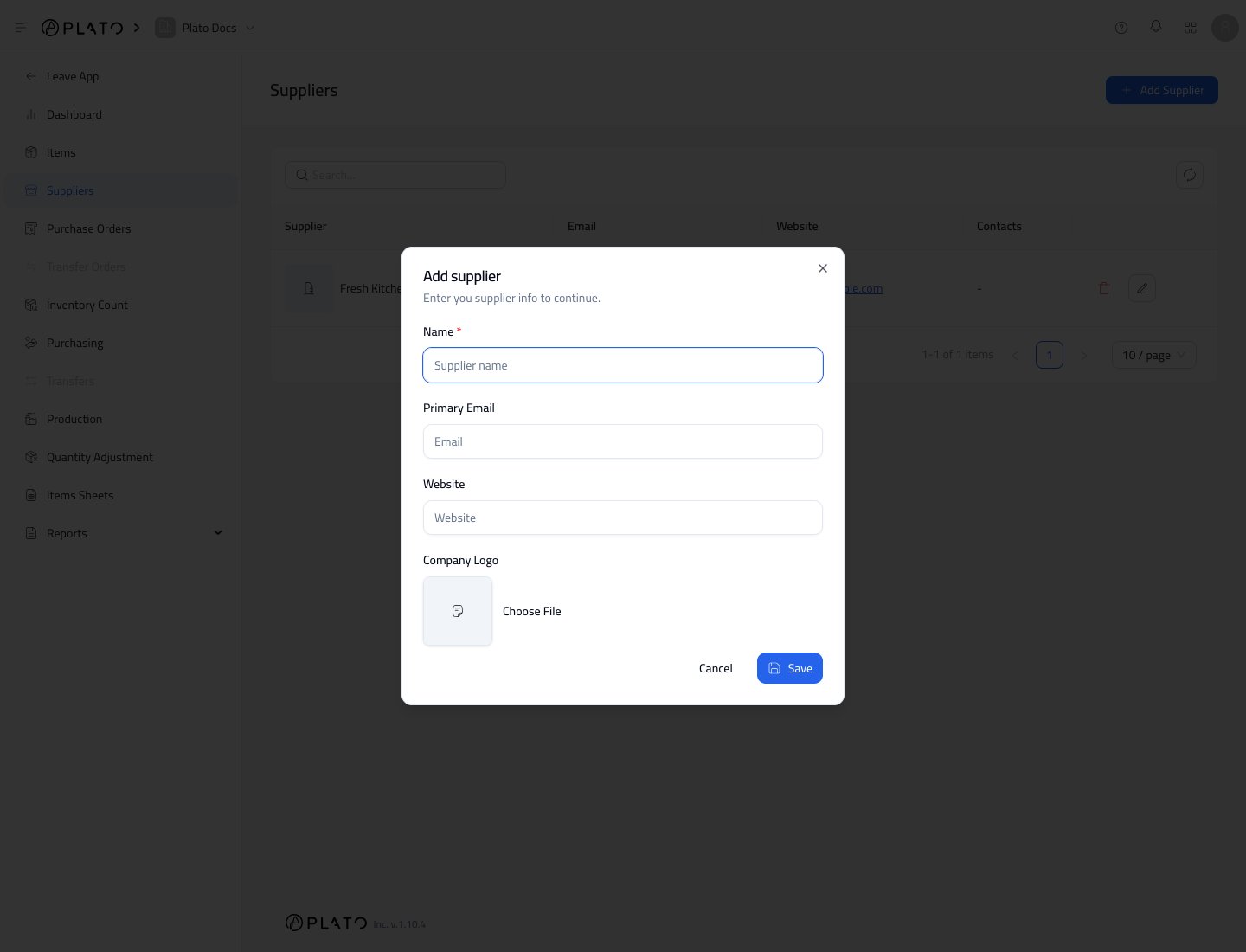 ## Supplier Fields
The supplier form includes:
* `Name`
* `Primary Email`
* `Website`
* `Company Logo`
Only add information your team needs for purchasing and follow-up.
## Open Supplier Details
Open a supplier to manage contacts and item links.
## Supplier Fields
The supplier form includes:
* `Name`
* `Primary Email`
* `Website`
* `Company Logo`
Only add information your team needs for purchasing and follow-up.
## Open Supplier Details
Open a supplier to manage contacts and item links.
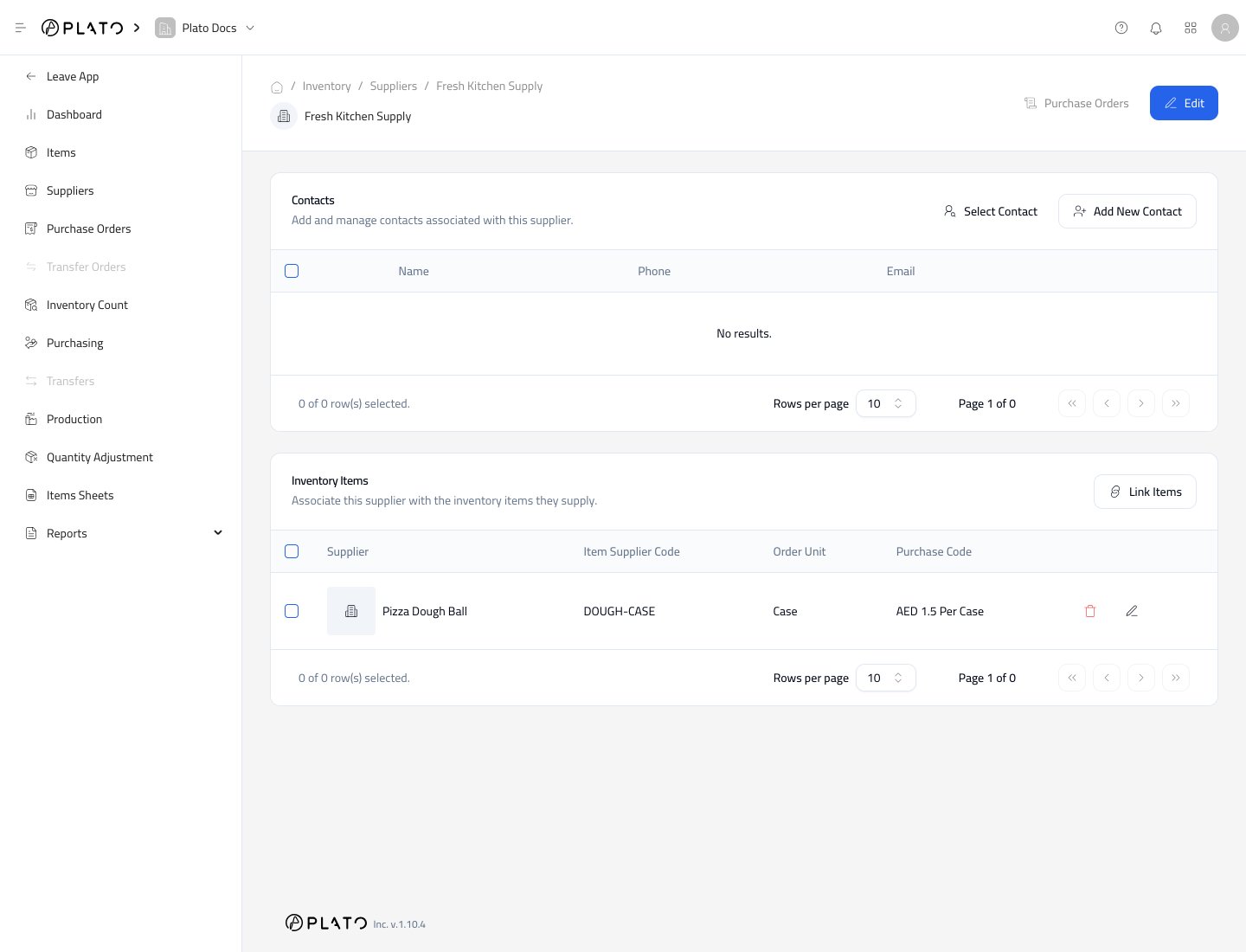 Supplier details are useful when you want to see every item supplied by one vendor.
## Next Steps
After creating a supplier, link it to inventory items so Plato knows the supplier's order units, conversion factors, codes, and purchase costs.
Supplier details are useful when you want to see every item supplied by one vendor.
## Next Steps
After creating a supplier, link it to inventory items so Plato knows the supplier's order units, conversion factors, codes, and purchase costs.