> ## Documentation Index
> Fetch the complete documentation index at: https://docs.plato.ae/llms.txt
> Use this file to discover all available pages before exploring further.
# Link Suppliers and Item Costs
> Connect suppliers to inventory items with order units, conversion factors, supplier codes, and costs.
Supplier links tell Plato how an item is purchased from a supplier.
Use them when the supplier order unit is different from the storage unit, or when each supplier has its own item code and cost.
## Link from an Item
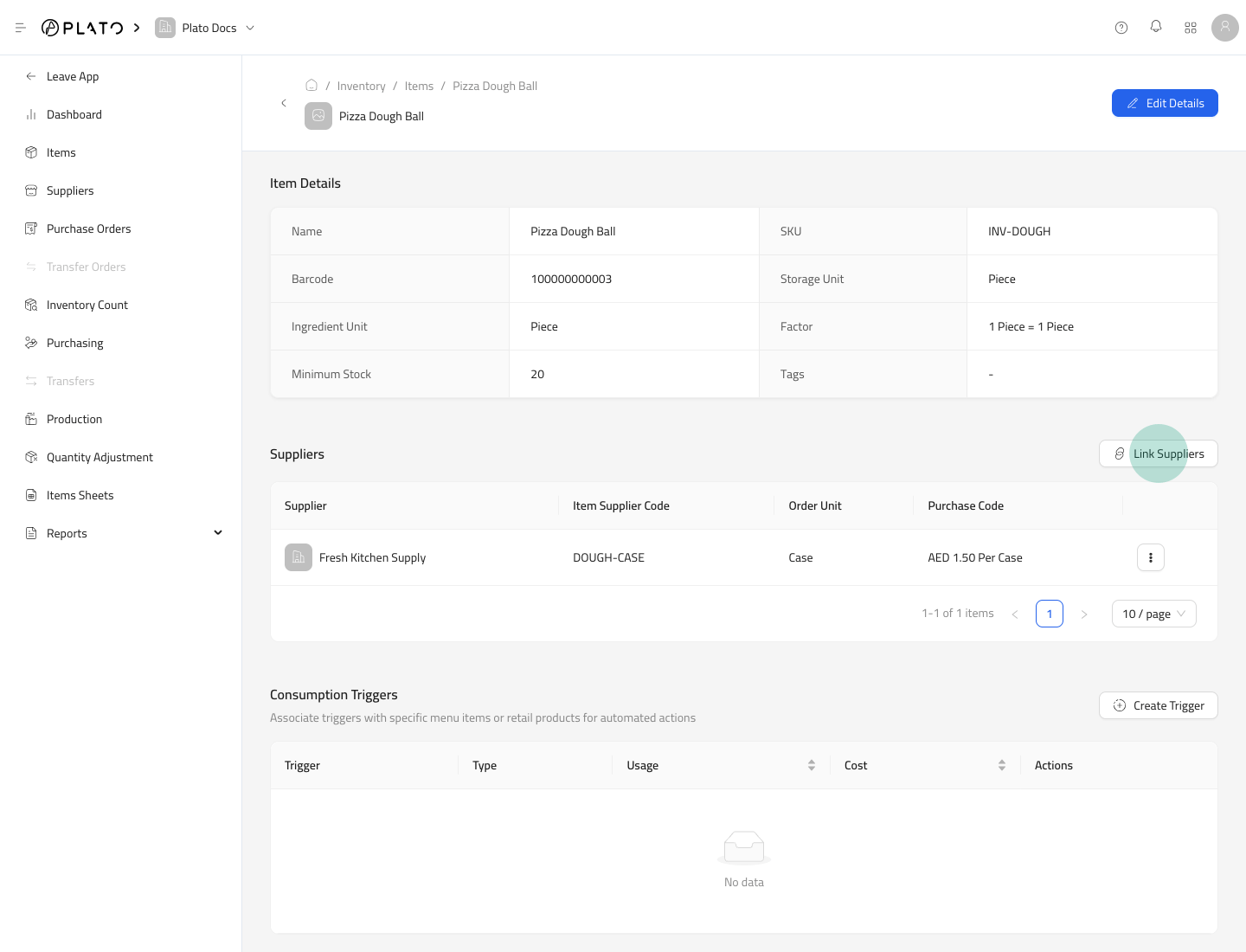
1. Open `Items`.
2. Open the item settings page.
3. Go to the `Suppliers` section.
4. Click `Link Suppliers`.
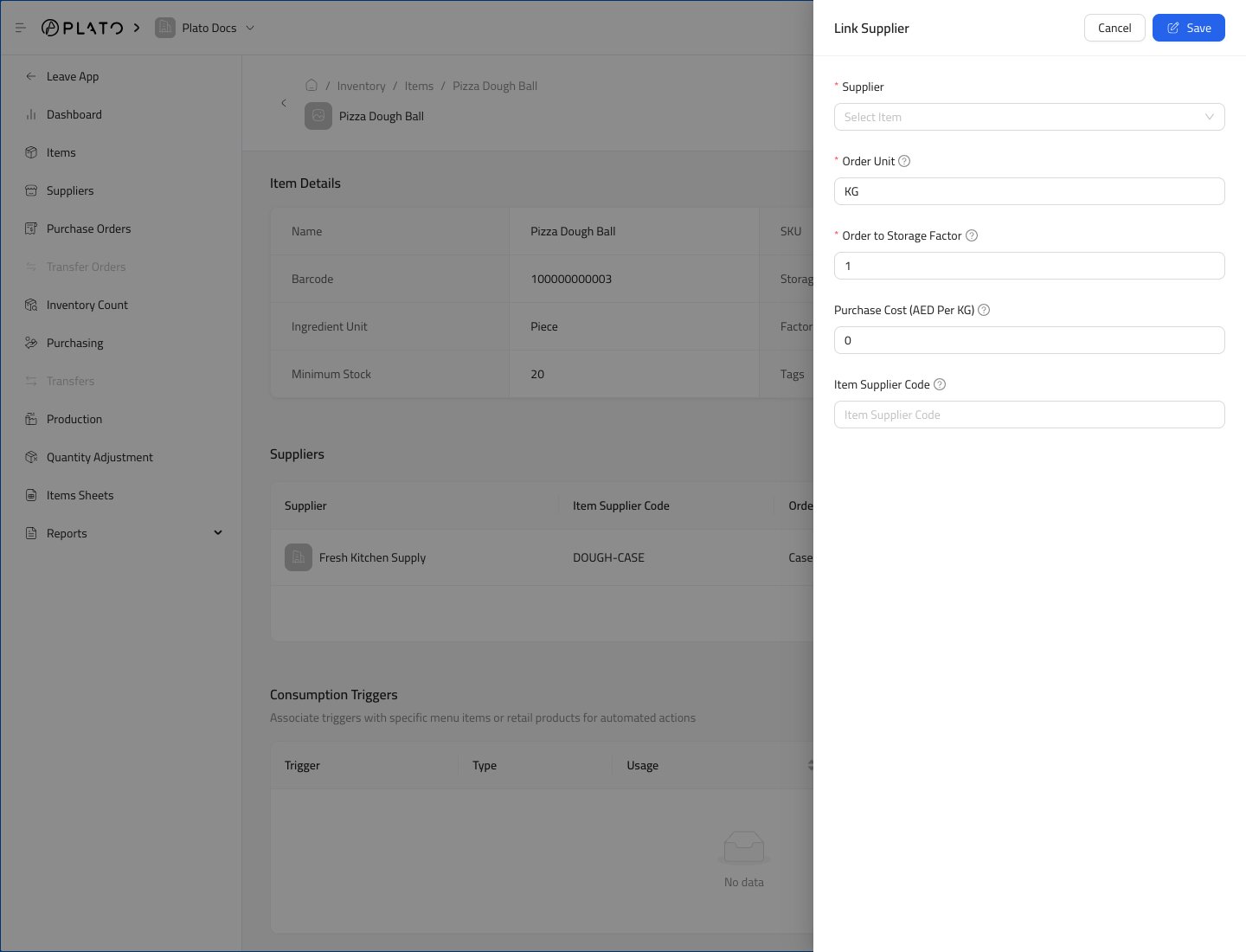
 Fill the supplier link form.
 ## Link Fields
The link form includes:
* `Supplier`
* `Order Unit`
* `Order to Storage Factor`
* `Purchase Cost`
* `Item Supplier Code`
Example: if an item is stored as pieces but purchased as a case of 24, set the order unit to `Case` and the order-to-storage factor to `24`.
## Link from a Supplier
You can also open a supplier and link items from the supplier detail page.
## Link Fields
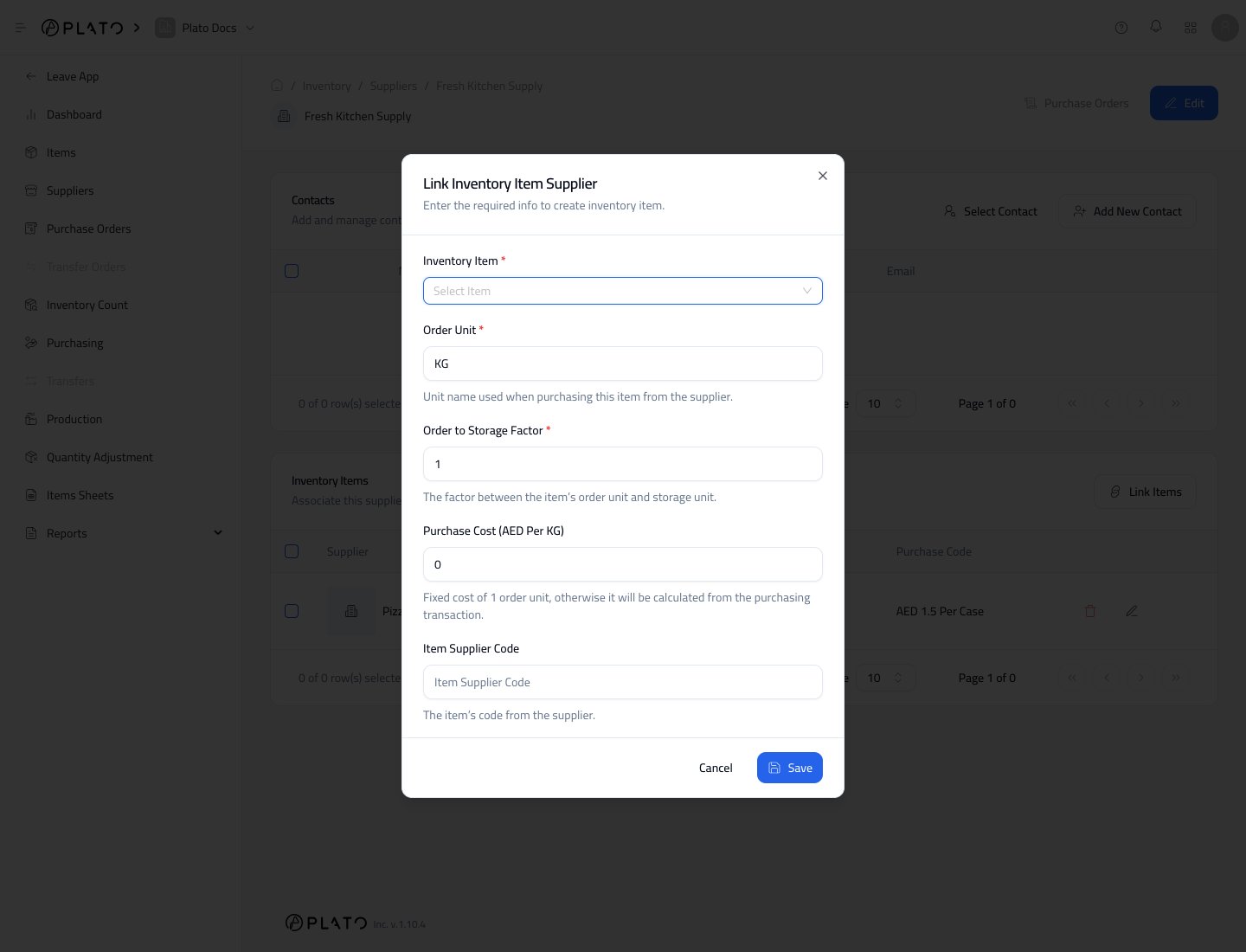
The link form includes:
* `Supplier`
* `Order Unit`
* `Order to Storage Factor`
* `Purchase Cost`
* `Item Supplier Code`
Example: if an item is stored as pieces but purchased as a case of 24, set the order unit to `Case` and the order-to-storage factor to `24`.
## Link from a Supplier
You can also open a supplier and link items from the supplier detail page.
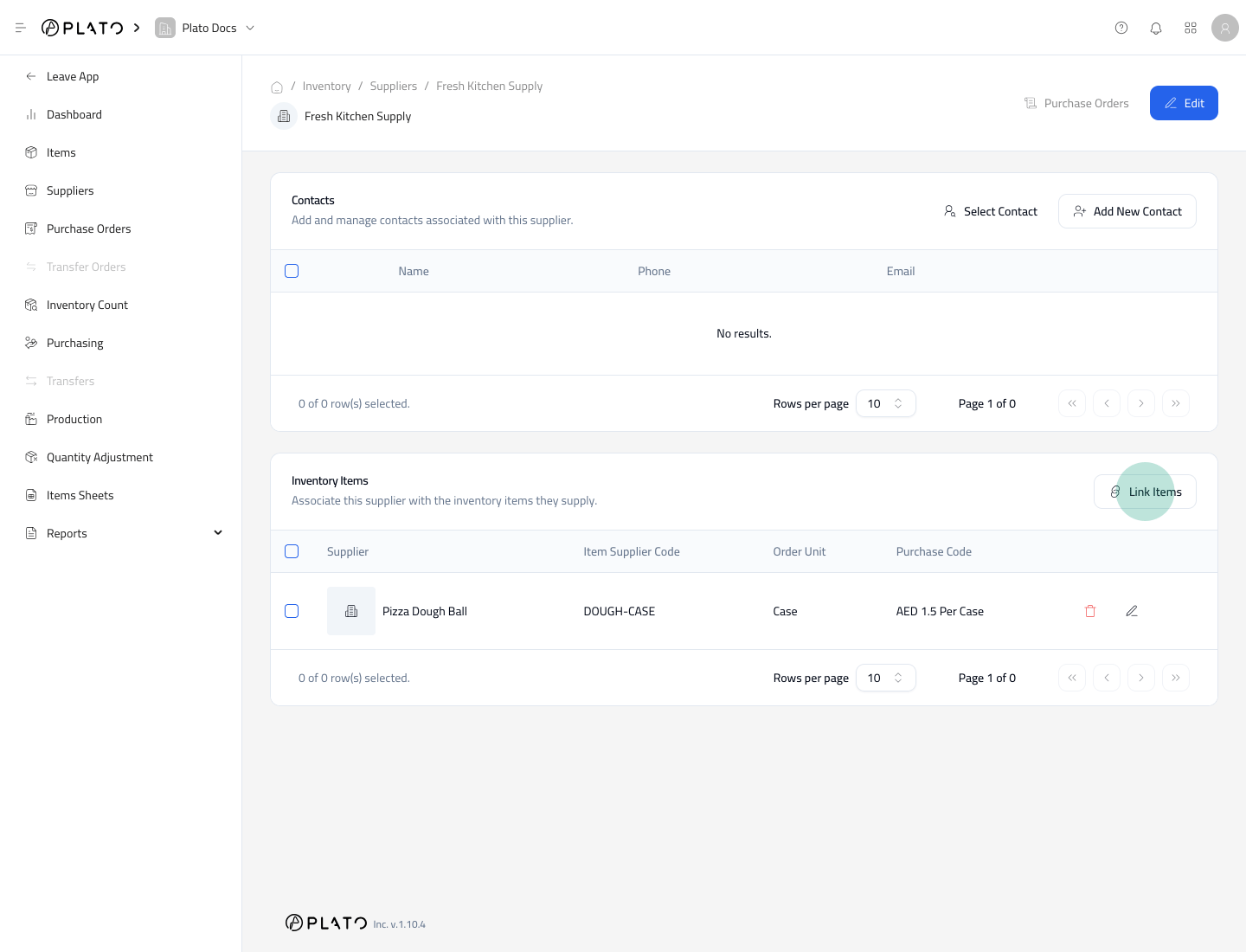 The supplier-side form is useful when you are setting up many items for one supplier.
 ## Where the Link Appears
Once saved, the supplier appears on the item settings page and the item appears on the supplier details page.
This link can help Purchasing calculate quantity and cost when stock is received.
## Where the Link Appears
Once saved, the supplier appears on the item settings page and the item appears on the supplier details page.
This link can help Purchasing calculate quantity and cost when stock is received.