> ## Documentation Index
> Fetch the complete documentation index at: https://docs.plato.ae/llms.txt
> Use this file to discover all available pages before exploring further.
# Item Settings
> Review item details, supplier links, consumption triggers, formulas, and workspace access.
Item Settings is where one inventory item is configured after it has been created.
Open it from the item row action menu by selecting `Edit Item`.
 ## Item Details
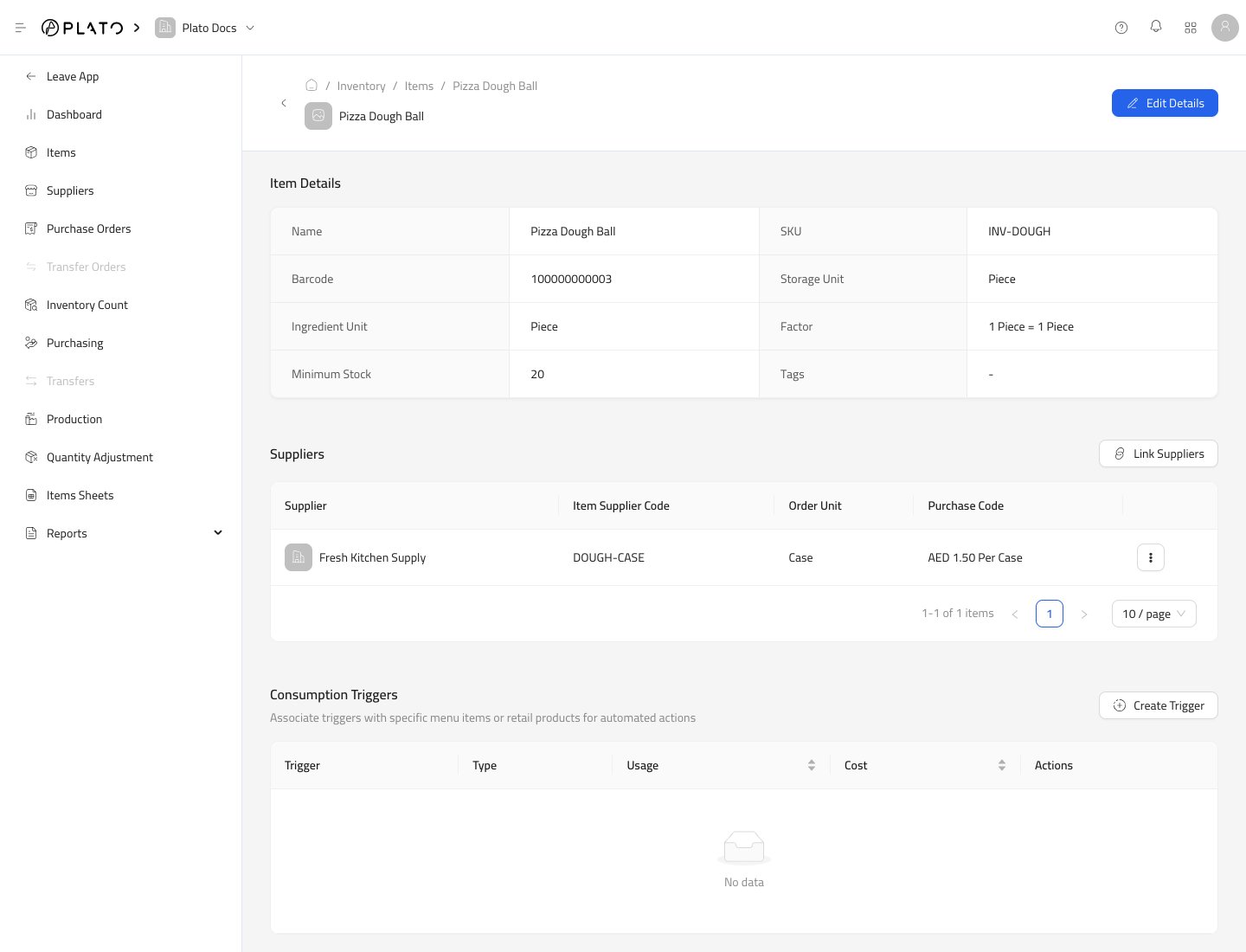
The top section shows the item's name, SKU, barcode, storage unit, ingredient unit, conversion factor, minimum stock, and tags.
Use `Edit Details` when those values need to change.
## Suppliers
The Suppliers section shows which suppliers can provide this item.
Supplier links can store:
* Supplier name.
* Supplier item code.
* Order unit.
* Purchase code and cost.
## Item Details
The top section shows the item's name, SKU, barcode, storage unit, ingredient unit, conversion factor, minimum stock, and tags.
Use `Edit Details` when those values need to change.
## Suppliers
The Suppliers section shows which suppliers can provide this item.
Supplier links can store:
* Supplier name.
* Supplier item code.
* Order unit.
* Purchase code and cost.
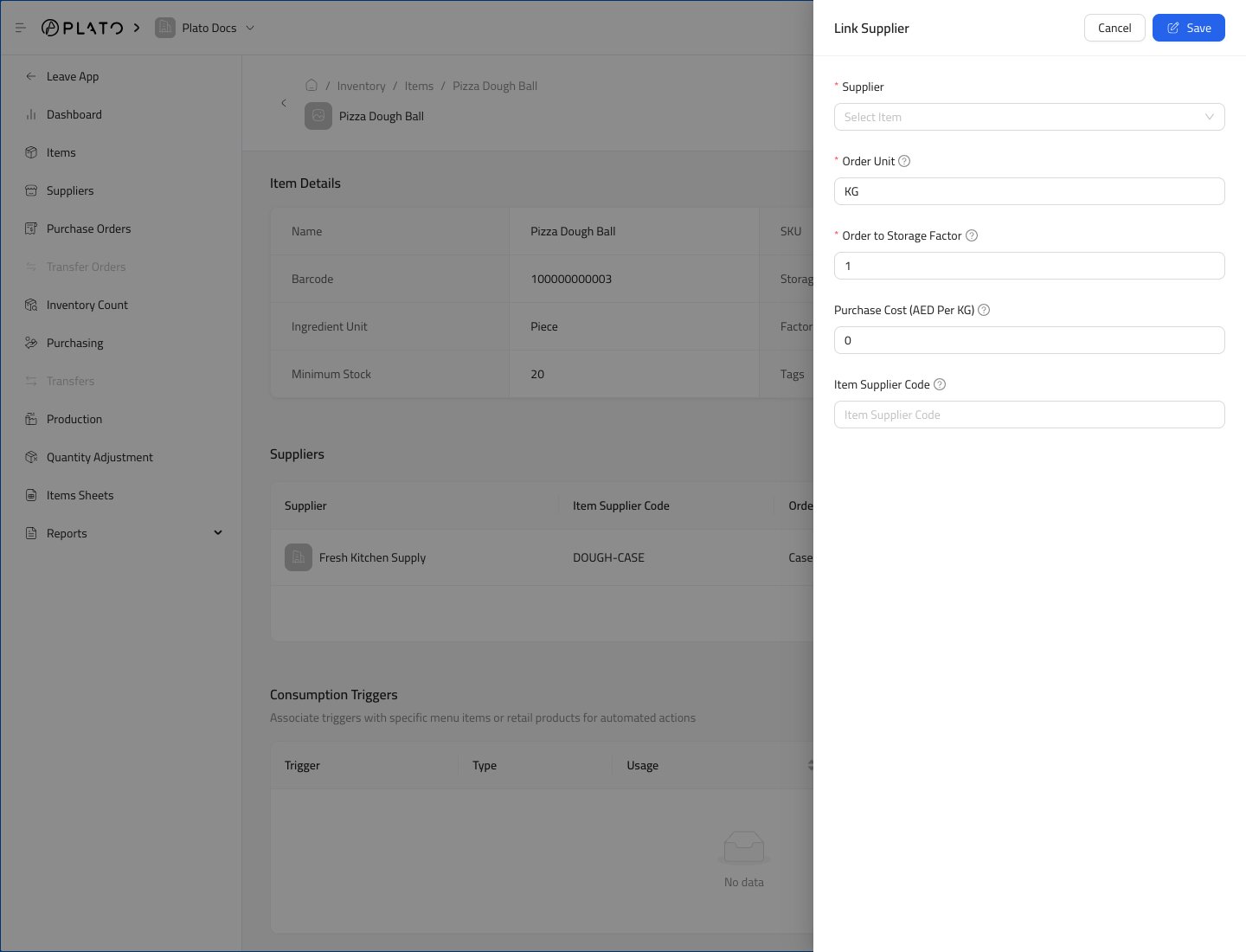 See [Link Suppliers and Item Costs](/inventory/catalog/link-suppliers-to-items) for the full supplier-link flow.
## Consumption Triggers
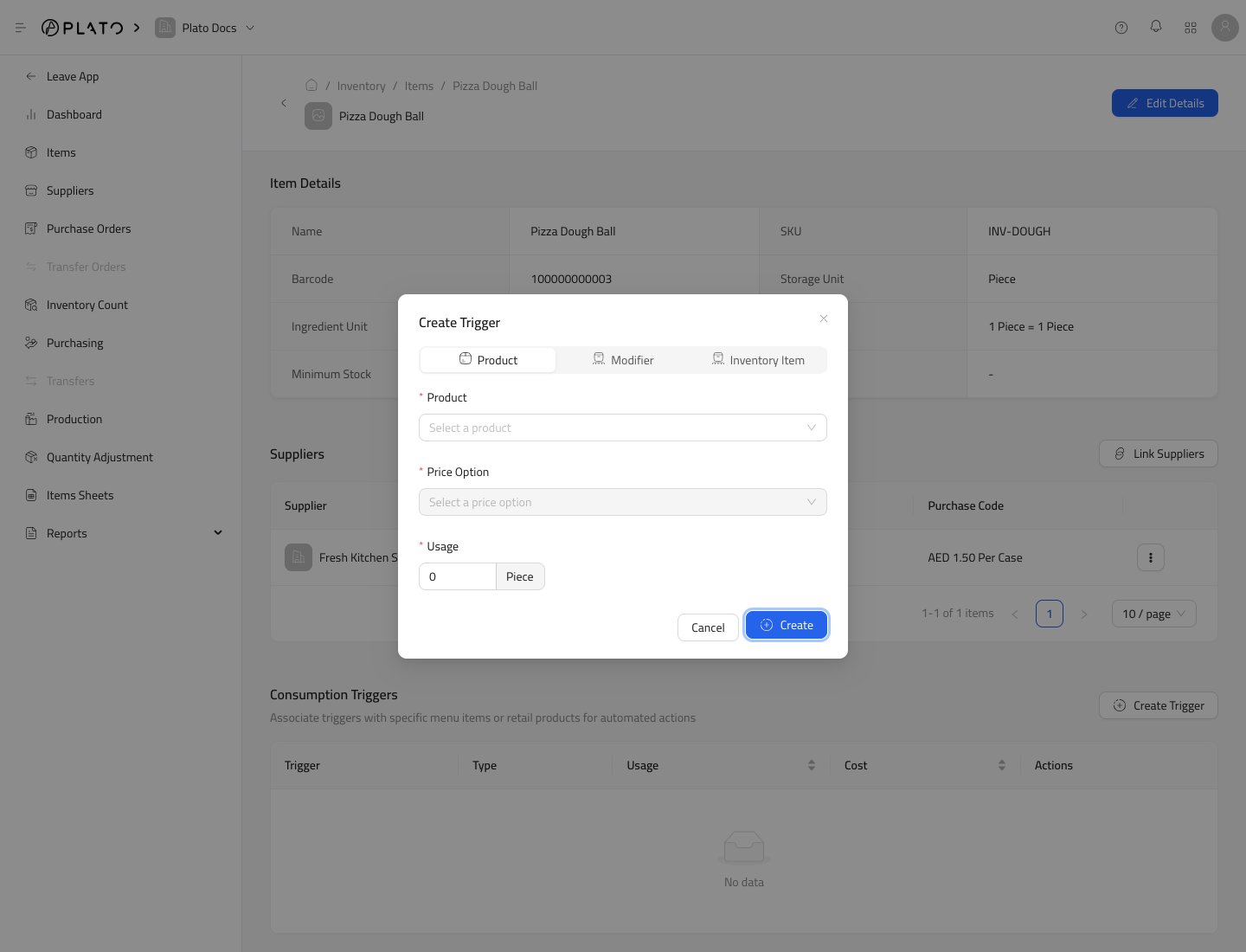
Consumption Triggers connect the item to product or modifier usage.
Use them when sales or menu actions should consume this item.
See [Link Suppliers and Item Costs](/inventory/catalog/link-suppliers-to-items) for the full supplier-link flow.
## Consumption Triggers
Consumption Triggers connect the item to product or modifier usage.
Use them when sales or menu actions should consume this item.
 ## Formula
Formula defines which inventory items are used to make this item.
Use it for prepared items, batches, assemblies, or recipes.
## Formula
Formula defines which inventory items are used to make this item.
Use it for prepared items, batches, assemblies, or recipes.
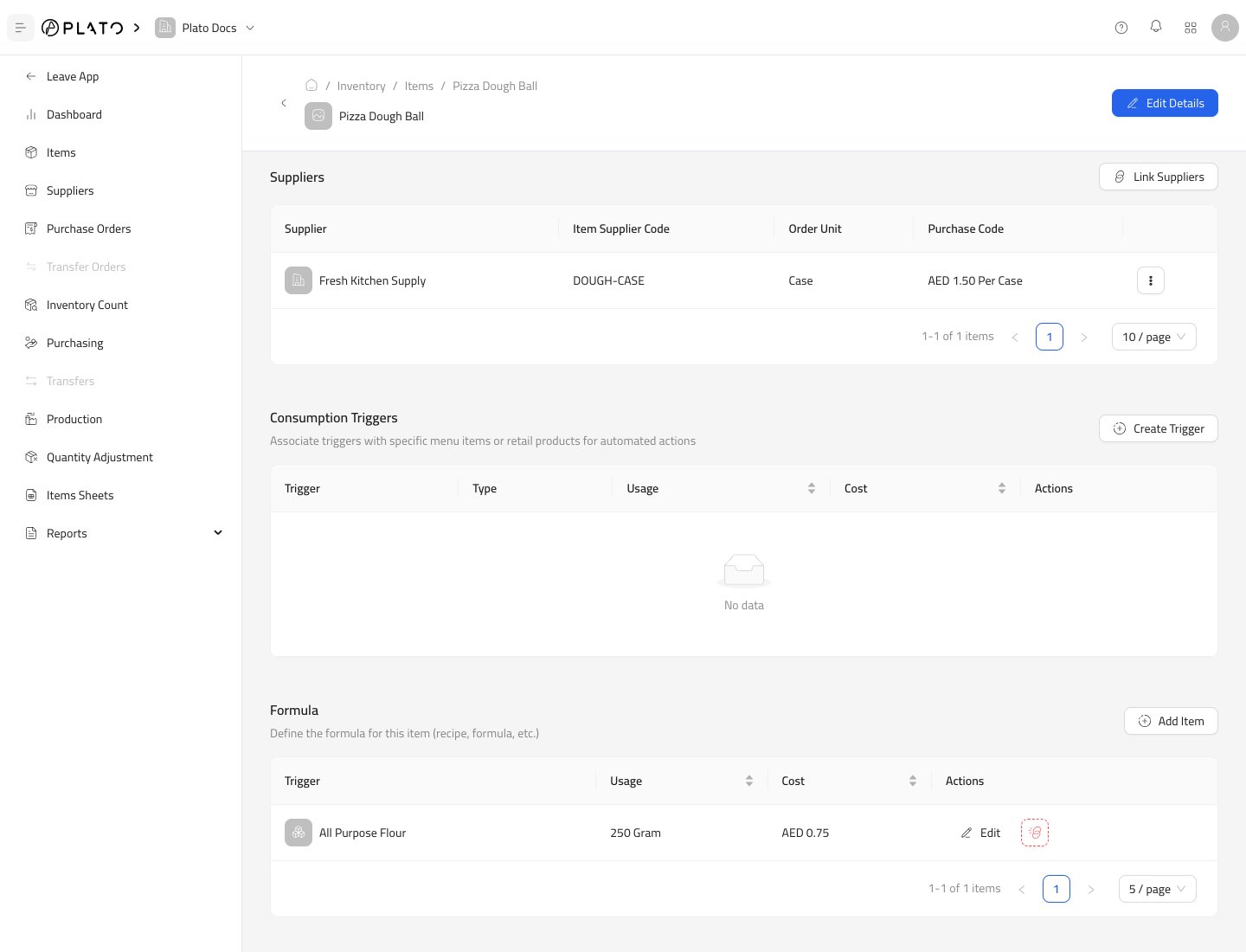 See [Consumption and Formulas](/inventory/catalog/consumption-and-formulas) for the step-by-step guide.
## Workspace Access
Workspace Access controls where the item is available when the workspace has branch-level access controls enabled.
See [Consumption and Formulas](/inventory/catalog/consumption-and-formulas) for the step-by-step guide.
## Workspace Access
Workspace Access controls where the item is available when the workspace has branch-level access controls enabled.