> ## Documentation Index
> Fetch the complete documentation index at: https://docs.plato.ae/llms.txt
> Use this file to discover all available pages before exploring further.
# Create A Workflow
> Create a Connect360 workflow before opening the visual builder.
Workflows automate follow-ups, notifications, message sends, waits, and routing logic.
 ## Open The Workflow Form
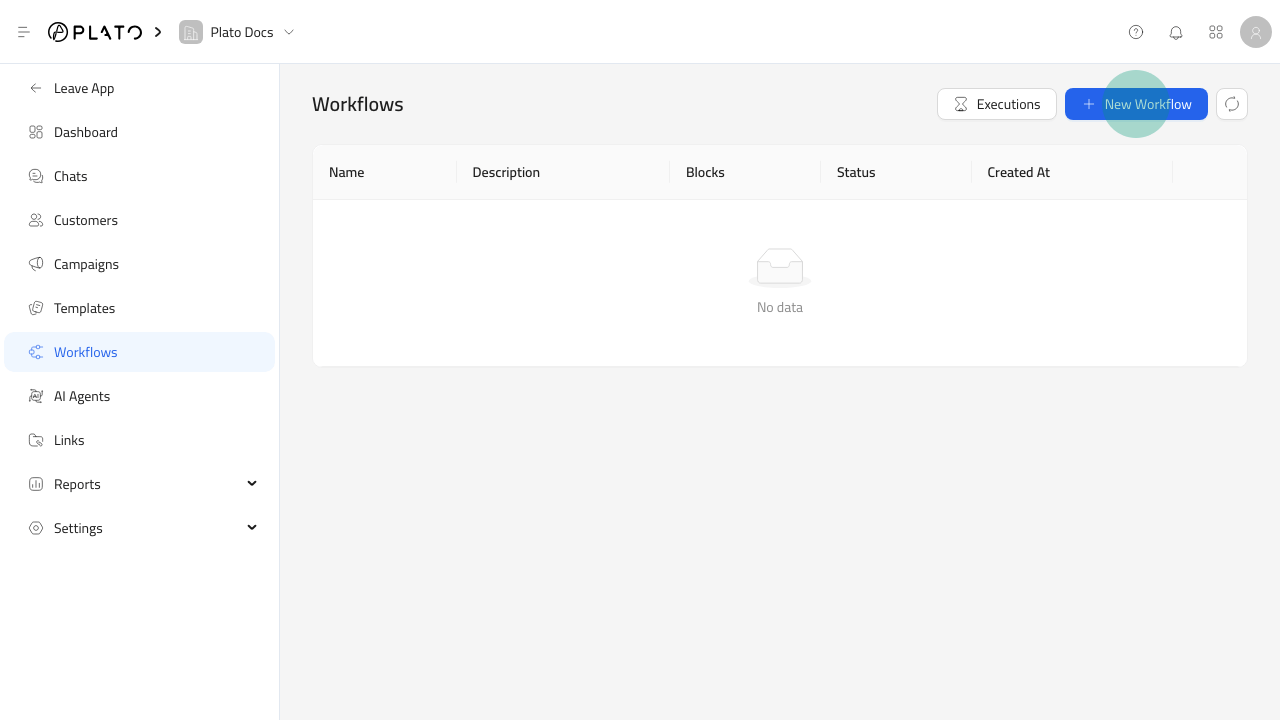
1. Open `Connect360`.
2. Go to `Workflows`.
3. Click `New Workflow`.
## Open The Workflow Form
1. Open `Connect360`.
2. Go to `Workflows`.
3. Click `New Workflow`.
 ## Name The Workflow
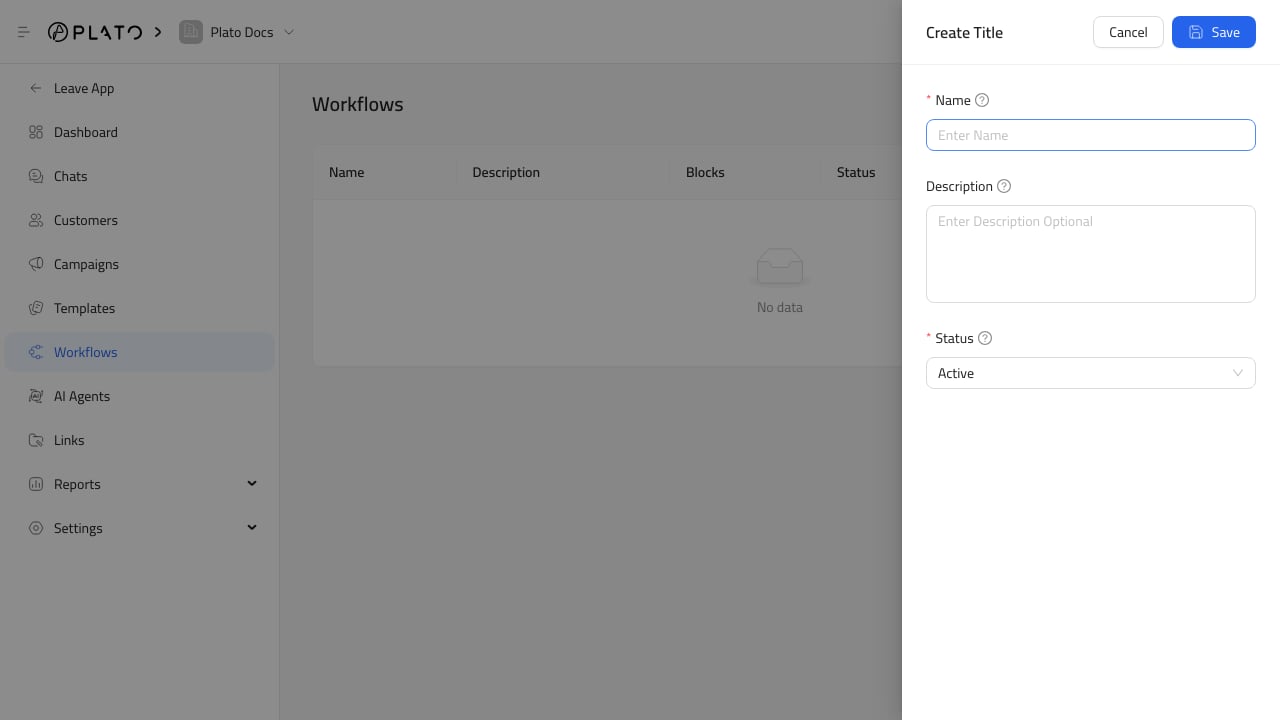
Use a name that explains what starts the workflow or what it does.
Good examples:
* `Order follow-up`.
* `Campaign re-engagement`.
* `New WhatsApp message alert`.
* `Customer support handoff`.
Keep inactive workflows as drafts until the blocks are ready.
## After Saving
Open the workflow row to build the automation canvas.
## Name The Workflow
Use a name that explains what starts the workflow or what it does.
Good examples:
* `Order follow-up`.
* `Campaign re-engagement`.
* `New WhatsApp message alert`.
* `Customer support handoff`.
Keep inactive workflows as drafts until the blocks are ready.
## After Saving
Open the workflow row to build the automation canvas.