> ## Documentation Index
> Fetch the complete documentation index at: https://docs.plato.ae/llms.txt
> Use this file to discover all available pages before exploring further.
# Create A Template
> Create reusable Connect360 message templates for chats, campaigns, and workflows.
Templates keep outbound messages consistent.
 ## Open The Template Form
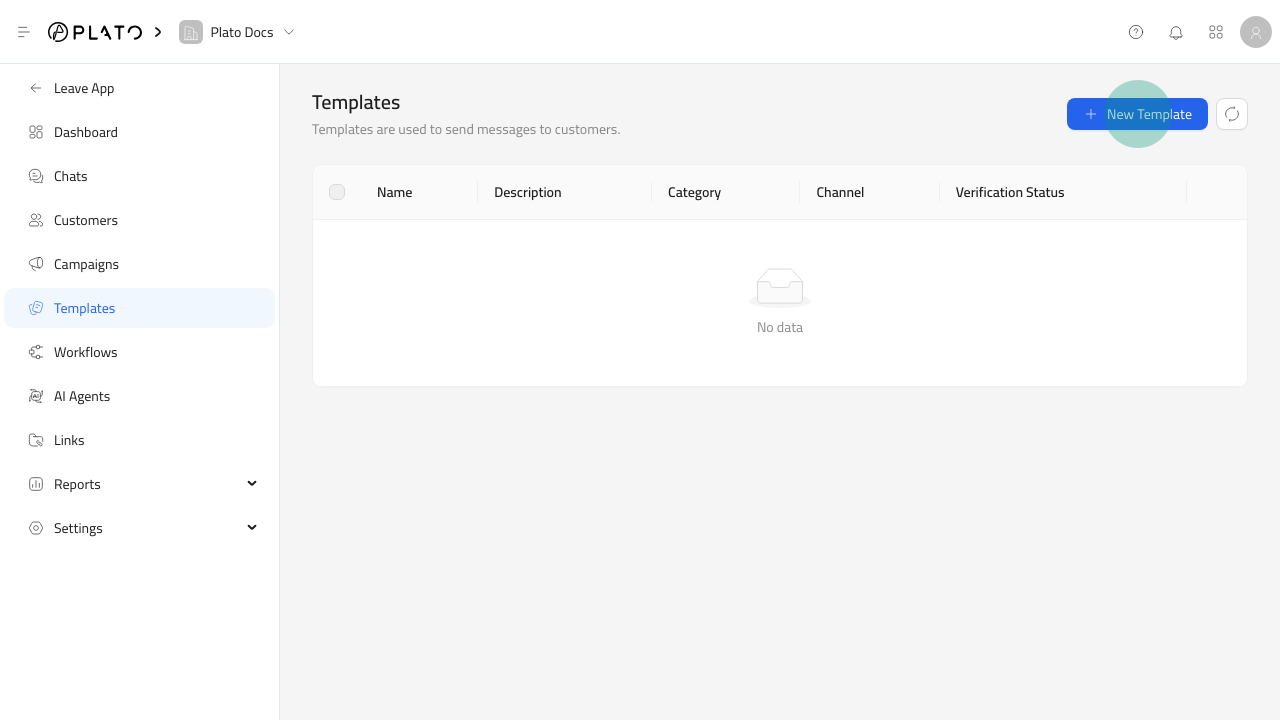
1. Open `Connect360`.
2. Go to `Templates`.
3. Click `New Template`.
## Open The Template Form
1. Open `Connect360`.
2. Go to `Templates`.
3. Click `New Template`.
 ## Fill Details
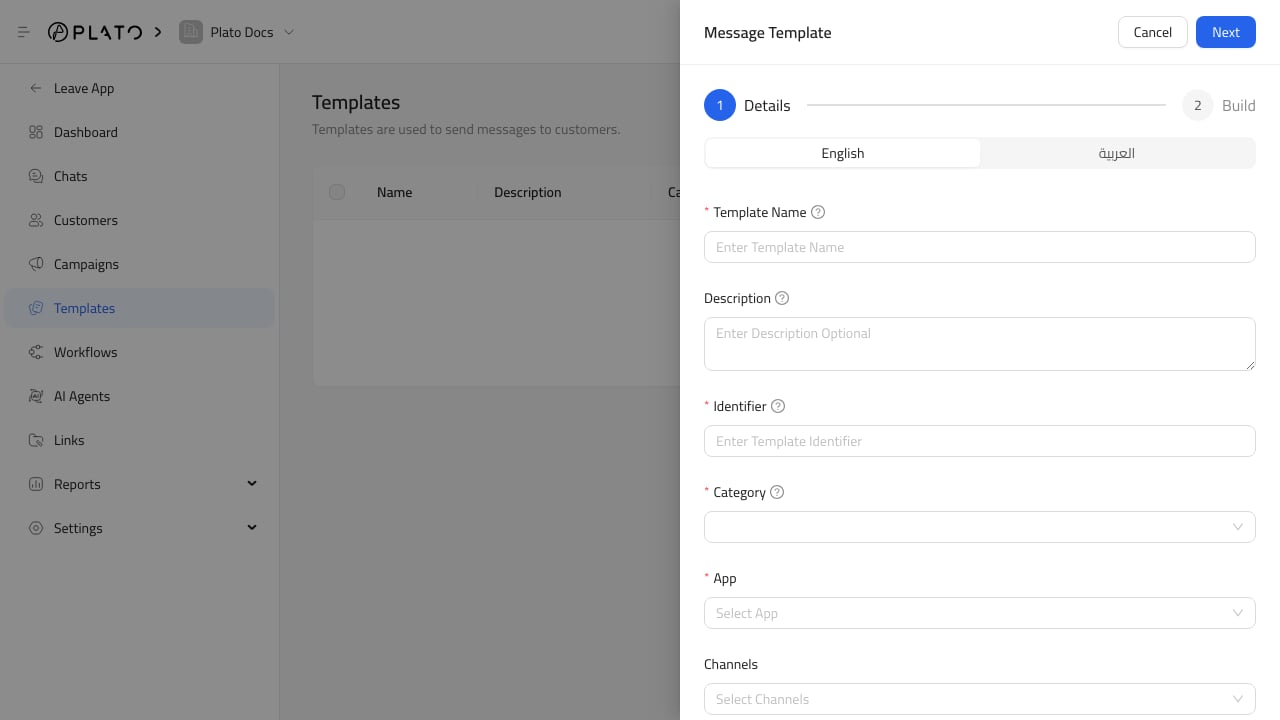
Add a clear name, description, and identifier. Use identifiers like `welcome_message`, `order_ready`, or `delivery_follow_up`.
Choose the messaging app and channel type the template belongs to. Add tags when staff need to find templates by purpose.
## Continue To Content
After details are ready, build the message content and preview it before saving.
## Fill Details
Add a clear name, description, and identifier. Use identifiers like `welcome_message`, `order_ready`, or `delivery_follow_up`.
Choose the messaging app and channel type the template belongs to. Add tags when staff need to find templates by purpose.
## Continue To Content
After details are ready, build the message content and preview it before saving.