> ## Documentation Index
> Fetch the complete documentation index at: https://docs.plato.ae/llms.txt
> Use this file to discover all available pages before exploring further.
# Create A Short Link
> Create a tracked Connect360 short link for campaigns, templates, and QR codes.
Short links make campaign URLs cleaner and easier to track.
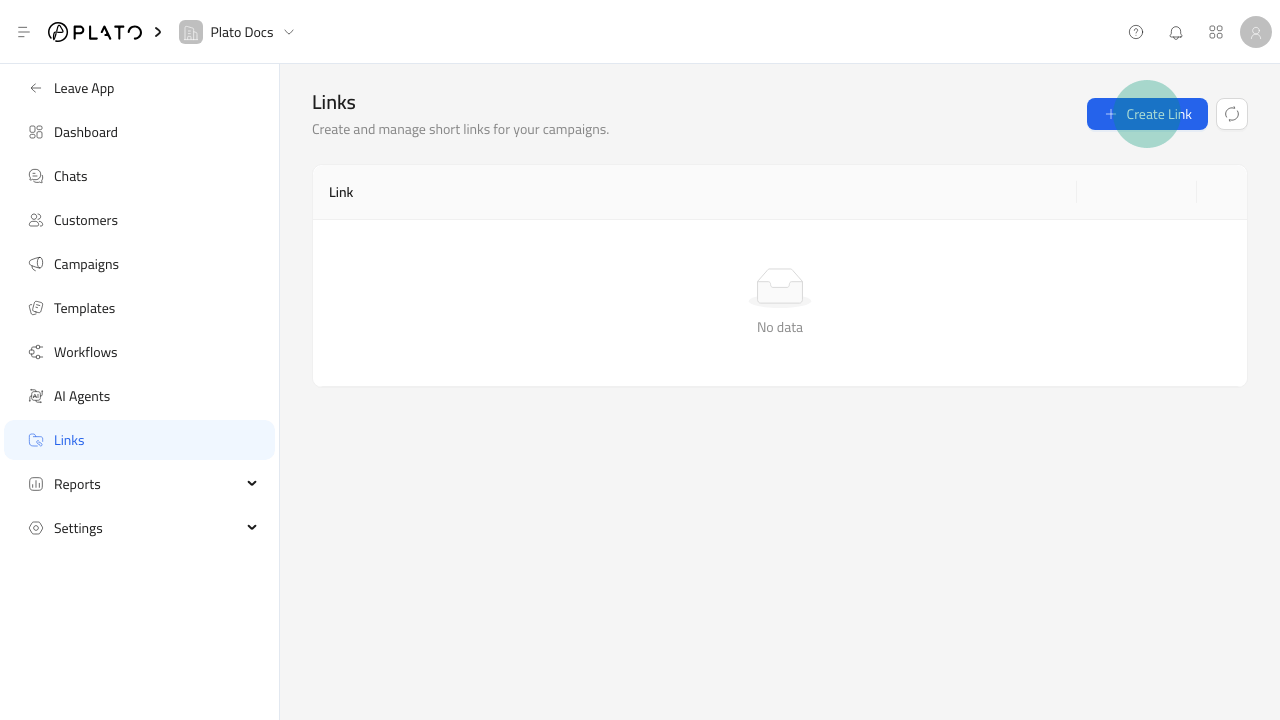 ## Open The Link Form
1. Open `Connect360`.
2. Go to `Links`.
3. Click `Create Link`.
## Open The Link Form
1. Open `Connect360`.
2. Go to `Links`.
3. Click `Create Link`.
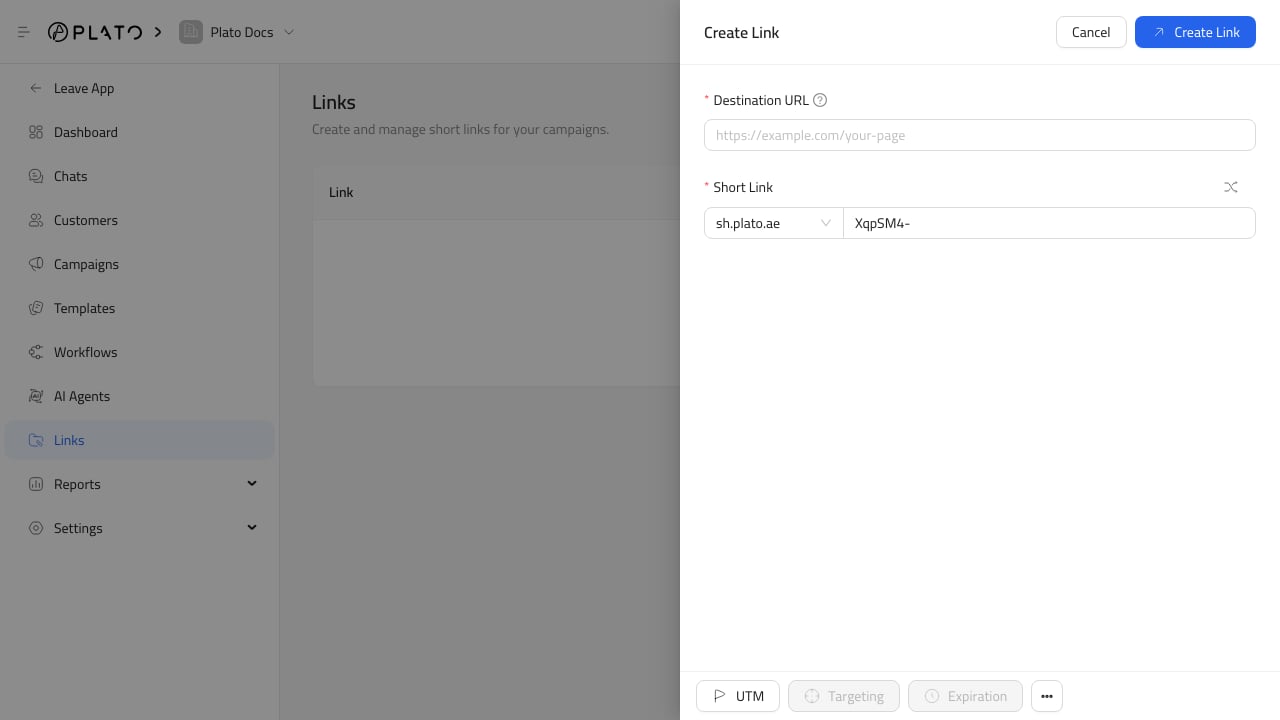 ## Add The Destination
Paste the destination URL where customers should land.
Use a page that is ready for customers before sharing the short link in a campaign.
## Choose The Short Link
Choose the domain and key, or use the shuffle action when you want Connect360 to generate one.
Keep the key short and readable when it will be printed on posters, packaging, menus, or cards.
## Add The Destination
Paste the destination URL where customers should land.
Use a page that is ready for customers before sharing the short link in a campaign.
## Choose The Short Link
Choose the domain and key, or use the shuffle action when you want Connect360 to generate one.
Keep the key short and readable when it will be printed on posters, packaging, menus, or cards.