> ## Documentation Index
> Fetch the complete documentation index at: https://docs.plato.ae/llms.txt
> Use this file to discover all available pages before exploring further.
# Add Customers
> Create a customer record that Connect360 can use for chats, campaigns, and reports.
Add customers when the team needs a reusable contact for conversations, campaigns, and customer reporting.
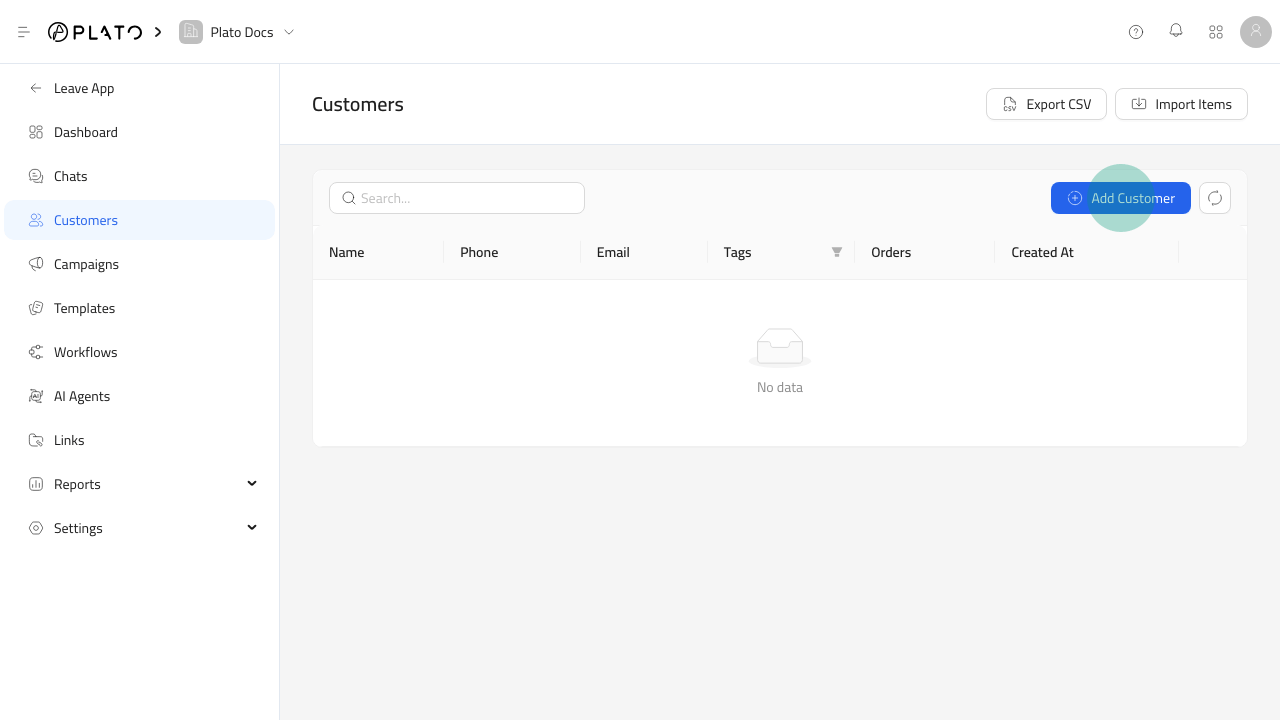 ## Create A Customer
1. Open `Connect360`.
2. Go to `Customers`.
3. Click `Add Customer`.
## Create A Customer
1. Open `Connect360`.
2. Go to `Customers`.
3. Click `Add Customer`.
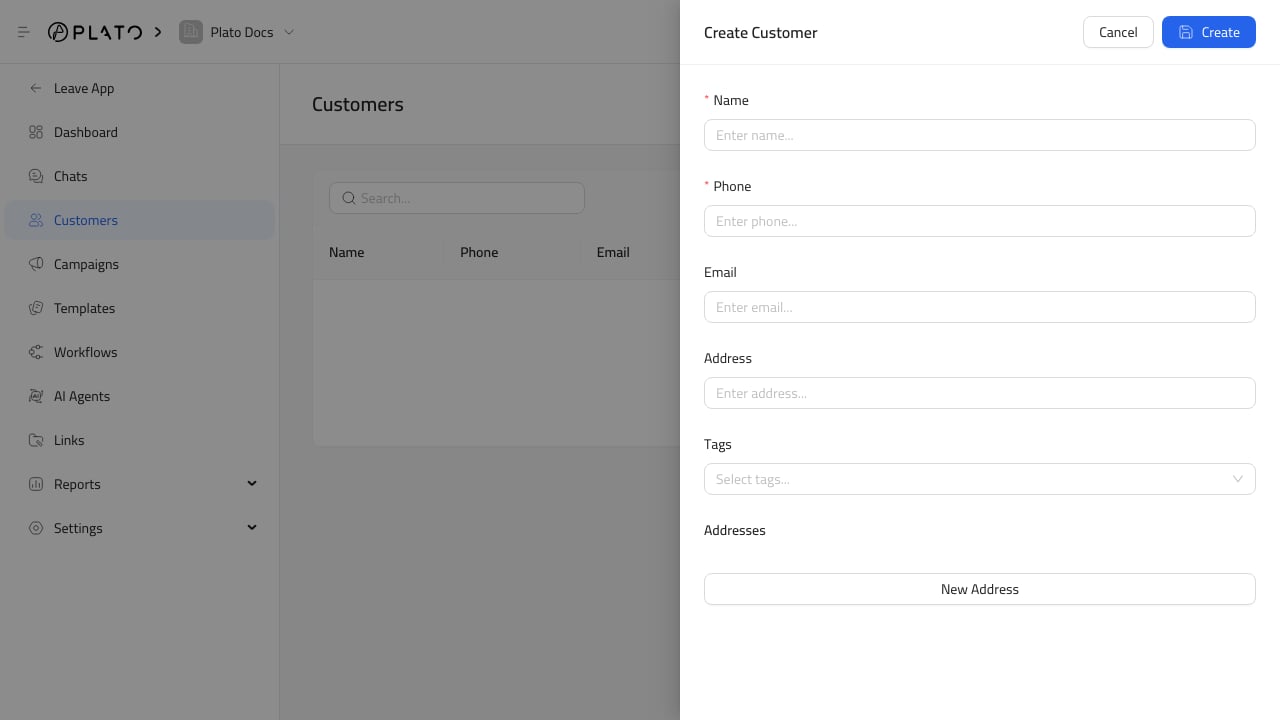 ## Fill Useful Details
Add the customer name and contact details your team will recognize. Add tags when the customer belongs to a useful group, such as VIP, delivery area, campaign audience, or support priority.
Keep phone numbers and email addresses clean because they can affect chat matching, campaign filters, and reporting.
## After Saving
Use the customer in conversations, campaign recipient filters, templates, workflow actions, and reports.
If a customer appears twice, clean up duplicates before launching a campaign.
## Fill Useful Details
Add the customer name and contact details your team will recognize. Add tags when the customer belongs to a useful group, such as VIP, delivery area, campaign audience, or support priority.
Keep phone numbers and email addresses clean because they can affect chat matching, campaign filters, and reporting.
## After Saving
Use the customer in conversations, campaign recipient filters, templates, workflow actions, and reports.
If a customer appears twice, clean up duplicates before launching a campaign.