> ## Documentation Index
> Fetch the complete documentation index at: https://docs.plato.ae/llms.txt
> Use this file to discover all available pages before exploring further.
# Channels
> Connect messaging channels and manage webhook and API key actions.
Channels connect messaging apps to Connect360.
A channel is the route used to send and receive messages, such as a WhatsApp number or SMS sender.
 ## Connect A Channel
 For the full setup flow, see [Connect A Channel](/connect360/settings/connect-channel).
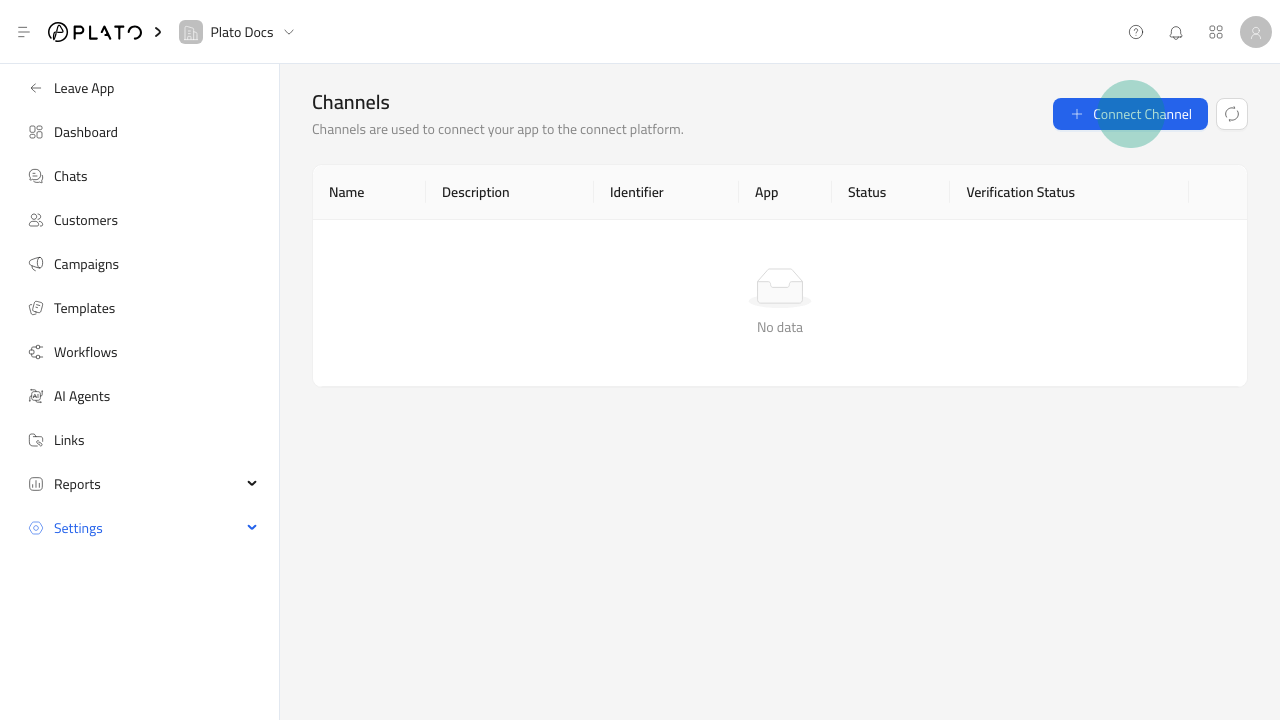
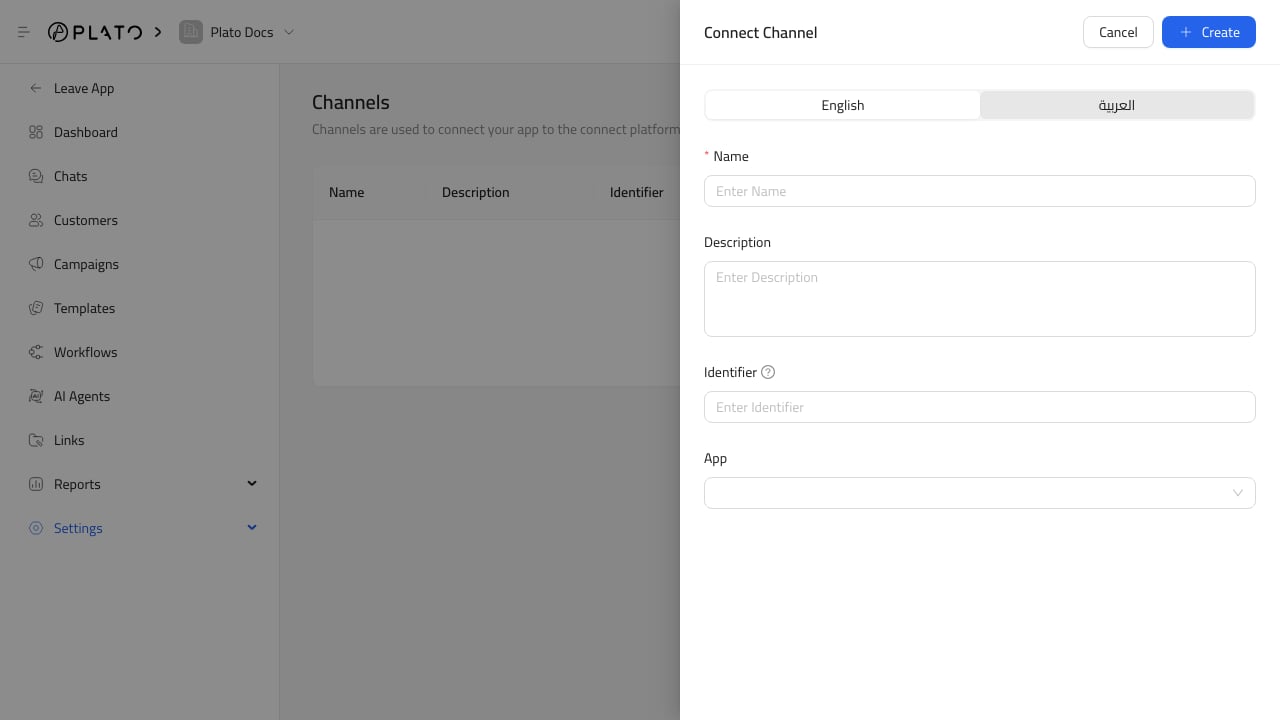
Click `Connect Channel`, then fill in:
1. Name.
2. Optional description.
3. Identifier, such as a WhatsApp phone number or sender identifier.
4. App from the installed Messaging apps list.
Save the channel after the required fields are complete.
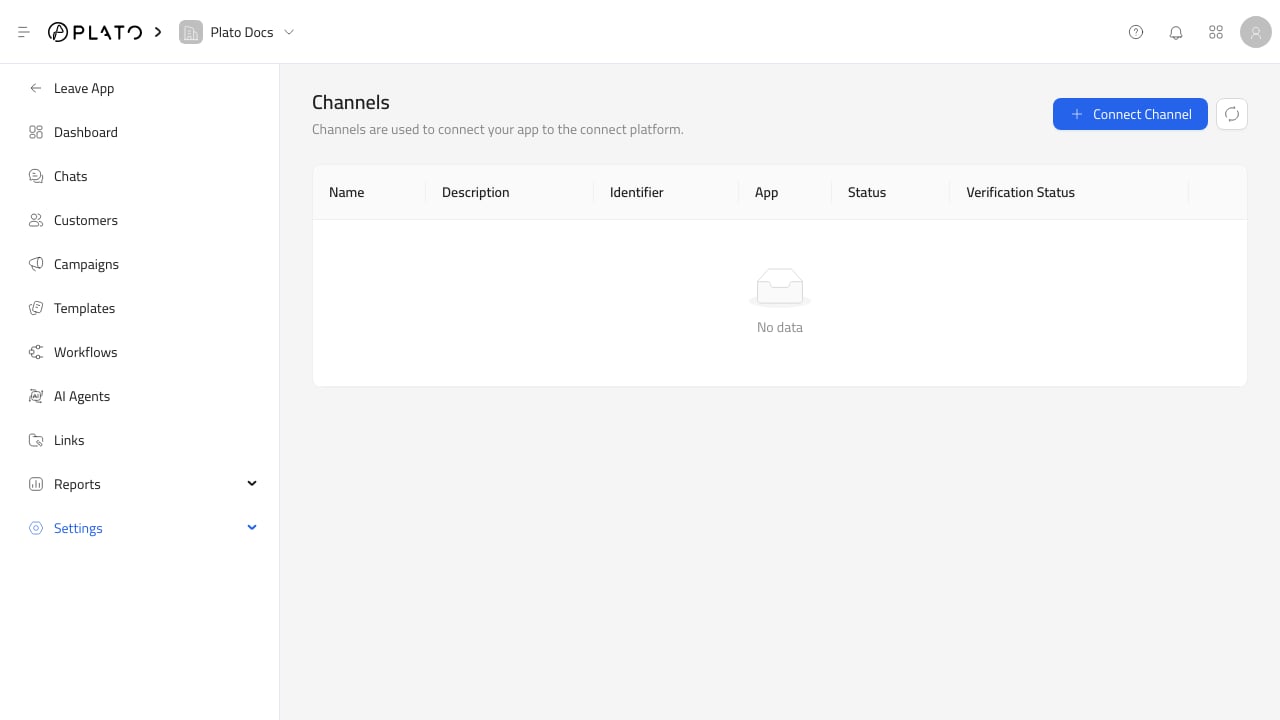
## Channel Status
The Channels page shows:
* Name.
* Description.
* Identifier.
* App.
* Status.
* Verification status.
Messages can only send through a channel that is active and verified.
## WhatsApp Webhook And API Key
For 360dialog WhatsApp channels, row actions include:
* `Set Webhook URL`.
* `Reset API Key`.
Use `Set Webhook URL` when the channel needs to point provider webhooks back to Plato.
Use `Reset API Key` when provider credentials changed or need to be rotated.
## Before Sending
Before using a channel in chat, templates, or campaigns, check:
1. The channel is active.
2. Verification status is verified.
3. The identifier is correct.
4. The app matches the intended provider.
5. The workspace has a messaging wallet with enough balance.
For the full setup flow, see [Connect A Channel](/connect360/settings/connect-channel).
Click `Connect Channel`, then fill in:
1. Name.
2. Optional description.
3. Identifier, such as a WhatsApp phone number or sender identifier.
4. App from the installed Messaging apps list.
Save the channel after the required fields are complete.
## Channel Status
The Channels page shows:
* Name.
* Description.
* Identifier.
* App.
* Status.
* Verification status.
Messages can only send through a channel that is active and verified.
## WhatsApp Webhook And API Key
For 360dialog WhatsApp channels, row actions include:
* `Set Webhook URL`.
* `Reset API Key`.
Use `Set Webhook URL` when the channel needs to point provider webhooks back to Plato.
Use `Reset API Key` when provider credentials changed or need to be rotated.
## Before Sending
Before using a channel in chat, templates, or campaigns, check:
1. The channel is active.
2. Verification status is verified.
3. The identifier is correct.
4. The app matches the intended provider.
5. The workspace has a messaging wallet with enough balance.