> ## Documentation Index
> Fetch the complete documentation index at: https://docs.plato.ae/llms.txt
> Use this file to discover all available pages before exploring further.
# Connect360
> Manage customer conversations, outbound campaigns, message templates, automation, short links, and messaging channels.
Connect360 is Plato's customer messaging and engagement app.
Use it when the team needs to reply to customers, send WhatsApp or SMS templates, launch targeted campaigns, automate follow-ups, track campaign links, or review messaging performance.
 ## What You Can Do
With Connect360, you can:
* Reply to customer chats from a shared inbox.
* Start conversations with customers and team members.
* Send text, attachments, internal notes, and approved templates.
* Use AI writing tools, AI auto-reply, and automatic translation.
* Manage customers from the same customer records used by Restaurant.
* Create campaigns for selected customer groups.
* Build templates for WhatsApp, SMS, and other messaging apps.
* Create workflows that send messages, notify team members, wait, branch, or stop.
* Create short links for campaigns and QR codes.
* Review chat, campaign, template, link, and customer distribution reports.
* Manage channels, chat defaults, tags, AI agents, and messaging wallets.
## Start Here
Enter the app, understand the sidebar, and read the messaging dashboard.
Reply to customers, add notes, send attachments, and use templates in chat.
Manage customer records, profiles, tags, and conversation history.
Send approved templates or workflows to selected customer groups.
Build reusable messages and automations for repeated customer journeys.
Review conversations, campaigns, templates, links, and customer distribution.
## A Good Daily Rhythm
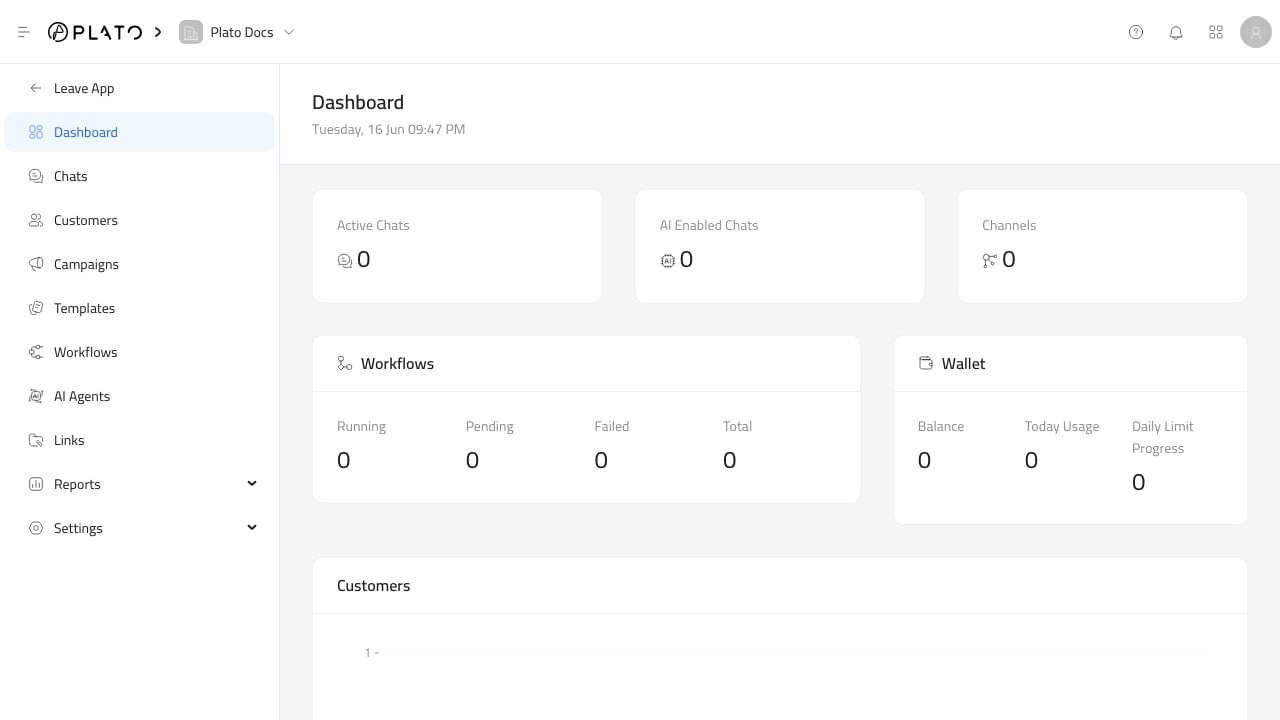
1. Check the dashboard for active chats, AI-enabled chats, channels, workflows, wallet usage, and new customers.
2. Work the inbox from newest conversations first.
3. Use templates for re-engagement, campaign messages, and repeated answers.
4. Keep customer profiles and tags clean while chatting.
5. Review campaign, template, and link reports after sending.
## How It Fits With Plato
Connect360 connects closely with Restaurant customers, orders, products, Drive files, workspace members, domains, tags, wallets, and workflow automation.
That means a customer conversation can include order context, product links, Drive attachments, payment or receipt links, internal notes, AI assistance, and automation rules without leaving the app.
## What You Can Do
With Connect360, you can:
* Reply to customer chats from a shared inbox.
* Start conversations with customers and team members.
* Send text, attachments, internal notes, and approved templates.
* Use AI writing tools, AI auto-reply, and automatic translation.
* Manage customers from the same customer records used by Restaurant.
* Create campaigns for selected customer groups.
* Build templates for WhatsApp, SMS, and other messaging apps.
* Create workflows that send messages, notify team members, wait, branch, or stop.
* Create short links for campaigns and QR codes.
* Review chat, campaign, template, link, and customer distribution reports.
* Manage channels, chat defaults, tags, AI agents, and messaging wallets.
## Start Here
Enter the app, understand the sidebar, and read the messaging dashboard.
Reply to customers, add notes, send attachments, and use templates in chat.
Manage customer records, profiles, tags, and conversation history.
Send approved templates or workflows to selected customer groups.
Build reusable messages and automations for repeated customer journeys.
Review conversations, campaigns, templates, links, and customer distribution.
## A Good Daily Rhythm
1. Check the dashboard for active chats, AI-enabled chats, channels, workflows, wallet usage, and new customers.
2. Work the inbox from newest conversations first.
3. Use templates for re-engagement, campaign messages, and repeated answers.
4. Keep customer profiles and tags clean while chatting.
5. Review campaign, template, and link reports after sending.
## How It Fits With Plato
Connect360 connects closely with Restaurant customers, orders, products, Drive files, workspace members, domains, tags, wallets, and workflow automation.
That means a customer conversation can include order context, product links, Drive attachments, payment or receipt links, internal notes, AI assistance, and automation rules without leaving the app.