> ## Documentation Index
> Fetch the complete documentation index at: https://docs.plato.ae/llms.txt
> Use this file to discover all available pages before exploring further.
# Builder
> Add buttons, text, media, maps, contact forms, and other content to a Bio Link.
The Builder is where you decide what visitors see after they open your Bio Link.
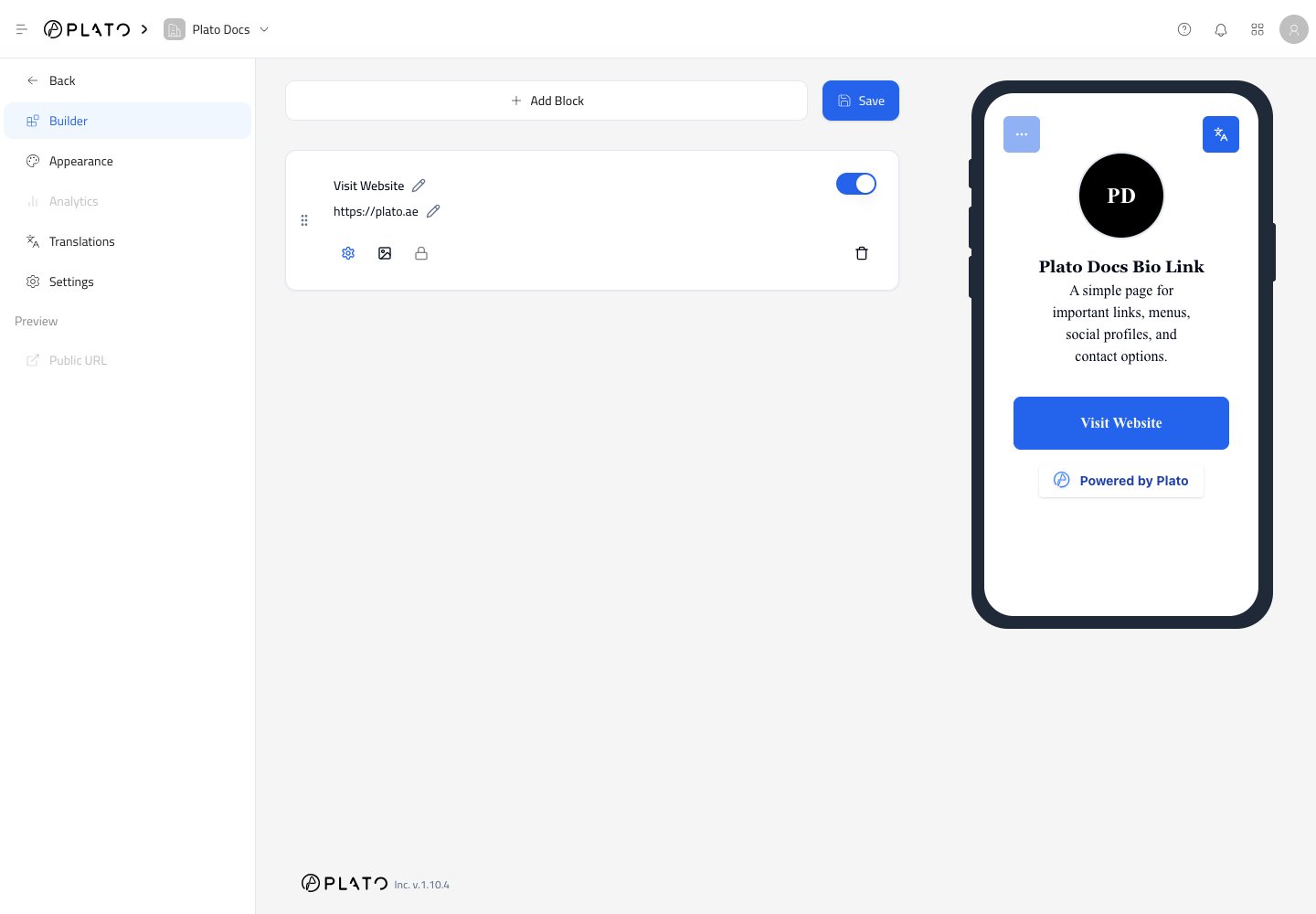 The phone preview updates so you can check the visitor experience while editing.
## Add A Block
Click `Add Block` to choose what you want to add.
The phone preview updates so you can check the visitor experience while editing.
## Add A Block
Click `Add Block` to choose what you want to add.
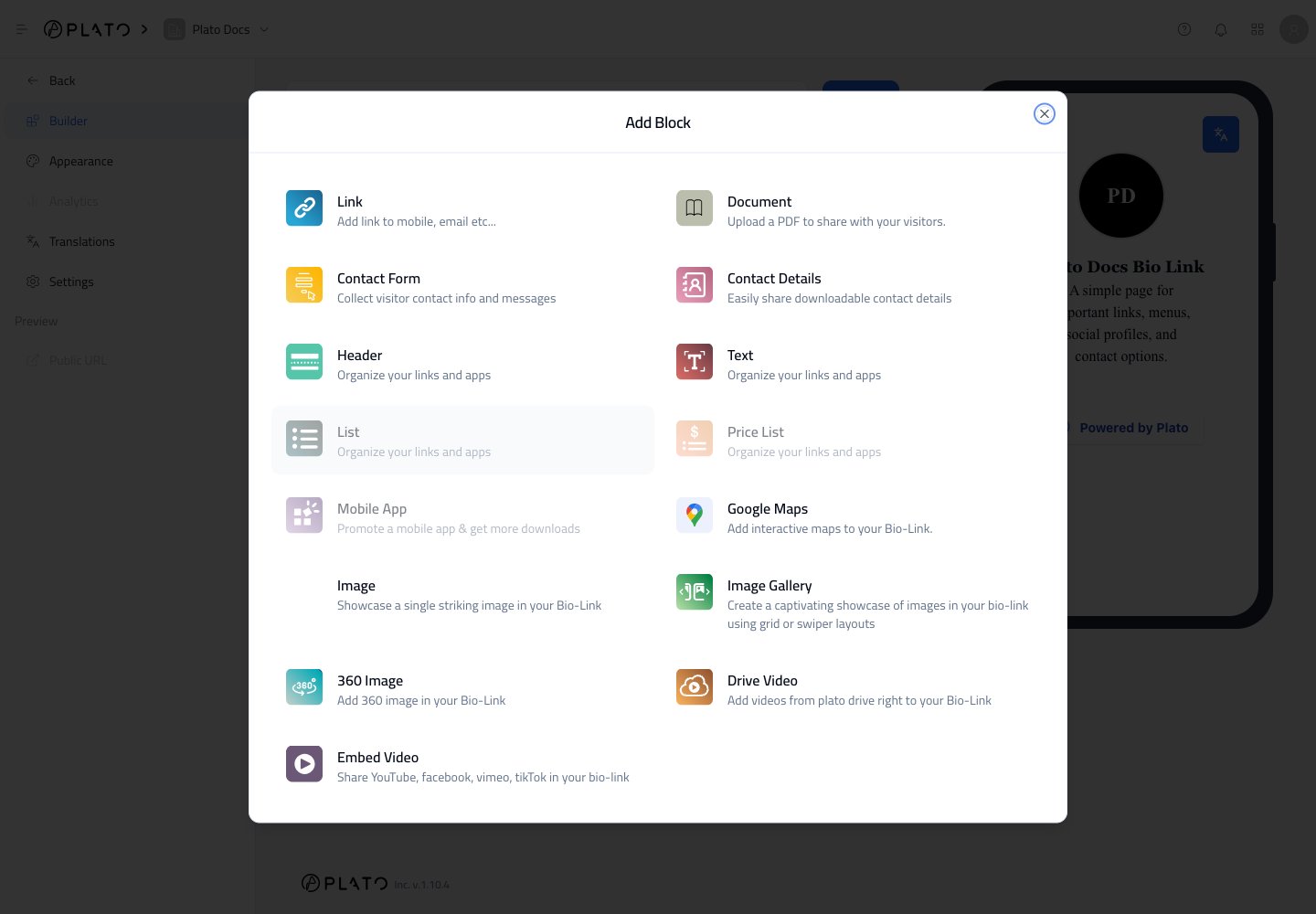 Common block types include:
* `Link` for buttons to websites, menus, booking pages, WhatsApp, email, or phone numbers.
* `Contact Form` for collecting visitor messages.
* `Contact Details` for sharing business contact information.
* `Header` and `Text` for organizing sections.
* `Google Maps` for showing a location.
* `Image`, `Image Gallery`, and `360 Image` for visual content.
* `Drive Video` or `Embed Video` for video content.
* `Document` for sharing a PDF.
If a block appears faded, it is not currently available to select.
## Edit A Link Button
After adding a `Link` block, click the title or URL text to edit it.
Common block types include:
* `Link` for buttons to websites, menus, booking pages, WhatsApp, email, or phone numbers.
* `Contact Form` for collecting visitor messages.
* `Contact Details` for sharing business contact information.
* `Header` and `Text` for organizing sections.
* `Google Maps` for showing a location.
* `Image`, `Image Gallery`, and `360 Image` for visual content.
* `Drive Video` or `Embed Video` for video content.
* `Document` for sharing a PDF.
If a block appears faded, it is not currently available to select.
## Edit A Link Button
After adding a `Link` block, click the title or URL text to edit it.
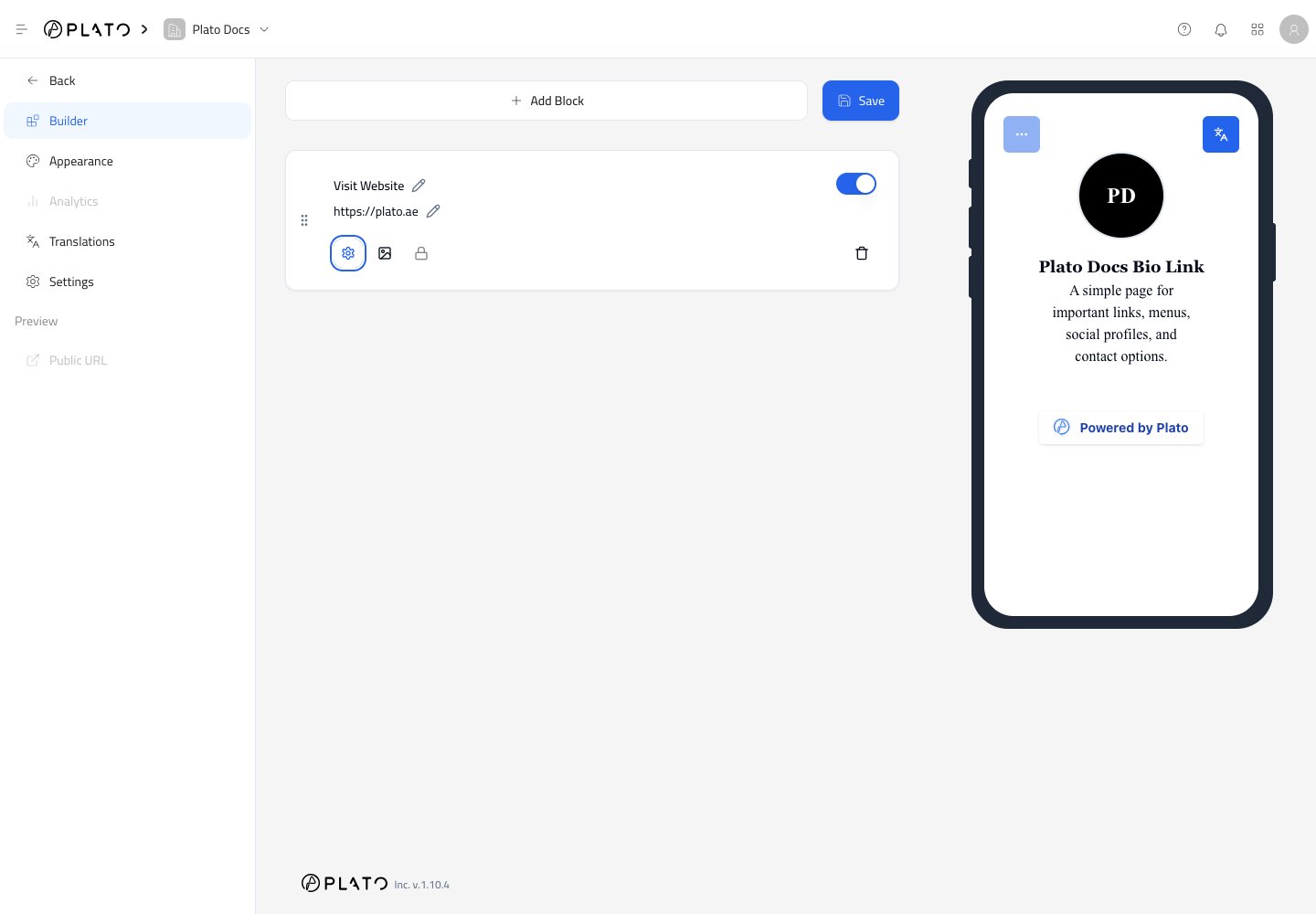 Use the block controls to:
* Drag the block to a new position.
* Turn the block on or off.
* Edit title and URL.
* Open link options.
* Add a thumbnail image.
* Delete the block.
For phone, email, SMS, or WhatsApp links, open the link options and choose the correct prefix.
## Save Changes
The Builder does not publish block changes until you click `Save`.
After saving, check the phone preview and open the public page once to confirm the link works as expected.
Use the block controls to:
* Drag the block to a new position.
* Turn the block on or off.
* Edit title and URL.
* Open link options.
* Add a thumbnail image.
* Delete the block.
For phone, email, SMS, or WhatsApp links, open the link options and choose the correct prefix.
## Save Changes
The Builder does not publish block changes until you click `Save`.
After saving, check the phone preview and open the public page once to confirm the link works as expected.