> ## Documentation Index
> Fetch the complete documentation index at: https://docs.plato.ae/llms.txt
> Use this file to discover all available pages before exploring further.
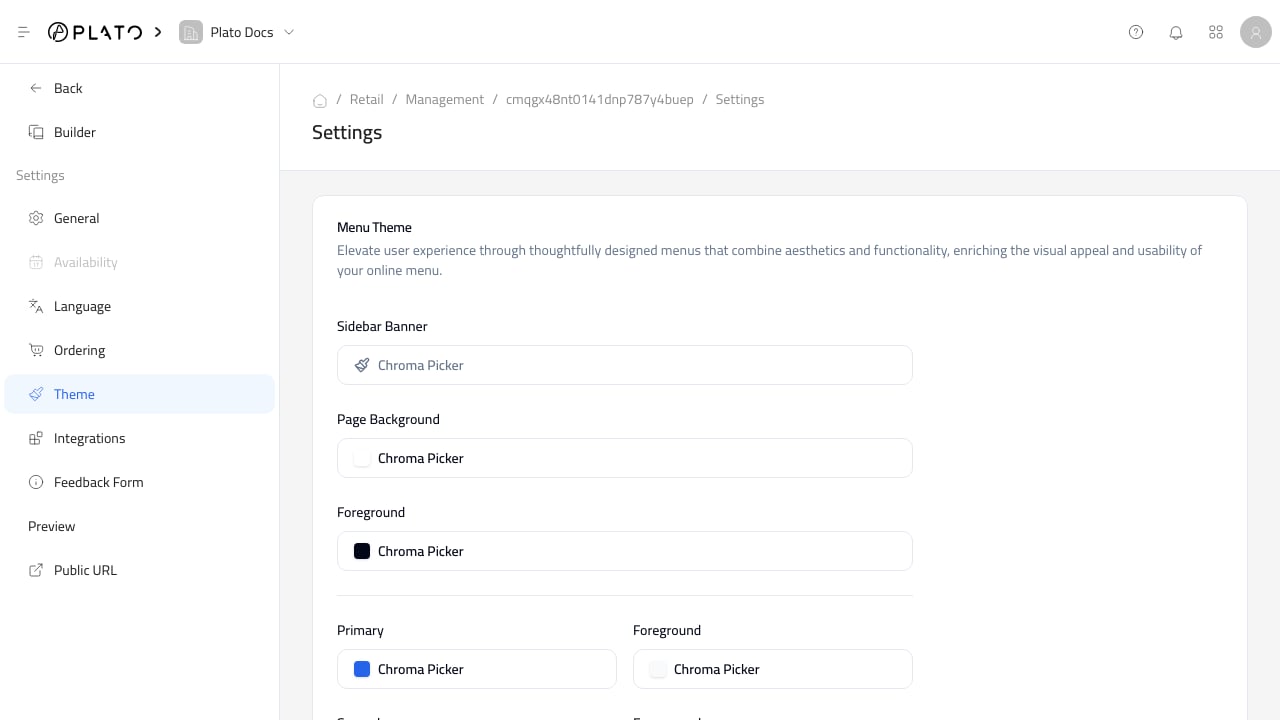
# سمة
> ضبط مظهر كتالوج البيع بالتجزئة العام.
استخدم `Theme` للتحكم في مظهر الكتالوج العام، بما في ذلك الألوان والخطوط والتصميم وسلوك صفحة الترحيب.
 ## اجعل الكتالوج قابلاً للقراءة
يجب أن تظل أسماء المنتجات وأسعارها وأزرار الدفع واضحة على الهاتف المحمول.
قبل مشاركة الكتالوج العام، تحقق مما يلي:
* تباين الزر.
* إمكانية قراءة بطاقة المنتج.
* حجم الخط.
* نصف قطر الزاوية والتباعد.
* سلوك صفحة الترحيب.
* رؤية الشعار.
## اجعل الكتالوج قابلاً للقراءة
يجب أن تظل أسماء المنتجات وأسعارها وأزرار الدفع واضحة على الهاتف المحمول.
قبل مشاركة الكتالوج العام، تحقق مما يلي:
* تباين الزر.
* إمكانية قراءة بطاقة المنتج.
* حجم الخط.
* نصف قطر الزاوية والتباعد.
* سلوك صفحة الترحيب.
* رؤية الشعار.