> ## Documentation Index
> Fetch the complete documentation index at: https://docs.plato.ae/llms.txt
> Use this file to discover all available pages before exploring further.

# تسوية الطلب نقدًا

> احصل على دفعة نقدية، وأدخل المبلغ المعروض، وأكمل عملية البيع.

استخدم التسوية النقدية عندما يدفع العميل نقدًا ويحتاج أمين الصندوق إلى Plato لتسجيل العطاء والتغيير وخطوة الاستلام.

## قبل أخذ النقود

يجب أن يتم إرسال الطلب بالفعل أو أن يكون جاهزًا للدفع.
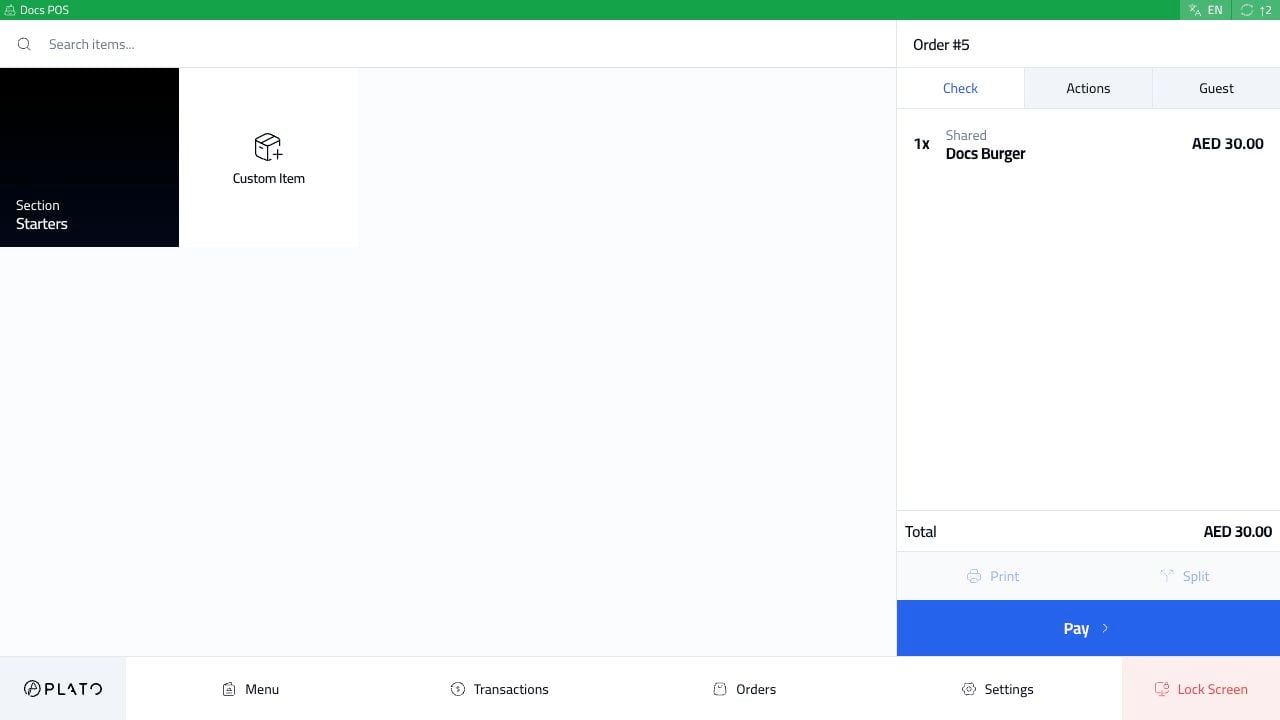
<img src="https://mintcdn.com/platoae/BPT5cVutD7nA9lgH/images/kds-pos/pos-fresh/13-order-sent-ready-to-pay.png?fit=max&auto=format&n=BPT5cVutD7nA9lgH&q=85&s=ef6ac031fce3596a31129c4f48d64f04" alt="أمر نقدي جاهز للدفع" width="1280" height="720" data-path="images/kds-pos/pos-fresh/13-order-sent-ready-to-pay.png" />

تحقق من الإجمالي في الشريط الجانبي للطلب قبل فتح الدفع.

## فتح الدفع

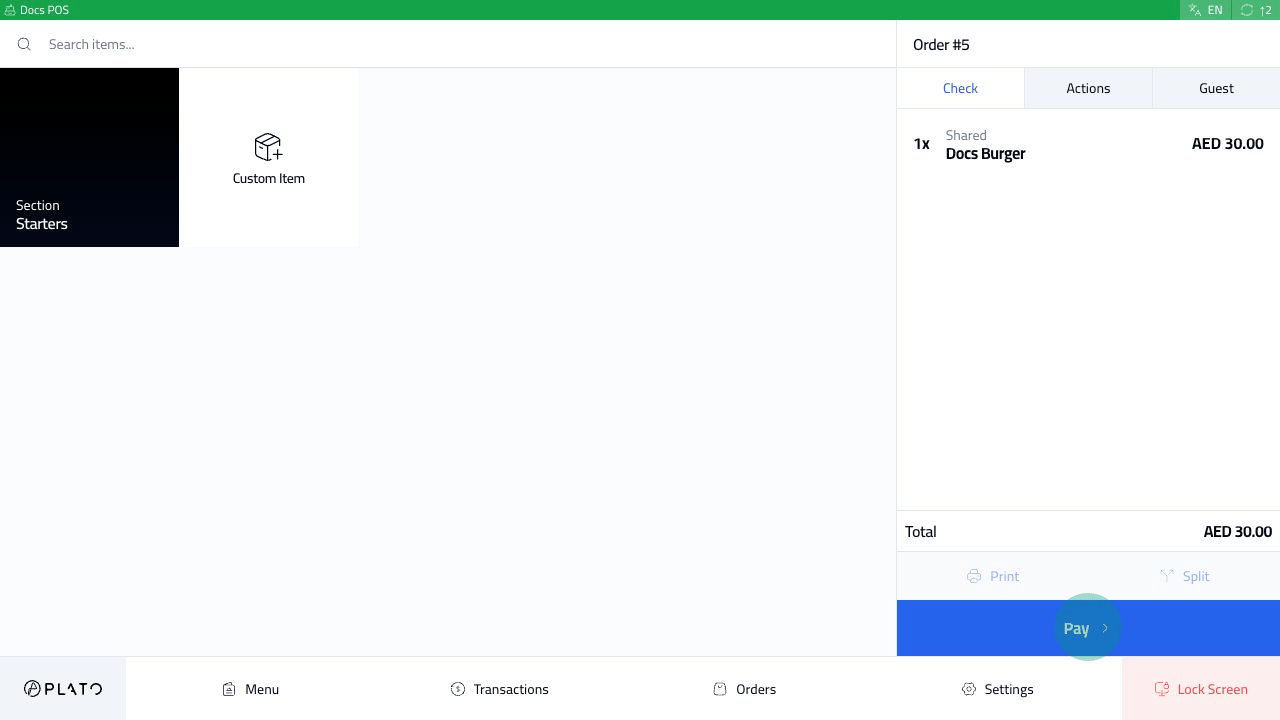
انقر فوق `Pay`.
<img src="https://mintcdn.com/platoae/BPT5cVutD7nA9lgH/images/kds-pos/pos-fresh/14-pay-button-tap.png?fit=max&auto=format&n=BPT5cVutD7nA9lgH&q=85&s=03382c0e50123249a213e93ac7f9c25e" alt="زر الدفع" width="1280" height="720" data-path="images/kds-pos/pos-fresh/14-pay-button-tap.png" />

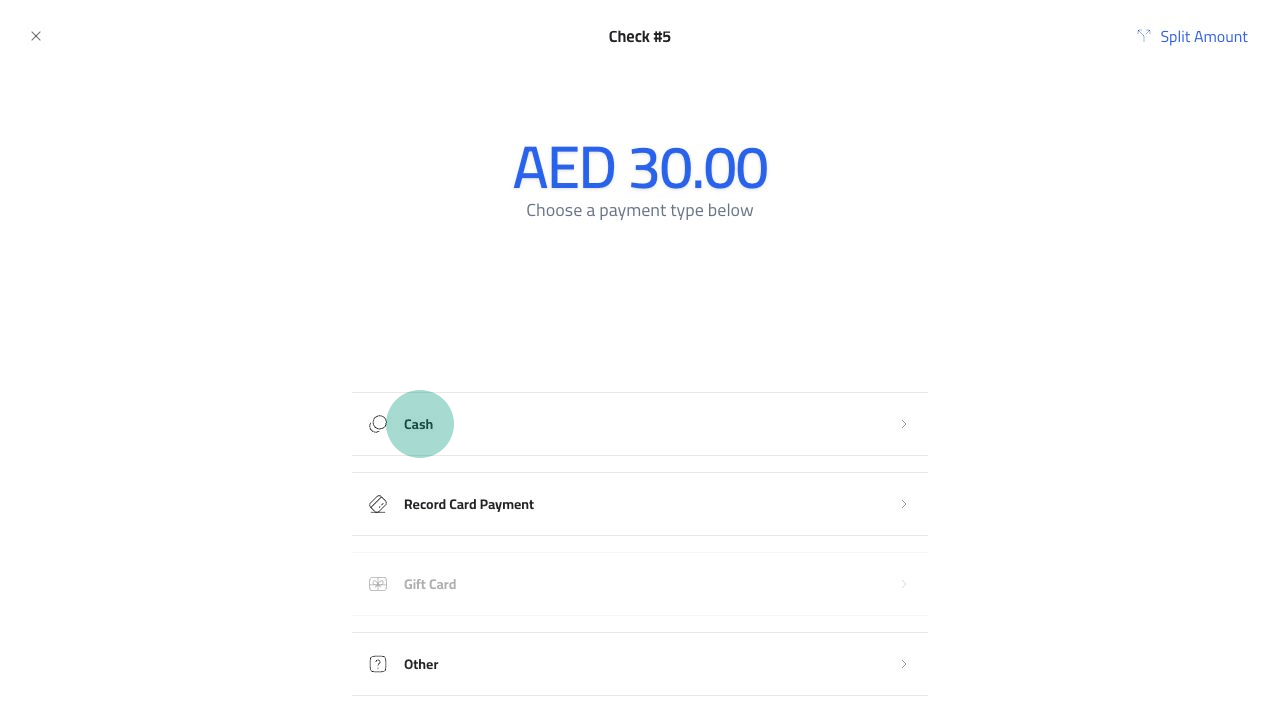
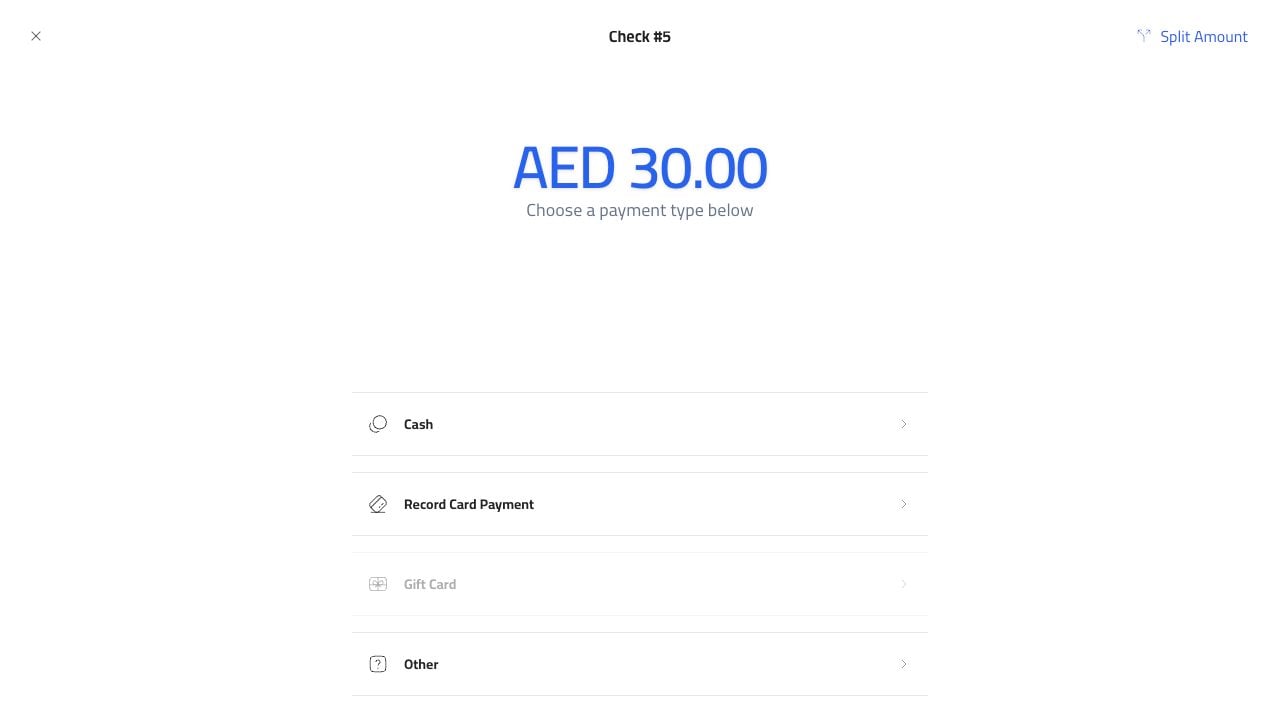
شاشة الدفع توضح المبلغ المستحق وطرق الدفع المتاحة.
<img src="https://mintcdn.com/platoae/BPT5cVutD7nA9lgH/images/kds-pos/pos-fresh/15-payment-methods.png?fit=max&auto=format&n=BPT5cVutD7nA9lgH&q=85&s=90ade911a7339b877655ba7aec0e4140" alt="طرق الدفع" width="1280" height="720" data-path="images/kds-pos/pos-fresh/15-payment-methods.png" />

اختر `Cash`.

<img src="https://mintcdn.com/platoae/BPT5cVutD7nA9lgH/images/kds-pos/pos-fresh/16-cash-method-tap.png?fit=max&auto=format&n=BPT5cVutD7nA9lgH&q=85&s=18c549a1cea56a224f6e1e9dccfe68ae" alt="طريقة الدفع نقدا" width="1280" height="720" data-path="images/kds-pos/pos-fresh/16-cash-method-tap.png" />

## أدخل المناقصة

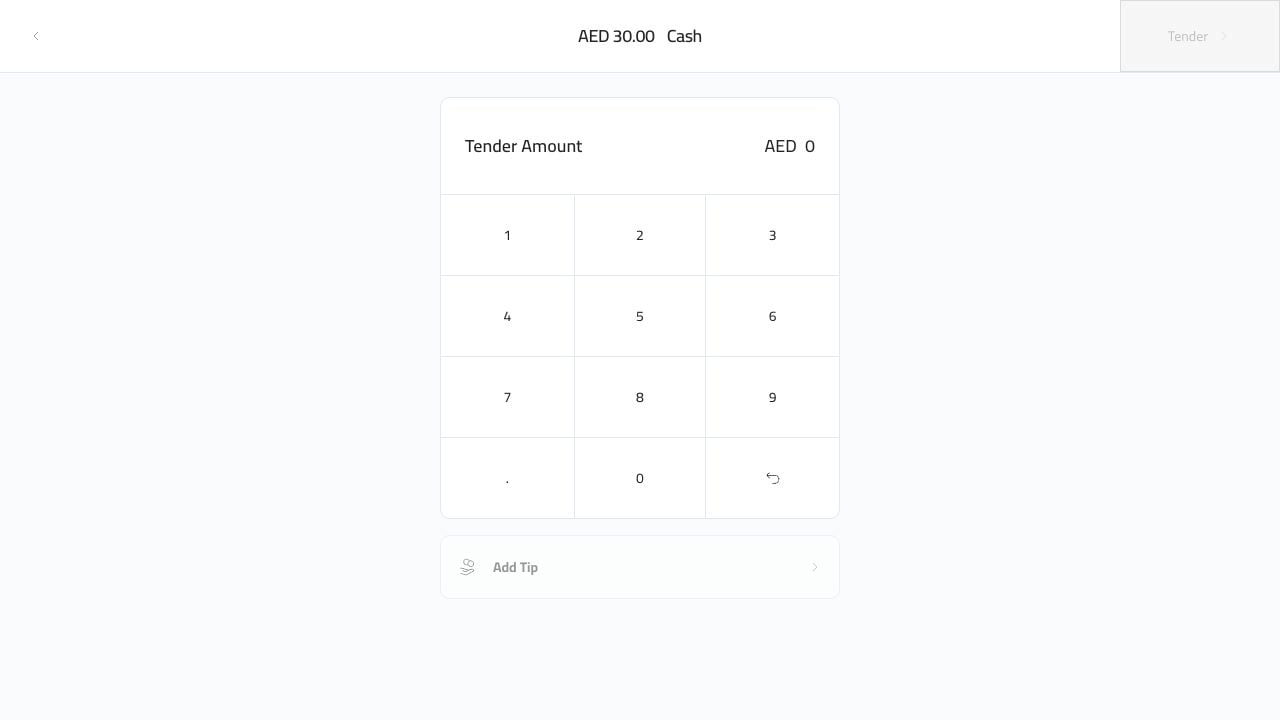
تعرض شاشة العطاء النقدي المبلغ المستحق ولوحة المفاتيح.
<img src="https://mintcdn.com/platoae/BPT5cVutD7nA9lgH/images/kds-pos/pos-fresh/17-cash-tender-screen.png?fit=max&auto=format&n=BPT5cVutD7nA9lgH&q=85&s=d1c5015d58d87eebc1a18f7faf77bb64" alt="شاشة العطاء النقدي" width="1280" height="720" data-path="images/kds-pos/pos-fresh/17-cash-tender-screen.png" />

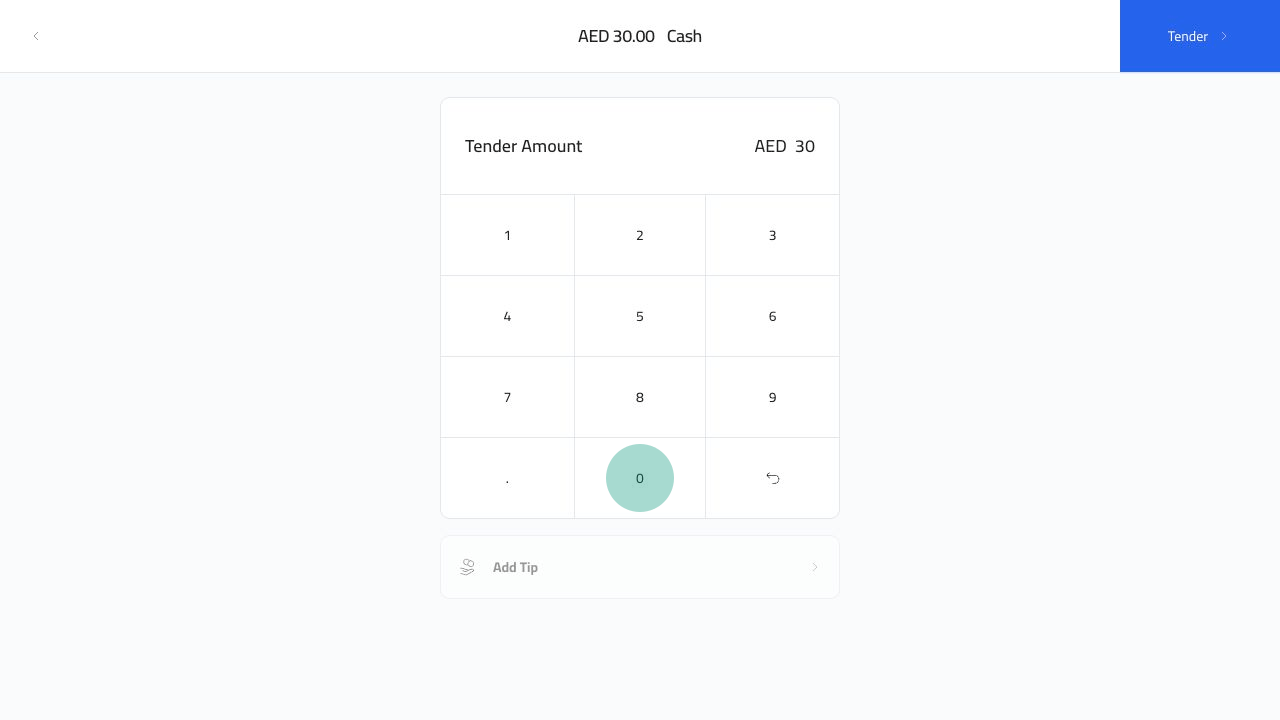
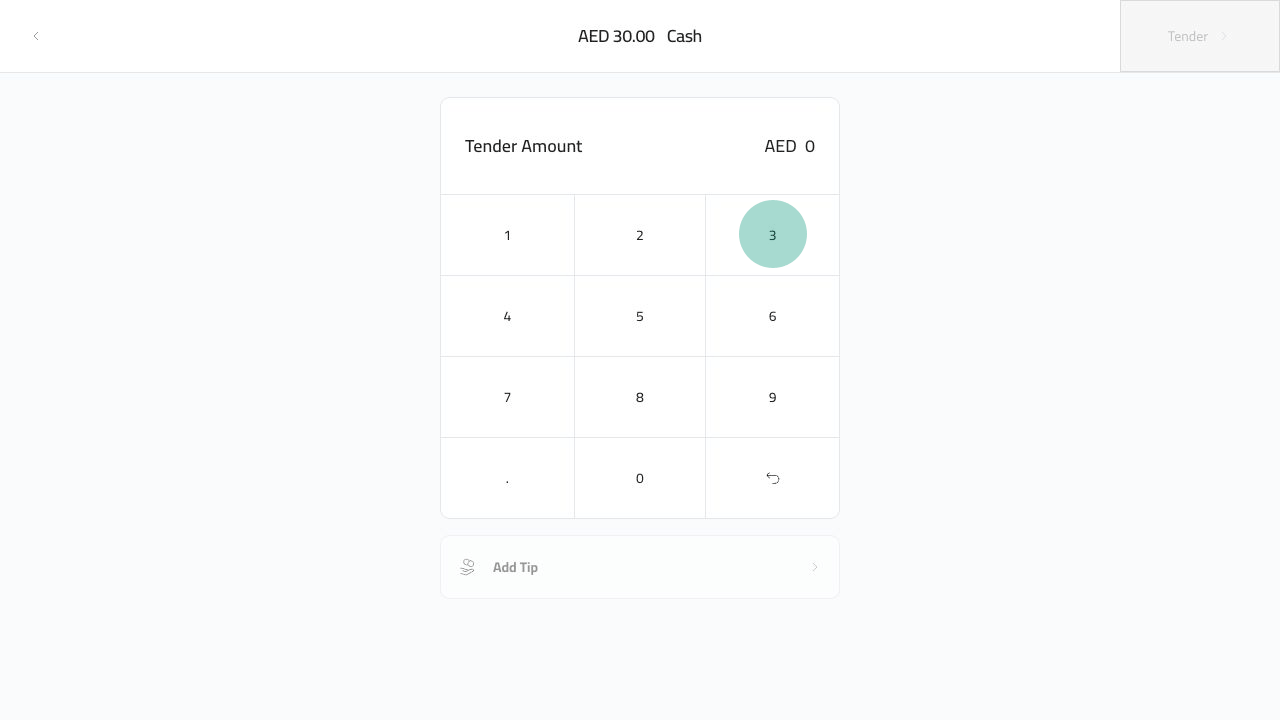
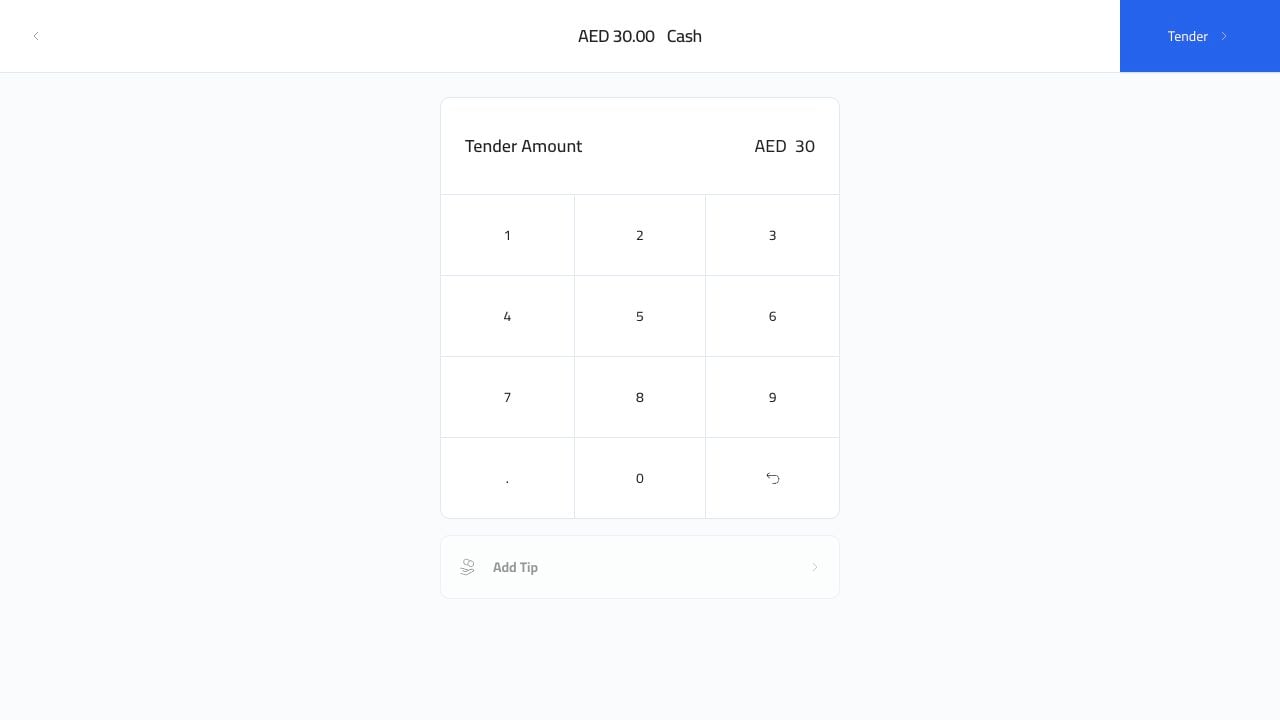
أدخل المبلغ الذي قدمه لك العميل. المثال أدناه يدخل `30`.
<img src="https://mintcdn.com/platoae/BPT5cVutD7nA9lgH/images/kds-pos/pos-fresh/18-cash-keypad-3-tap.png?fit=max&auto=format&n=BPT5cVutD7nA9lgH&q=85&s=31f12aa3cc2bd80327eba2540fbfa82e" alt="لوحة المفاتيح النقدية 3" width="1280" height="720" data-path="images/kds-pos/pos-fresh/18-cash-keypad-3-tap.png" />

<img src="https://mintcdn.com/platoae/BPT5cVutD7nA9lgH/images/kds-pos/pos-fresh/19-cash-keypad-0-tap.png?fit=max&auto=format&n=BPT5cVutD7nA9lgH&q=85&s=b0640b1e41a72783eb8005bc616a3c67" alt="لوحة المفاتيح النقدية 0" width="1280" height="720" data-path="images/kds-pos/pos-fresh/19-cash-keypad-0-tap.png" />

يصبح الزر `Tender` متاحًا بعد إدخال المبلغ.
<img src="https://mintcdn.com/platoae/BPT5cVutD7nA9lgH/images/kds-pos/pos-fresh/20-cash-amount-entered.png?fit=max&auto=format&n=BPT5cVutD7nA9lgH&q=85&s=9662af72e1b9274c724aedde8ab22d14" alt="تم إدخال المبلغ النقدي" width="1280" height="720" data-path="images/kds-pos/pos-fresh/20-cash-amount-entered.png" />

## إنهاء البيع

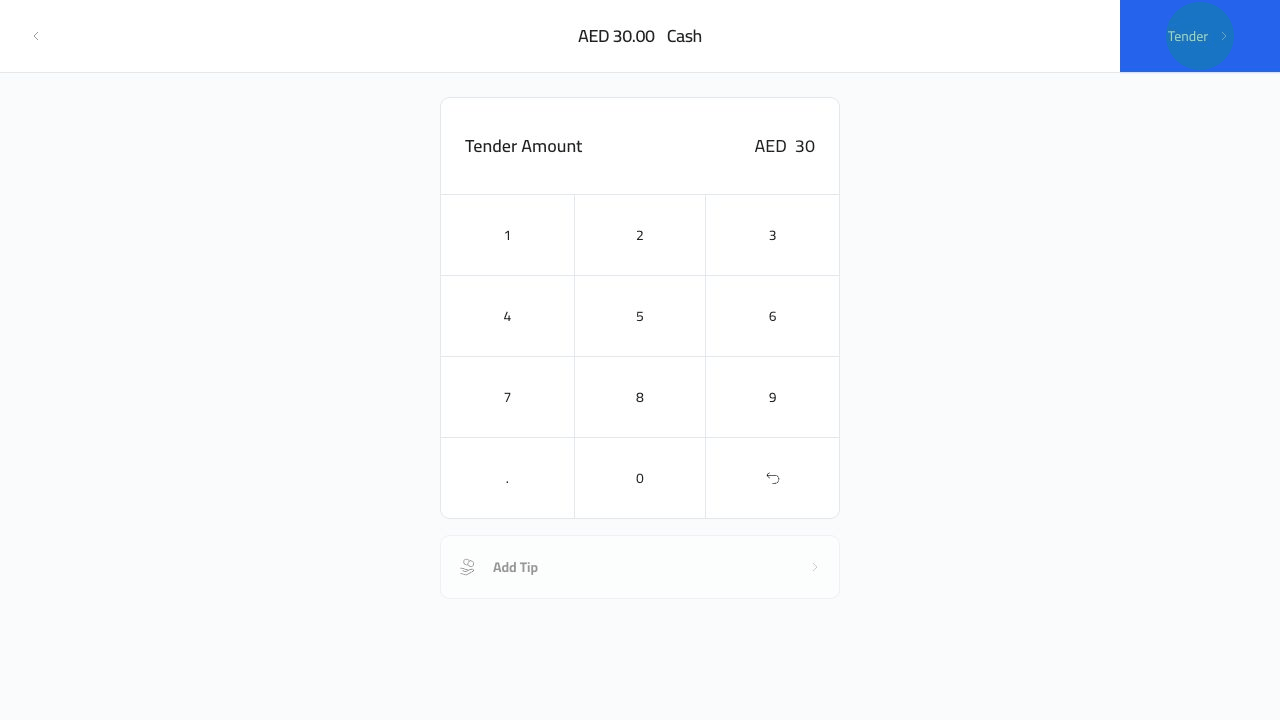
انقر فوق `Tender`.

<img src="https://mintcdn.com/platoae/BPT5cVutD7nA9lgH/images/kds-pos/pos-fresh/21-cash-tender-tap.png?fit=max&auto=format&n=BPT5cVutD7nA9lgH&q=85&s=7d13e8b6d10535421509d426b00b9e4c" alt="الدفع النقدي للعطاء" width="1280" height="720" data-path="images/kds-pos/pos-fresh/21-cash-tender-tap.png" />

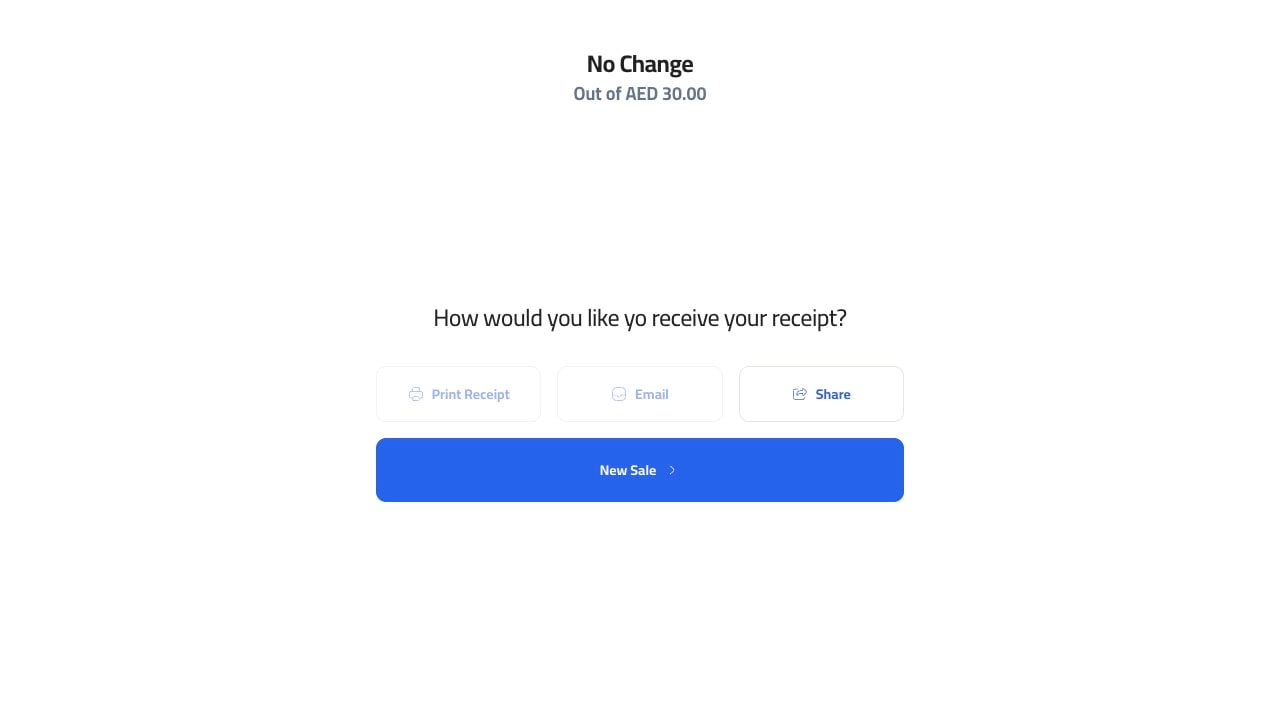
يقوم Plato بإغلاق الأمر وفتح شاشة الاستلام. من هنا يمكن لأمين الصندوق طباعة عملية بيع جديدة أو إرسالها بالبريد الإلكتروني أو مشاركتها أو بدء عملية بيع جديدة.
<img src="https://mintcdn.com/platoae/TIGnbzXxmghL4Tv_/images/kds-pos/pos-fresh/22-cash-receipt-screen.png?fit=max&auto=format&n=TIGnbzXxmghL4Tv_&q=85&s=76fde56c278be9ddf113e79fe5fa8b65" alt="شاشة إيصالات نقدية" width="1280" height="720" data-path="images/kds-pos/pos-fresh/22-cash-receipt-screen.png" />

إذا أعطى العميل أكثر من الإجمالي، استخدم التغيير الموضح على شاشة النجاح قبل بدء عملية البيع التالية.