> ## Documentation Index
> Fetch the complete documentation index at: https://docs.plato.ae/llms.txt
> Use this file to discover all available pages before exploring further.
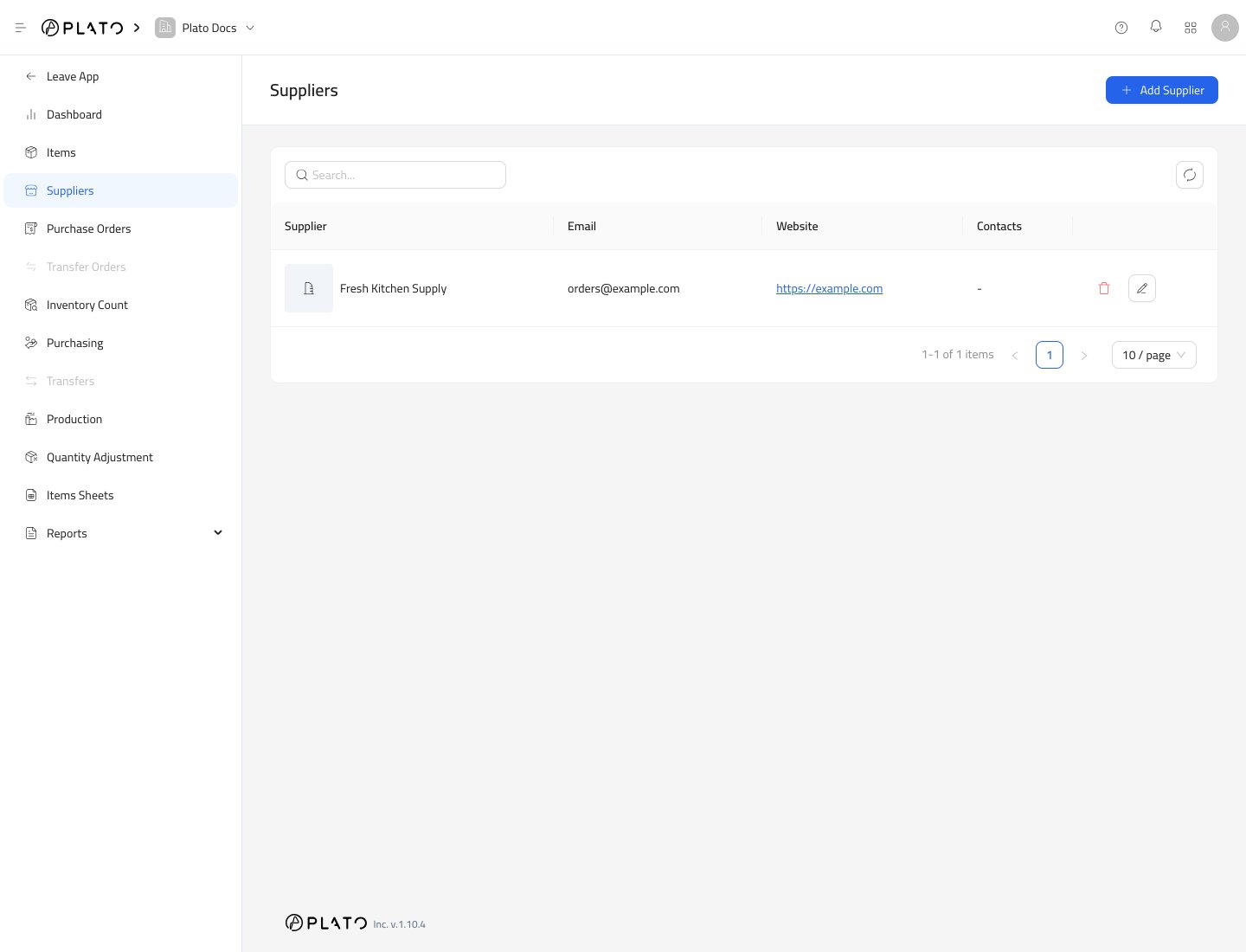
# الموردين
> إنشاء الموردين وفتح تفاصيل المورد لجهات الاتصال وروابط العناصر.
يقوم الموردون بتخزين الشركات أو البائعين الذين يشتري فريقك المخزون منهم.
 ## إنشاء مورد
1. افتح `Inventory`.
2. انتقل إلى `Suppliers`.
3. انقر فوق `Add Supplier`.
## إنشاء مورد
1. افتح `Inventory`.
2. انتقل إلى `Suppliers`.
3. انقر فوق `Add Supplier`.
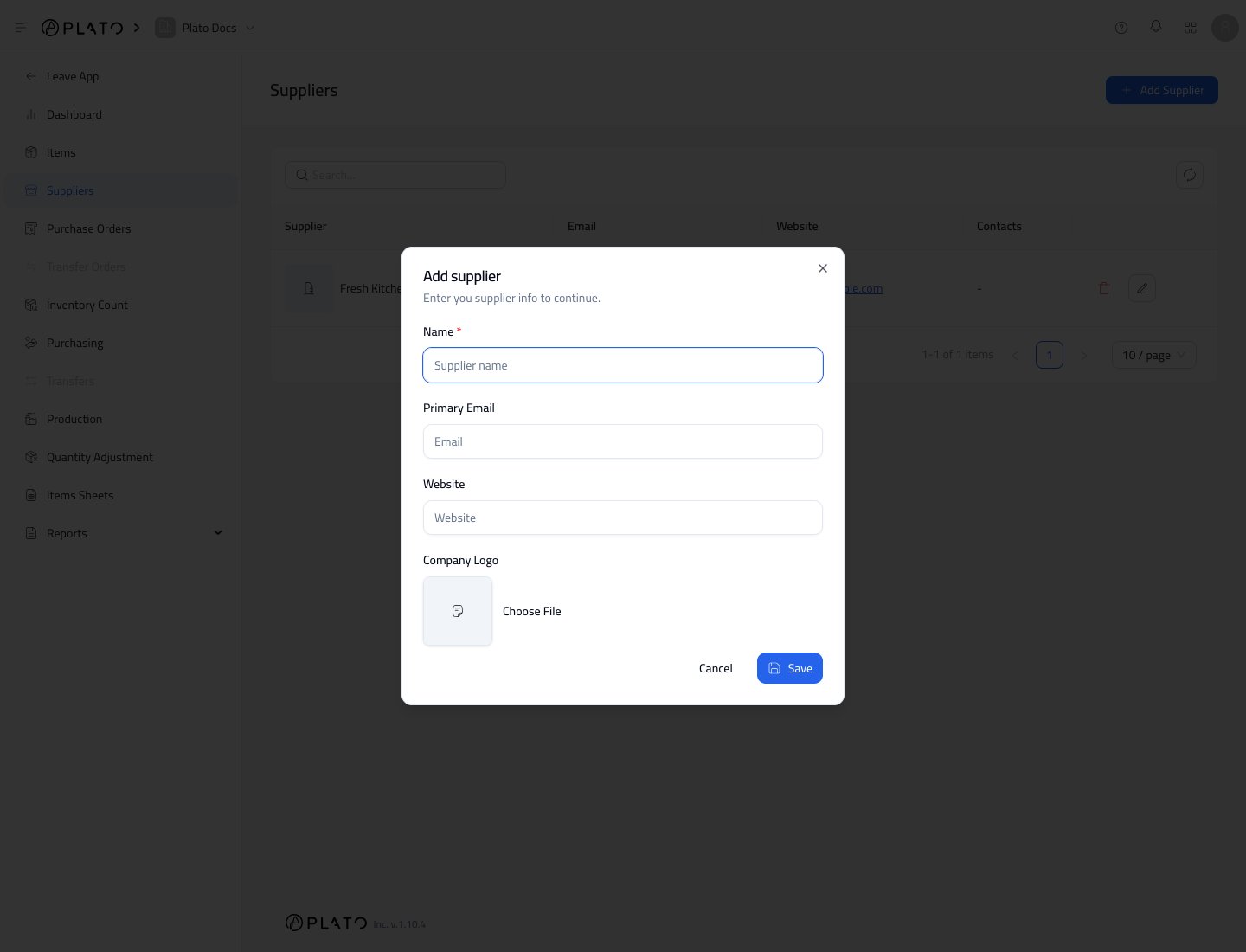
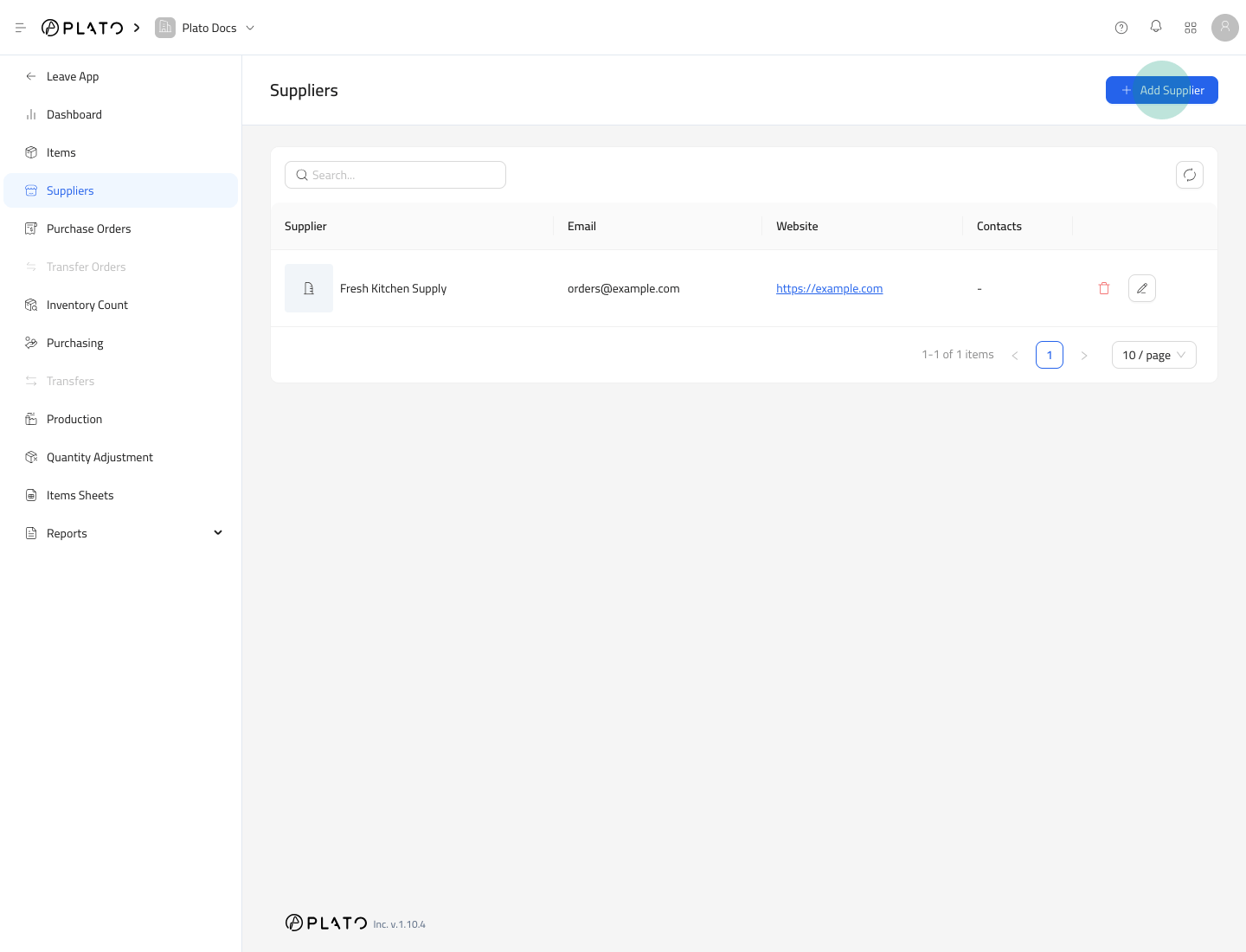 املأ نموذج المورد واحفظه.
 ## حقول الموردين
يتضمن نموذج المورد ما يلي:
* `Name`
* `Primary Email`
* `Website`
* `Company Logo`
أضف فقط المعلومات التي يحتاجها فريقك للشراء والمتابعة.
## افتح تفاصيل المورد
افتح موردًا لإدارة جهات الاتصال وروابط العناصر.
## حقول الموردين
يتضمن نموذج المورد ما يلي:
* `Name`
* `Primary Email`
* `Website`
* `Company Logo`
أضف فقط المعلومات التي يحتاجها فريقك للشراء والمتابعة.
## افتح تفاصيل المورد
افتح موردًا لإدارة جهات الاتصال وروابط العناصر.
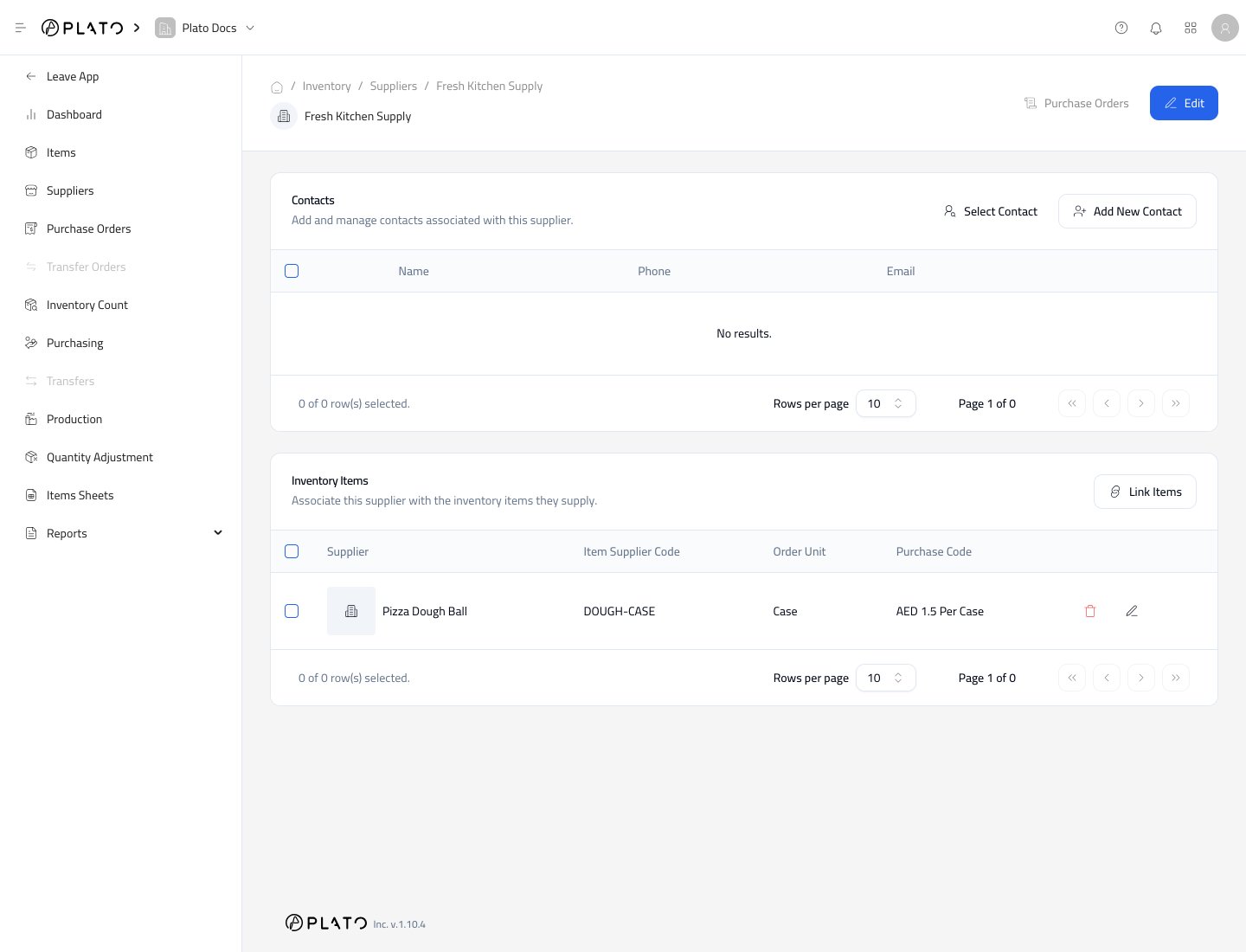 تكون تفاصيل المورد مفيدة عندما تريد رؤية كل عنصر يقدمه بائع واحد.
## الخطوات التالية
بعد إنشاء مورد، قم بربطه بعناصر المخزون حتى يعرف Plato وحدات طلب المورد وعوامل التحويل والأكواد وتكاليف الشراء.
تكون تفاصيل المورد مفيدة عندما تريد رؤية كل عنصر يقدمه بائع واحد.
## الخطوات التالية
بعد إنشاء مورد، قم بربطه بعناصر المخزون حتى يعرف Plato وحدات طلب المورد وعوامل التحويل والأكواد وتكاليف الشراء.